
The Pipeline in One Picture
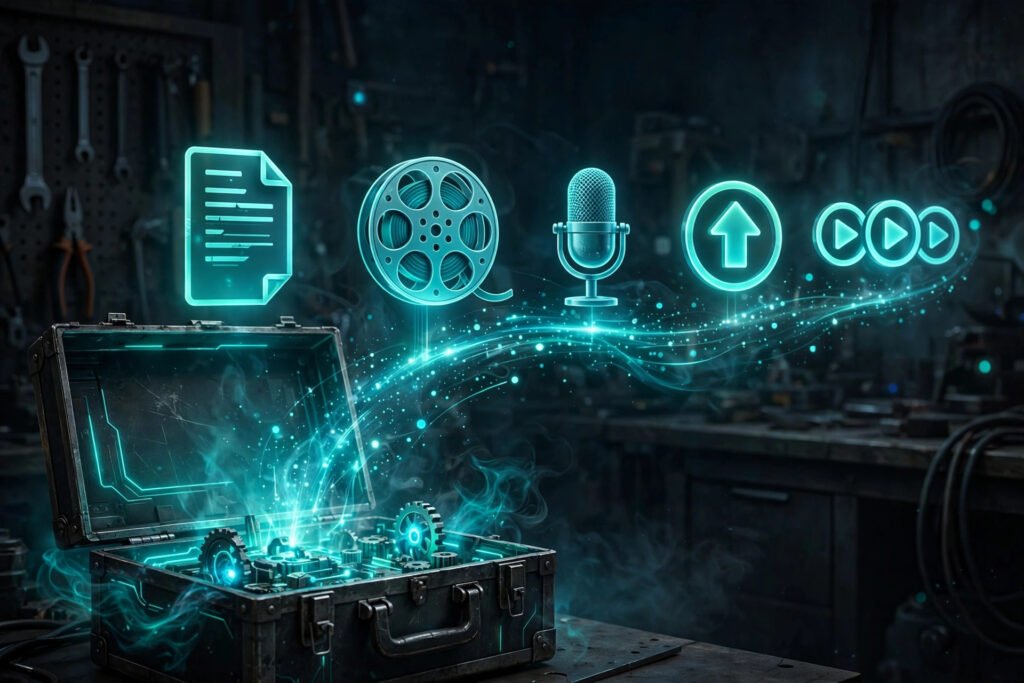
Before I get into specific tools, let me lay out the full pipeline — because each tool only makes sense once you see where it sits. A faceless video runs through six stages, and every single one needs something (AI or manual) handling it.
1. Script → The words. This is where everything starts.
2. Voice → Turning those words into narration.
3. Footage → Visuals that actually match the narration.
4. Thumbnails → The packaging that gets the click.
5. Editing → Assembly, music, captions, polish.
6. Publishing → Upload, SEO, scheduling.
Now here’s what I want you to notice: you don’t need six separate AI tools. Some tools cover multiple stages. Some stages you might just do yourself. But you do need to consciously decide how each stage gets handled. The creators who struggle? They’re the ones who bought a video generator and assumed it would handle everything. It won’t. It never will.
I’ve organized my recommendations by stage, with honest takes on where AI genuinely helps and where you’re better off doing it yourself or reaching for traditional tools. Starting from zero? My guide to starting a faceless YouTube channel walks the full process end to end.
Scripting: Where AI Helps and Where It Hurts
Here’s a distinction that matters more than people realize: AI language models are excellent scripting assistants and terrible scriptwriters.
Where AI helps: research and outlining. I use AI to gather background info, suggest structures, brainstorm angles. “Give me 10 key events in the fall of the Roman Empire in chronological order” — perfect use case. It saves hours of initial digging and hands you a skeleton to build on.
Where AI hurts: writing the actual script. AI-written scripts have a recognizable smell — generic hooks, predictable transitions, surface-level analysis, and that slightly-off tone experienced viewers can detect instantly. I’ve run AI-written scripts against my own head-to-head, and mine retain better. Every time. The difference is voice — not vocal voice, but authorial voice. Personality. Perspective. Actual opinions.
My workflow: AI handles research and outlining, I write the script myself. Takes longer. Way longer. But the script is the foundation of everything, and here’s a rule I’ve never seen broken: a great script with mediocre production beats a mediocre script with great production. Every single time. No exceptions I’ve ever witnessed.
If you absolutely must use AI for drafting, treat its output as a rough first draft. Not a final product. Rewrite it in your own voice. Add your opinions. Cut the fluff. Throw in specific details the AI couldn’t possibly know. The goal is a script that sounds like a person who gives a damn — not a machine that processed some data.
Voice: Generator vs Your Own Mic
I’ve written about this at length in my AI voiceover guide, so here’s the condensed version for toolkit purposes.
Going the AI route? Then voice quality is your number one priority. Listen to samples with your eyes closed — does it sound like an actual person? Test it with your real niche content, because a history script hits differently than a tech explainer. The voice you pick becomes your channel’s identity. Don’t rush this decision. Seriously.
Recording yourself? You need a decent mic — a $50–100 USB mic is plenty to start — a quiet room (closets work shockingly well, by the way, clothes eat echo for breakfast), and free software like Audacity. And here’s the thing: the bar for “good enough” is lower than you think. Clear audio with zero background noise beats studio-quality audio with room echo. Every time.
Either way, budget real time for this stage. Voice generation or recording for a 10-minute video takes 30–60 minutes once you include previewing and fixing issues. It’s not instant. Anyone who tells you it is hasn’t actually done it.
Footage: Matching the Tool to the Niche
This is where tool choice bites hardest — pick the wrong tool for your niche and you’re burning money on bad results. My guide to choosing an AI video model walks through the whole decision framework.
For illustrative or explainer content (history, science, finance, education): AI image generators are often enough. You don’t need full video generation. Compelling still images with motion added in the edit — slow zooms, pans, parallax effects — work perfectly for this style. Cheaper, faster, and the quality bar is friendlier because viewers expect illustrations, not footage.
For atmospheric or cinematic content (horror, ambient, nature, space): this is where AI video generators genuinely shine. The dreamlike, slightly unreal quality of AI video? For content that’s supposed to feel surreal or spectacular, that’s a feature, not a bug. If this is your niche, invest in a good video generation tool.
For data-driven content (maps, charts, timelines): you barely need AI at all. Screen recordings of Google Earth, animated charts from free tools, simple motion graphics — that covers most of it. I’ve seen genuinely excellent geopolitics channels running on almost zero AI video. Just well-produced maps and data visuals.
Stock footage deserves its own mention. For a lot of niches, real stock footage — free from places like Pexels and Pixabay — looks better than AI-generated video and costs nothing. I run a hybrid: stock for establishing shots and b-roll, AI for the specific visuals I can’t find in any stock library. Don’t just assume AI is the answer to every footage problem.
Thumbnails Without a Face
Thumbnail tools split into two buckets: AI image generators and graphic design tools. You probably need both. Here’s why.
I generate thumbnail backgrounds or key elements with AI image tools, then do the compositing and text in a design tool. The AI gives me visuals I couldn’t create on my own. The design tool gives me precise control over layout, text, and branding. Neither one does the other’s job well.
For the design side, free tools are completely fine. What you actually need: layering images, adding text with decent fonts, adjusting colors and contrast, exporting at 1280×720. That’s the whole list. I’ve watched creators overcomplicate this with expensive software. Don’t.
Because the skill that actually matters isn’t the tool — it’s knowing what makes people click. So study the thumbnails in your niche. What colors keep showing up? How much text are they using? Where’s the focal point? Then make yours fit the pattern while standing out just enough. I’ve covered the full strategy in my faceless thumbnails guide.
Editing and Assembly
For editing, my recommendation is simple: DaVinci Resolve (free) or Premiere Pro (paid), depending on your budget. Both handle everything a faceless channel actually needs — multi-track timelines, audio mixing, text overlays, basic effects.
What does editing a faceless video actually look like? Less glamorous than you’d think. Lay down the voiceover track. Cut visuals to match the narration beats. Add background music at low volume. Add captions or kinetic text if that fits your style. Color-correct for consistency. Export. It’s assembly more than creative editing — the creativity already happened during scripting and visual selection.
Learn keyboard shortcuts. I mean it — this sounds like nothing, but the gap between a 2-hour edit and a 5-hour edit is often just editing efficiency. J/K/L for playback, I/O for in and out points, blade tool shortcuts. These will save you hundreds of hours over a year. Hundreds.
And build templates. Create a project template with your intro/outro, music tracks, text styles, and export settings already configured, so every new video starts from that template. I’ve seen creators cut their editing time in half just by templating the repetitive parts. I’ve also covered reusable Premiere timeline templates specifically for AI shorts.
What I’d Pay For First (and What Can Wait)
Alright. If I were starting a faceless channel today with a small budget, here’s exactly how I’d spend it, in order:
First $30/month: AI voice. Like I’ve been saying throughout this guide — the voice is the highest-impact investment you can make. A good voice lifts everything else.
Next $30–50/month: video or image generation. This one depends on your niche. If you need custom visuals, it’s essential. If stock footage covers your needs, skip it entirely and put the money elsewhere.
Once monetized: editing help. The first thing I’d outsource is editing — not creative work. A freelance editor ($200–500/month for part-time work) buys back your time for scripting and strategy, which are the things that actually grow the channel. I held onto scripting and voice direction myself long after outsourcing everything else.
What can wait indefinitely: expensive music licenses (free libraries are fine), premium stock footage subscriptions (the free sites cover most needs), automation tools (you don’t need automation until you have a proven format), and branding packages (a simple text logo is plenty to start).
The principle behind all of this: spend money to remove bottlenecks, not to feel professional. If you’re burning 10 hours a week on something a $30 tool could do in one hour, buy the tool. But if you’re buying tools for problems you don’t have yet? Stop. That’s just expensive procrastination.