
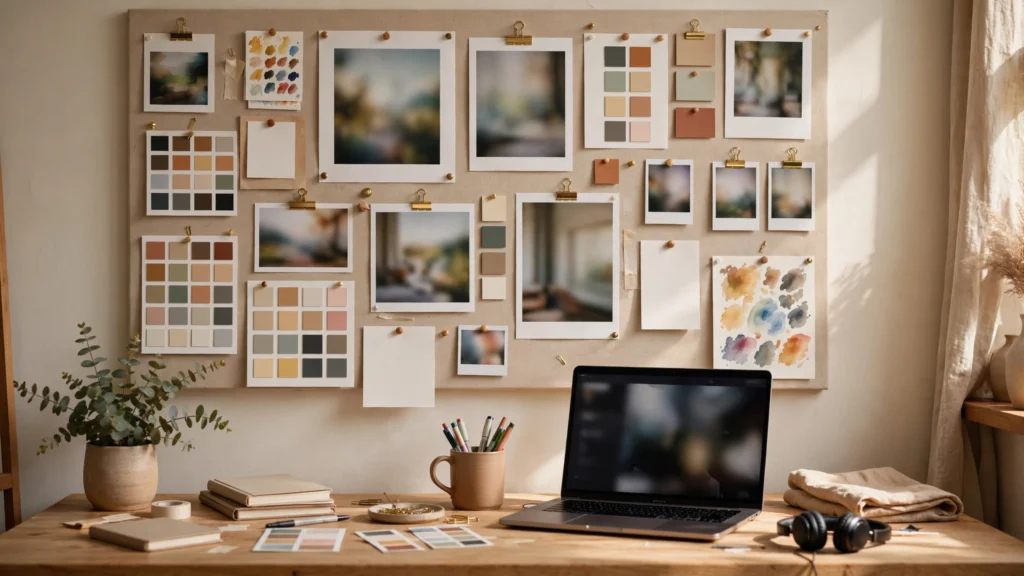
Every AI video project starts tidy and ends in a scroll. Character sheet in Downloads. Location photo in a chat thread. Palette screenshot on the desktop. And the one frame you actually approved, buried three folders deep. Then you prompt from memory, and the model gives you a slightly different person in a slightly different room. Here’s the thing — that drift isn’t a model problem. It’s a references problem. In our pipeline, one document fixes it: the reference board. One page per project, linked from every shot. Every prompt gets written from it.
Scattered References, Scattered Results
Generation is literal. If you describe a character from memory in Shot 1 and re-describe them from a different memory in Shot 7, you get two cousins, not one person. Same applies to sets, props, and light. Creators often blame the tool for inconsistency when the real cause is that no two prompts ever saw the same source material.
Scattering costs time too. Hunting for the approved kitchen image before every render breaks concentration and — honestly — it encourages shortcuts. You start typing a fresh description instead of copying the locked one. And that fresh description? That’s where wardrobe changes, window positions shift, and wall colours wander.
The board ends both problems. It’s a single page where the cast, the set, the key props, the palette, and the look references sit together, labelled, in the order you’ll use them. Open it before you write a prompt. Close it after you render. That habit alone stabilises a project more than any model setting.
What Lives On The Board: Cast, Sets, Props, Palette
A useful board has four blocks, always in the same order, so your eye learns where to land.
- Cast block: one clean frame per character, full outfit visible, name and role under it. Use the same frames you will upload as reference images. If the character has a sheet, link the sheet here and pin the single best still on the board itself.
- Set block: one wide and one medium view per location. Label time of day on each view. Locations drift just as fast as faces, and a wide view stops the model inventing new doors mid-scene.
- Props block: hero objects only: the product, the car, the specific cup that appears in six shots. Show the prop isolated on a plain background plus one frame of it in hand, so scale reads clearly.
- Palette block: five to seven colour swatches pulled from your approved frames, with hex values. Palette wording in prompts is guesswork; swatches on the board give you exact language and a grade target later.
Keep each block to reference frames you’ve actually approved. A board padded with maybes is worse than a short board. If an element hasn’t been approved as a still, it doesn’t belong on the board yet. That rule connects directly to the approval gate covered in storyboard-first workflow practice: stills first, always.
The Look Section: Style Anchors And Exemplars
Under the four blocks, add a look section: three to five frames that define how the project should feel. These aren’t characters or locations. They’re lighting and texture anchors. One frame for daylight character, one for night or interior mood, one for your closest camera distance, and examples of what to avoid if you use them.
Describe each anchor in one line of production language: lens feel, light direction, contrast, skin finish, background softness. For example: “soft window key from camera left, low contrast, natural skin texture, background one stop darker than face.” That single line can be pasted into prompts across the whole project — which is how a series keeps one look instead of five similar looks.
Exemplars also protect you with collaborators and clients. “Make it moodier” means nothing. Pointing at anchor three and saying “match this light” ends the discussion. If you work in series, this section becomes the seed of your look bible and should match the wording you reuse in reference images for consistent characters.
Shot Map: Boards Linked To References
The bottom half of the board is a shot map: a simple table, one row per shot.
- Shot ID, for example S03 or EP04_S03
- Thumbnail of the storyboard panel
- Which cast, set, and prop frames apply
- Camera note in plain words: size, angle, movement
- Status: Planned, Approved, Generated, Locked
This table is what turns a reference collection into a production tool. When you sit down to generate, you read one row, open the linked frames, and write the prompt from them. Nothing is held in your head. When a shot changes, you change one row, and the next person to touch the project sees it immediately.
Link every thumbnail back to its source file with a consistent path, such as ProjectName/Refs/Cast/ and ProjectName/Boards/. Relative links break when folders move, so finish each project with refs and boards in one archived folder. Your future self, rebuilding a shot in three months, will thank this version of you.
Keeping The Board Alive During Production
A board that stops updating on day two becomes a poster, not a tool. Three habits keep it alive.
Promote winners immediately. When a generated still beats the planned frame and you adopt it, swap it onto the board the same session. The board must always show what’s true now, not what you hoped on Monday.
Demote failures visibly. Move rejected approaches into a small “Do Not Repeat” strip at the bottom with a one-line reason: “red jacket reads orange under café light.” This saves re-rolling the same mistake when you’re tired. Failed references are production knowledge.
Freeze the board at picture lock. Once the edit is final, duplicate the board as Board_LOCKED_v1 and never edit that copy again. It becomes the record of what the finished video was built from, which is gold when a sequel, a repost, or a client revision arrives weeks later.
A Board Template For Solo Creators
You don’t need design software. A single document works: a notes app page, a slide, or a simple HTML page on your drive. What matters is the structure. Copy this layout for every new project:
- Header: project name, format (9:16, 16:9), episode or version, date started
- Cast block: frames, names, locked outfit lines
- Set block: wide and medium views, time of day labelled
- Props block: hero objects, isolated and in hand
- Palette: five to seven swatches with hex values
- Look anchors: three to five frames, one production line each
- Shot map table: ID, thumbnail, refs used, camera, status
- Do Not Repeat strip: rejected frames with one-line reasons
Duplicate the template, never build from blank. In our pipeline the board opens before the generator and before Premiere. Prompts are written facing it, and selects are checked against it. If a shot doesn’t match the board, it’s not a take problem to fix in the edit; it’s a wrong generation.
A Board Filled In: Café Series Example
To make this concrete, here’s the shape of a board for a short café series episode in our working format. Header reads project name, 9:16, episode number, date. Cast block holds two characters, each with a front and a three-quarter frame and one locked outfit line copied exactly as it will appear in prompts. Set block shows the café wide and medium with “morning, window left” written right on the page — because tired eyes skip captions in other documents. Props block carries one hero cup, isolated and in hand. Palette shows five swatches lifted from the approved café frames, not from a colour website.
The shot map lists eight shots. Three are chained, two are flagged for coverage inserts, one reaction shot is marked “anchor to locked face frame, do not chain.” That single note, written in session one, prevents the most common consistency error in the whole episode, and it cost ten seconds to write. The Do Not Repeat strip holds one retired frame of the lead in a red jacket with the note “reads orange under café light, never again.” Small, specific, and worth real money the next time someone reaches for variety at midnight.
Three Board Mistakes That Waste The System
- The mood board mistake: filling the page with inspiration pictures that were never approved as production frames. Inspiration belongs in pre-production. The board holds only frames prompts will actually use
- The stale board: leaving Monday’s hoped-for frames in place after Wednesday’s generation found better ones. If it is not true anymore, it is not a board, it is a poster
- The private board: keeping the one true reference page in a place only one person can open. The board must sit in the project folder where an editor or collaborator can reach it
What actually works is reviewing the board for two minutes at the start of every session — the way a crew glances at a call sheet. Are these still our cast? Is this still our café? Any frame here we no longer believe? Two minutes of that honesty keeps the page alive, and a live board quietly prevents the drift most creators pay credits to fix. I’d rather spend those two minutes than re-render a hero shot. Every single time.
How Big Should A Board Be?
One last judgment call: size. A board for a single short usually fits on one page. A series episode board can run to two or three pages if the cast is large — but the moment scrolling becomes the main interaction, split it. One series master board holding cast, world, palette, and look anchors, plus one lean episode board holding only that episode’s shot map and any episode-specific props. Prompts get written from whichever board contains the shot, with the master open beside it for locked lines. Small boards get used. Enormous boards get admired and bypassed, which is worse than having no system at all.
Habits That Keep The Board Useful Under Deadline
Under deadline, every system gets tested — and boards survive when updating them is faster than bypassing them. Keep the board open in a pinned tab or beside the generator, never buried three clicks away. When a frame changes, swap it before you generate the next shot, not at the end of the day, because memory edits are where stale boards are born. If a collaborator sends a better reference in chat, file it into the project folder and onto the board in the same minute — or mark the board clearly as pending an update. A board that admits it’s stale is still useful. A board that silently lies will cost you a hero shot.
Takeaway: consistency isn’t something you chase after rendering. It’s something you lay out on one page before the first prompt. Build the board, write every prompt from it, and keep it true throughout production. One page, kept current, will do more for the coherence of your AI videos than any single tool upgrade. For the wider structure this board sits inside, see the AI video production pipeline.