
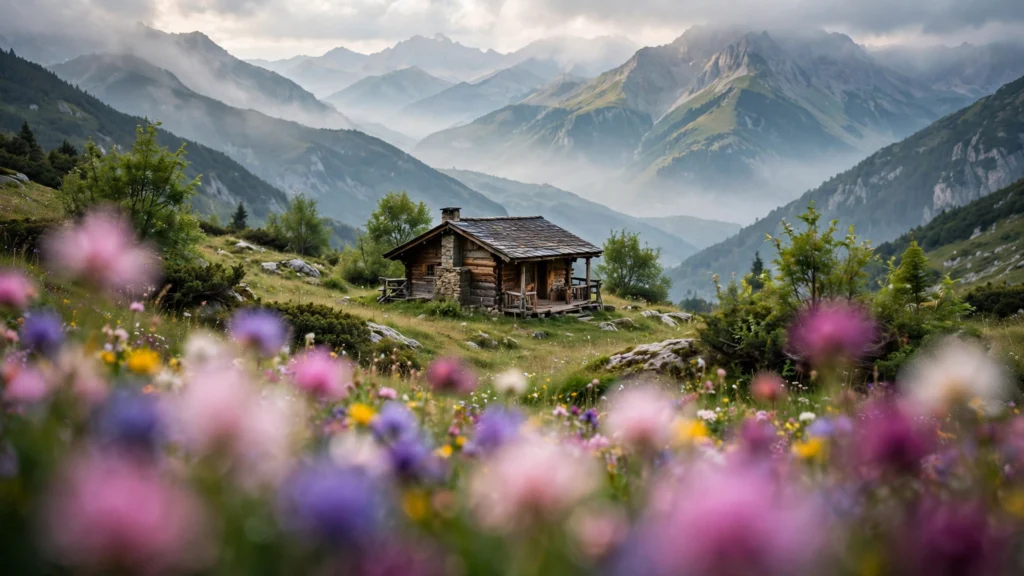
There’s a particular flatness that gives generated footage away before any artefact does. The subject is sharp, the background is sharp, everything sits at the same apparent distance, and the frame feels like a poster with a person pasted on it. Real cameras never see the world that way.
Stand anywhere and your view organises itself into layers: something near, blurred at the edge of your attention; the subject of your focus in the middle; a world receding behind, softer and smaller. Cinema has composed in those three layers since before sound, because depth is how a flat rectangle convinces a brain it’s a place.
AI models default to flat for an understandable reason — a prompt that names one subject gives them one plane to build. The cure is equally understandable: name three. In my pipeline, depth is decided on the storyboard, drawn as three bands, and only then written into the prompt. This guide is that habit, layer by layer, with the sentences that build it.
Why AI Footage Defaults To Flat
Three forces push generated frames toward the poster look. The first is prompt grammar. “A woman in a café” names a subject and a place, and the model’s safest reading is subject centred, place behind, both fully described and fully sharp — a diorama.
The second is training data. An enormous share of captioned images and clips are product shots, portraits against clean backdrops, and stock footage — all of which favour one-plane clarity. Flat is the statistical centre of the model’s world. The third is focus: unless told otherwise, models render deep focus, everything legible from front to back, which flattens space the way a phone snapshot does.
None of this is a defect to rage against. It’s a default to override, and overriding is cheap because the model knows depth perfectly well — it merely waits to be asked. The moment a prompt contains an out-of-focus foreground object and a softened background, the render snaps into photographic space.
I think of flat generations the way I think of unseasoned food: the ingredients were fine, the instruction was missing. Seasoning here means three layers, each with a focus state. The rest of this guide builds that instruction properly, because a vague “add depth” gets you a blurred vignette and a shrug.
If you want the tooling side of depth — maps and ControlNets — our companion guide on depth maps and ControlNets for AI video covers it. This piece is the prompt-level craft that works everywhere.
The Three-Layer Habit
The habit is a sentence shape. Every shot prompt, before style words, answers three quick questions: what is near the camera, what is the shot about, and what world sits behind it — and what’s the focus state of each? Foreground usually soft or partial, subject sharp, background softened or detailed depending on the shot’s job.
Written as a template: “[Foreground element, focus state]. [Subject, action, sharp]. [Background element, focus state].”
Worked example, a market scene. Flat version: “A fruit seller arranging oranges at a market stall, photorealistic.” Layered version: “Out-of-focus hanging lanterns in the near foreground. A fruit seller arranging a pyramid of oranges at his stall, sharp focus, side light. Behind him, the market softens into blurred shoppers and colour.” Same scene, same length class — the second one has somewhere for your eye to travel, near to far. And travelling is what looking at places feels like.
Two refinements make the habit reliable. First, foreground elements should be partial — cropped by the frame edge, a shoulder, leaves, a doorframe sliver. A complete object floating in the foreground looks like a second subject competing for rent. Second, keep the layers honest about scale: foreground things loom large and soft, background things shrink.
Models handle this naturally once the layers are named, because captions describe real photographs that obey the same geometry. In our storyboard-first workflow, the board’s three bands are drawn before a word is written — the prompt then transcribes a drawing rather than inventing space mid-render. And that order — draw, then describe — is what keeps depth consistent across a whole sequence instead of appearing in one lucky shot.
Foreground: The Layer Everyone Forgets
Scan a week of AI video and count foregrounds. You’ll run out of fingers on one hand. Creators describe subjects and settings obsessively and the space between camera and subject almost never — yet that near layer does more for believability per word than any other element in the frame.
A foreground tells the viewer where the camera is standing. And a camera that stands somewhere feels like a witness instead of a render. That’s the whole trick.
Foregrounds that earn their place:
- Framing objects. A door edge, a window frame, the corner of a shelf — architecture crossing the frame edge. Grounds interiors instantly. Prompt: “shot through a doorway, door frame dark at the frame edges”.
- The shoulder foreground. In over-the-shoulder shots, the blurred shoulder and back of a head — the oldest “you are in this conversation” device there is.
- Nature at the edges. Leaves, branches, tall grass soft in front of an outdoor subject. Even a few out-of-focus leaves convert a portrait into a place.
- Weather and glass. Rain on the lens-side window, condensation, a steamy café pane between camera and subject. The foreground becomes a surface, and surfaces are depth you can feel.
- Passing life. A blurred pedestrian crossing close to camera in a street scene. Motion in the near layer is a depth cue nothing else matches — with the caveat that it should cross, not linger, or it steals the shot.
Dosage is the craft. Foreground works at ten to twenty percent of the frame and at low contrast; the moment it covers a third of the shot or grabs sharp focus, it becomes a wall. Word choices that keep it humble: “edge of”, “sliver of”, “soft out-of-focus”, “dark shape at the frame edge”.
And a consistency note: in a multi-shot sequence, the foreground belongs to the camera position, not the scene. Walk the camera to a new spot and the foreground must change — or your shots will feel glued to one tripod in a way the story didn’t intend.
Background: Detail With Restraint
The background’s job is to be a world, not a second show. It must contain enough specific detail to believe — the jars on the shelf, the shape of rooftops, a second figure small and busy — while staying quiet enough in contrast and focus that the subject wins.
Generated backgrounds fail in both directions. Empty ones leave the subject in a void with wallpaper. Overcooked ones — every shelf stocked, every sign glowing, three background actors performing — pull the eye off the subject and give the model more faces and objects to mutate over time. Moving backgrounds are where artefacts breed: a background crowd asked to perform will. Badly.
The restraint vocabulary: “slightly soft”, “in the distance”, “small in frame”, “quiet background detail”. Then give that quiet detail one thread of specificity so it reads as a place rather than a texture. Not “a busy street behind” but “behind her, out of focus, a bus passes and shoppers blur past the lit shopfronts”. One specific background event, softly told, outperforms a paragraph of inventory.
Light helps backgrounds behave. A background a touch darker or a touch brighter than the subject separates planes without focus tricks — the reason practical lamps behind subjects are such a reliable design (they brighten the back plane and rim the subject in one move). Colour works the same way: a warm subject against a cool, receding background gains depth from temperature alone.
When I review a flat-feeling generation, I check the background’s brightness and focus against the subject’s. If all three match — same light, same sharpness, same contrast — the flatness is diagnosed, and the prompt fix takes ten seconds. Our AI video QC checklist keeps a “plane check” for exactly this pass.
Prompt Sentences That Build Depth
Collected here are sentence shapes I reuse constantly. Steal the shapes; swap the nouns.
- The classic three-beat: “Out-of-focus [foreground] at the frame edge. [Subject + action] in sharp focus. [Background] softening behind.” Works for portraits, products, interiors.
- The doorway frame: “Seen through an open doorway, frame edges dark. … ” Instant interior depth; the doorway is foreground, threshold, and composition in one.
- The shoulder: “Over [name]’s out-of-focus shoulder, [other subject] sharp across the table.” Depth plus relationship; two people, one plane each, no face-swap temptation for the model.
- The weather veil: “[Subject] sharp in the foreground; behind, [street/market/field] fades through light mist.” Atmosphere as the middle distance, the far plane going quiet.
- The long-lens stack: “Telephoto compression: [subject] sharp, background layers stacked and soft behind.” Compressed planes still read as depth when focus separates them — the right tool for crowds and city density.
Where do these sentences sit? In my prompts, right after the subject and action, before lighting and style — the camera-and-space block. Depth is a property of the shot’s geometry, so it belongs with the camera decision, not sprinkled at the end.
And one practical warning: don’t ask every plane for motion. Subject moves, foreground sways slightly if it is leaves, background holds or drifts minimally. Three planes in three kinds of motion is how frames turn to soup. Depth is largely a stillness design that one moving subject animates. For the full prompt structure this block plugs into, see the anatomy of a great AI video prompt.
Checking Depth On Your Storyboard First
Depth errors are nearly free to fix on a board and surprisingly expensive to fix after generation. Because a flat shot can’t be un-flattened in the edit — you can blur a background in Premiere, sometimes convincingly, but you can’t invent a foreground that was never rendered or recover parallax that never existed.
So the check happens at the panel stage, with three questions I genuinely ask of every board:
- Can I point at three distances? If my finger lands on subject and backdrop only, the panel needs a near element — often just the corner of something at the frame edge.
- Does focus have a plan? Which plane is sharp, which softens, and does that match the beat? A revelation wants the background to fall away; an establishing shot wants more planes readable.
- Does the depth survive the cut? Across the sequence, planes should follow camera logic — new position, new foreground. Boards side by side reveal a recycled foreground instantly.
A drill that installs the habit in an afternoon: take three stills from films you admire, and mark the layers on each — near, subject, far, with focus states. Then board your next three shots the same way, literally shading the foreground band darker on the panel. It feels elementary.
It is also, in my experience, the single change that most reliably moves generated footage from “impressive render” to “looks like it was filmed somewhere”. Depth isn’t a rendering feature. It’s a decision, made in pencil, that the model then executes beautifully.