
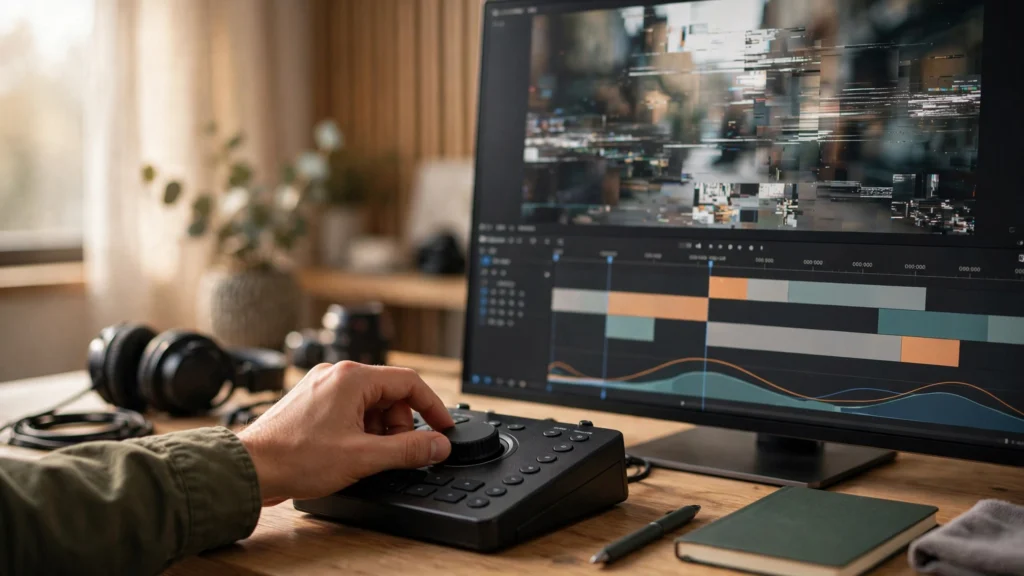
Every AI clip looks fine at full speed. That’s the problem, honestly. Your brain fills in the gaps, motion hides the wobbles, and you hit post feeling good about a take your audience will pause, replay, and screenshot. Then someone drags the timeline or watches on a big TV, and the defects stop hiding.
So I review AI footage the “wrong” way on purpose: slow, paused, muted, frame by frame. It takes five extra minutes per clip. And it has saved me from posting more embarrassments than any prompt trick ever has. Here’s the exact pass I run before anything leaves Premiere Pro.
Watch It Wrong On Purpose: Slow, Paused, Muted
Normal playback is a sales pitch. Slow playback is an audit. Drop the clip on your timeline, set playback to half speed or lower, and step through it with the arrow keys. In Premiere Pro that’s just tapping left and right arrows frame by frame, or holding K and tapping L to creep forward. You don’t need special software. You need patience.
Why muted? Because sound tricks you. A good music drop or a confident voiceover makes a mediocre picture feel finished. Mute it, and suddenly you see the actual footage: the glidey feet, the face that melts for three frames, the mug that changes shape in the hand. If the clip only works with the sound up, it doesn’t work. Sound should lift a clip, not carry it.
Here’s my order. I’ve stuck with it because it catches things in the order viewers would:
- First pass, full speed, sound on. Story only. Does it read? Do I get it without thinking?
- Second pass, slow, muted. This is the one this article is about. Faces, hands, backgrounds, text.
- Third pass, full screen on the biggest screen I have. Softness and compression problems hide on a laptop. They do not hide on a TV.
I also keep a written QC checklist next to me for client work. Not because I forget the steps — because tired eyes skip steps. A checklist doesn’t get tired.
Faces And Hands: The Frame-Step Audit
Faces first. Step through any shot where a face is on screen for more than a second and watch three things: the eyes, the teeth, and the hairline. Eyes are where models struggle most. A blink that doesn’t close. Pupils drifting in different directions. Glasses that appear and disappear. Teeth go soft and merge into a single white block in any shot where someone talks or smiles. The hairline crawls — it shifts a few pixels frame to frame, and at full speed it reads as a shimmer viewers feel even if they can’t name it.
A trick that helps: pause on the first clear face frame, then step forward ten frames and compare. Same face? Same person? You’d be surprised how often the answer at frame ten is “a cousin.” If the drift is slow and mild, an edit can carry it — cut sooner, push in slightly, or grade the shots together so skin tones agree. But if the face actually becomes a different person, no edit saves it. That take is done.
Hands get the same treatment. And they fail more often. Count fingers on the clearest frame. Then step through the contact moment — the instant the hand touches the cup, the door handle, the phone. That contact frame is where fingers merge, grow, or pass straight through objects. I’ll be real: I budget for this now. If a shot needs hands doing something complicated, I assume the first few generations will have hand problems, and I frame so the hands stay small, simple, and mostly still. A hand resting on a table reads fine. A hand buttoning a shirt in close-up? That’s asking for trouble.
One more thing on faces that people miss: check the edges. Ears changing shape. Earrings doubling. Necklaces crawling on the skin. The center of the face gets all the model’s attention. The edges get whatever’s left.
Backgrounds And Edges: Where Morphs Hide
Nobody watches the background. Which is exactly why generators get away with murder back there. Step through your clip, pick one background object — a chair, a plant, a picture frame — and track just that object. Does it hold its shape? Does it stay in the same place? Backgrounds in AI video breathe. Shelves gain and lose items. Windows change size. Extra people materialize at the back of a cafe and quietly become furniture.
The background matters more than creators think, for one simple reason: once a viewer spots a single morph, they start hunting for more. And now they’re watching your defects instead of your story. I keep backgrounds deliberately boring for exactly this reason. The storyboard-first workflow I use plans background simplicity at the sketch stage, before generation — so I’m not trying to fix a chaotic room in the edit. Simple backgrounds also compress better on platforms. Quiet bonus.
Edges deserve their own look. Check where the subject meets the background: hair against a bright window, an arm against a dark couch. AI footage loves to smear and halo on high-contrast edges. At full speed it’s invisible. Paused, it looks like the subject was cut out with dull scissors. Slight softness is fine and normal. A crawling halo means the shot wants to be shorter, tighter, or gone.
Reflections live in this category too. Mirrors, windows, glossy tables, sunglasses. A reflection showing a different room, a warped face, or motion that doesn’t match the subject? Instant credibility killer. If a reflection is wrong and can’t be cropped out, I cut the shot. There’s no cheap fix for a lying mirror.
Text, Logos And Reflections
Text is the defect I have zero patience for. Because it’s the one viewers screenshot. Step through any frame with letters in it — signs, book covers, shirt prints, phone screens, product labels. If the letters wobble, swap, or invent new alphabets, the shot fails. Doesn’t matter how beautiful the rest is. One frame of melting text tells the whole audience the video is AI-generated. And the comment section will do the rest.
My rule, after getting burned early on: readable text doesn’t get generated. It gets built. I generate the clean plate — the blank sign, the plain shirt, the empty phone screen — and I put real text on top in Premiere Pro where it stays put. The one exception? Huge, short, background signage that’s meant to be blurry anyway. And even that gets checked frame by frame. Because “blurry” and “mutating” are different things, and models confuse them constantly.
Logos are the same story, with legal trouble attached. A warped version of a real brand logo is worse than no logo: it looks wrong, and it drags a brand into your video without permission. If a generation invents something logo-ish on a bottle or a laptop lid, I blur it, crop it, or regenerate. Never just leave it and hope.
For reflections, one practical check: play the reflection area at half speed and compare its motion to the subject’s. They should agree. A face in a window that moves half a beat late reads as deeply strange — even when viewers can’t say why. Wrong reflections are rare in short simple shots, and common in anything with water, glass, or polished floors. So the fancier your set, the harder you check.
First And Last Frames: The Defect Magnets
If defects had a favorite address, it would be the first frame and the last frame. Generators often need a few frames to settle into the shot — the opening frame catches the model mid-decision, half-formed. And the end of a clip is where motion runs out of instructions and starts improvising: faces drift, hands open oddly, the camera move dies mid-glide.
So I inspect the first five frames and the last ten frames of every clip individually. Not playing — stepped. What I find most often:
- Frame one is softer than frame five. Fix: trim the head. Losing three frames costs nothing.
- The subject’s pose snaps between frame one and three. Fix: start the clip after the snap, or fade in over it if the platform format suits a fade.
- The last second drifts. Faces loosen up, backgrounds wander. Fix: cut the clip early. AI clips routinely contain two good seconds inside a four-second generation, and my job is to keep the two.
- A hard freeze on the final frame where the model clearly ran out of plan. Fix: end on a cut, a graphic, or a title card instead. Never let a clip die on screen.
This is also why I generate longer than I need when the tool allows it. In Seedance 2.5 and in Veo, asking for a bit more duration than the final shot needs gives me head and tail handles to trim away the magnet frames. The middle of a generation is almost always the most stable part. Plan to use the middle.
First frames get one extra job on social platforms: they’re often the thumbnail, or the frame shown before autoplay kicks in. So the first kept frame has to work as a photo. Sharp subject, clear composition, face visible if there’s a face. If frame one wouldn’t survive as a still image, the clip starts with a handicap.
Pass, Patch Or Regenerate: The Verdict Habit
Every shot that survives the slow pass gets one of three verdicts. And I actually type them into a notes column, so future-me doesn’t relitigate decisions at midnight:
- Pass. Clean at half speed, clean muted, edges hold. It goes in the timeline and doesn’t get looked at again.
- Patch. One fixable defect: trim the head, crop past the hand, cut before the mirror lies, cover three bad frames with a cutaway. Patching in Premiere Pro is almost always cheaper than regenerating, and it keeps the good performance you already have.
- Regenerate. Face becomes another person, hands fuse with the prop, text mutates, reflection contradicts the scene. These don’t get patched. They get redone with a simpler prompt, a tighter frame, or a storyboard-approved first frame.
The habit that makes this sustainable is writing the verdict down with a reason. “Shot 4 — patch, trim 6 frames off tail, face drifts.” Two weeks later, working inside a full production pipeline with revisions coming in, that note tells you exactly what you decided and why. Without it, you re-watch everything from scratch on every revision round. And that’s where evenings go to die.
People ask me if this five-minute audit is overkill for a fifteen-second Reel. My honest answer? The audit is the job. Generation is the easy part now — anyone can type a prompt and get motion. The gap between AI videos that look cheap and AI videos that get shared is almost entirely what happens in review. Slow, paused, muted, and a little ruthless. Post the clips that survive it, patch the ones that almost do, and let the rest go without a second thought.