
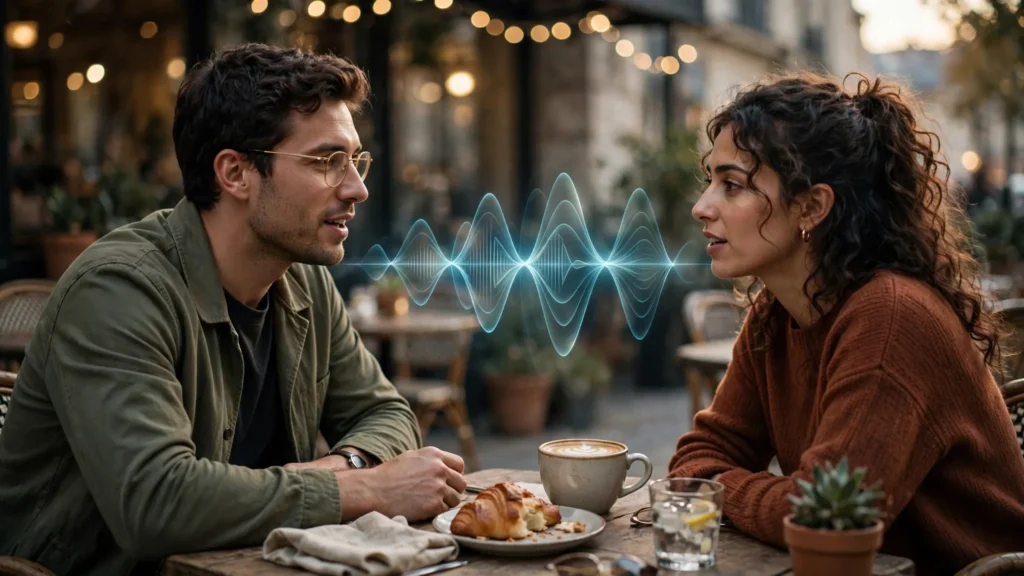
A generated character speaking used to mean three separate prayers: generate the face, generate the voice, marry them in post and hope the mouth agreed with the sound. Native dialogue removes one of those prayers — the model speaks while it acts, in the same pass. It also introduces a new way to fail: a perfectly rendered face delivering a line nobody would say, at a pace nobody speaks, with the confidence of a weather report. The face was never the hard part. Writing and staging the speech is.
First, where things stand — stated carefully, because this changes fast. At the time of writing, Veo 3.1 is the reference point for native dialogue: dialogue, effects, and ambience generated with the picture, with the tightest lip behaviour I’ve seen on close scripted lines, and the model lives at 4-to-8-second clips. Kling’s recent 3.x line also generates native audio — dialogue, effects, ambience — with documented multilingual speech, accents, and multi-character conversation, on longer clips up to around 15 seconds. Seedance 2.5 generates native audio alongside its longer, reference-driven shots. Earlier round-ups still claim Kling has no native audio; that was true once and is stale now. Check your current model version, then apply the craft below — it survives version changes.
Native Dialogue Vs Post Lip-Sync: Pick Your Poison
Neither route is respectable by default. Each trades a different kind of control.
| Factor | Native Dialogue | Post Lip-Sync |
|---|---|---|
| Voice casting | Model’s choice, steered by description | Yours — recorded, cloned with consent, or cast |
| Line control | Exact wording in, paraphrase risk out | Exact audio in, mouth fitted to it |
| Retakes | Regenerate picture + voice together | Re-sync or re-record without touching approved footage |
| Best at | Short reactions, in-scene lines, ambience-rich moments | Long dialogue, brand voice, precise delivery |
My default for story work is native generation for short beats — a question across a counter, a laugh line, a call across a room — and post sync when the words carry the product, the plot, or a voice the audience must recognise across episodes. Series characters with an established voice don’t get recast by a generator’s mood on a Tuesday. New characters trying out a line in a one-off short? Native, happily. The lip-sync workflow guide covers the post route in depth; this article is about directing the native one so you need the post route less often. Not never. Less often.
Price honesty belongs here too: with native dialogue, a ruined line is a ruined shot. Picture and voice regenerate together or not at all. That raises the cost of flirting with long speeches inside the generator. I board dialogue the way editors think — short exchanges, reaction shots carrying the listening half — so a failed take burns four seconds of credits, not fifteen.
Writing Lines A Model Can Actually Say
Models speak best what actors would say easily. Short sentences, contractions, one thought per breath. The single most reliable upgrade I’ve found is reading the line aloud — once, at natural speed — before generating. If I stumble, run dry of air, or hear myself performing a brochure, the model will too. With the added problem that it can’t decide to punch up a word for emphasis the way a person does.
Keep lines inside what the clip can hold. A rough working budget: five to seven spoken words per second of natural English delivery is already brisk; an 8-second Veo clip holding anything beyond two short sentences is a traffic jam wearing a monologue costume. I write the line, count the seconds honestly, and cut the line before I cut the shot size. Adjectives die first. Then the second clause. What survives is a line a face can say while doing one small thing — because the face will be doing one small thing, or the mouth-work loses the body’s attention and the speech starts to float.
Dialogue on the page of a storyboard is also staging information. I write the exact line on the panel, with the beat it lands on: “she sets the cup down — ‘Same as yesterday?’” Now the action sentence in the prompt has a reason to exist, the line has a physical home, and my review pass can judge the only thing that matters: did the words sit on the face at the moment the cup landed? If the board can’t say when the line happens, the generation will pick a moment for you — usually mid-head-turn, where lips are hardest to read and easiest to fake wrong.
Speaker Tags, Quotes And Stage Directions
Formats differ by tool and version, so I’ll describe the grammar rather than a magic string. The elements that consistently help, across the models I’ve worked with:
- Quotes around the exact line. It signals performed speech versus narration and, in my experience, reduces paraphrasing. Test it on your build; keep it if your generations respect it.
- One named speaker per shot. “The barista says…” pins the voice to the face on screen. In multi-person frames, unnamed dialogue gets assigned by enthusiasm, not by casting.
- Stage directions kept physical. “Leaning in,” “calling from the doorway,” “without looking up from the box” — directions the camera can see. Emotional adverbs alone (“says happily, sadly”) produce theatre-face. Give the feeling a body.
- A sound sentence, separate from the line. Naming the room — café murmur, street outside, cutlery — gives the audio pass somewhere to live so the voice does not arrive in a vacuum. More on directing that layer in the Veo guide and in my sound habits across the pipeline.
What I leave out: punctuation gymnastics — strings of exclamation marks hoping to raise volume, ellipses begging for pathos. Models take tempo from word choice and sentence length far better than from typography. And accents: requesting one works best when the line itself is written naturally for that voice. Asking for a regional accent on copy written like a legal notice gives you a caricature reading a contract.
Accents, Pace And Emotion Words
Let me be straight about the current state. Native speech in 2026 is convincing in short bursts and uneven across a conversation. Pace drifts fast when lines stack. Emotion words act like weather vanes: “warmly” turns the whole delivery toward a smile that may not match the words. Multi-character dialogue has genuinely arrived in Kling’s documented feature set, and it still goes sideways in my reviews when speakers interrupt, overlap, or trade rapid lines — which is to say, whenever dialogue becomes actual dialogue. Plan accordingly.
My staging rules for native speech, earned one retake at a time:
- One speaker per shot. One line per shot, usually. Coverage grammar invented this for real cameras; generated faces need it more.
- Let reaction shots carry half the conversation. A listener’s close-up over the speaker’s voice — generated natively or laid in the edit — hides a multitude of mouth sins.
- Keep hands and props quiet during lines. The model’s attention is finite; a line plus a complicated pour is two auditions in one shot.
- Write the pause in as action. “She looks at the letter, then says…” stages a breath the typography cannot.
Boarding enforces all of this without willpower, which is why dialogue lives on my panels as written lines with beats — not as a script document elsewhere. The storyboard-first workflow keeps getting credited in these guides because it keeps doing the same job: decisions made cheap, before the meter runs.
When To Give Up And Sync In Post
Knowing when to stop prompting speech and reach for the post pipeline is a professional skill, not a defeat. My surrender conditions:
The line must be word-perfect — prices, legal phrasing, a slogan, a name pronounced exactly once correctly. The voice must persist across episodes or match a real person (with their clear consent for any cloning, always). The scene needs real conversation rhythm — interruptions, overlaps, two people thinking aloud. Or I’ve regenerated the same beat three times and the mouth is still a half-beat behind the words: at that point the generator has shown me its ceiling on this shot, and believing otherwise costs more than the sync pass.
Post sync done properly is invisible. I generate or record the performance audio first, fit mouth to it with the sync tool, and judge at full speed on a real screen — phone in hand, because that’s where my audience will meet it. Half my “bad sync” reviews at desk distance vanish at phone distance; some of my “fine” passes confess themselves there too. Ship for the screen that matters.
One more practical mercy the post route offers: versioning the line without reshooting the scene. A price changes, a name was pronounced wrong, a client hears the read and asks for warmer. Regenerating native dialogue for any of that re-rolls the picture you already approved — the expression you liked was married to the take you’re replacing. In post, the face stays, the voice gets re-performed, and the scene survives its own notes. On client work that separation has saved more deliveries than any single generation feature I could name, and it’s the reason I never let a tool talk me into keeping everything in one pass just because it can.
And keep the generated native audio even when you replace the voice — its room tone and effects often sit beautifully under the synced line. Muting a native take entirely throws away the café the model built for free. Split the layers, keep what earns its place, replace only what failed.
Frequently Asked Questions
Does Kling Actually Generate Dialogue Natively, Or Is That Post Sync?
At the time of writing, Kling’s 3.x line documents native audio — dialogue, effects, ambience — including multilingual speech and multi-character lines. Older comparisons claiming otherwise are stale. Verify against your current version panel before a big project.
How Long Should A Native Dialogue Line Be?
Short. One or two natural sentences inside the clip’s length — roughly a breath’s worth of speech. If you cannot say it aloud comfortably at natural pace in the time available, the model cannot either. Cut words before you cut the shot.
How Do I Stop The Model Changing My Exact Words?
Quotes around the line, one speaker named, and short wording all help, but no setting I know guarantees verbatim delivery. If the wording is legally or commercially exact, generate or record the audio and sync in post instead.
The working summary: write lines a person could say, stage them one speaker at a time on the board, and let coverage hide what 2026 mouths still cannot do. Native dialogue is ready to carry short, honest beats — bring it those beats, and it’ll make your shorts feel startlingly alive. Bring it a page of script and it will politely ruin your afternoon. Board your next conversation as singles and reactions with the exact line written on each panel, and generate the first exchange. You’ll know within two takes whether this conversation belongs to the model or to post.