
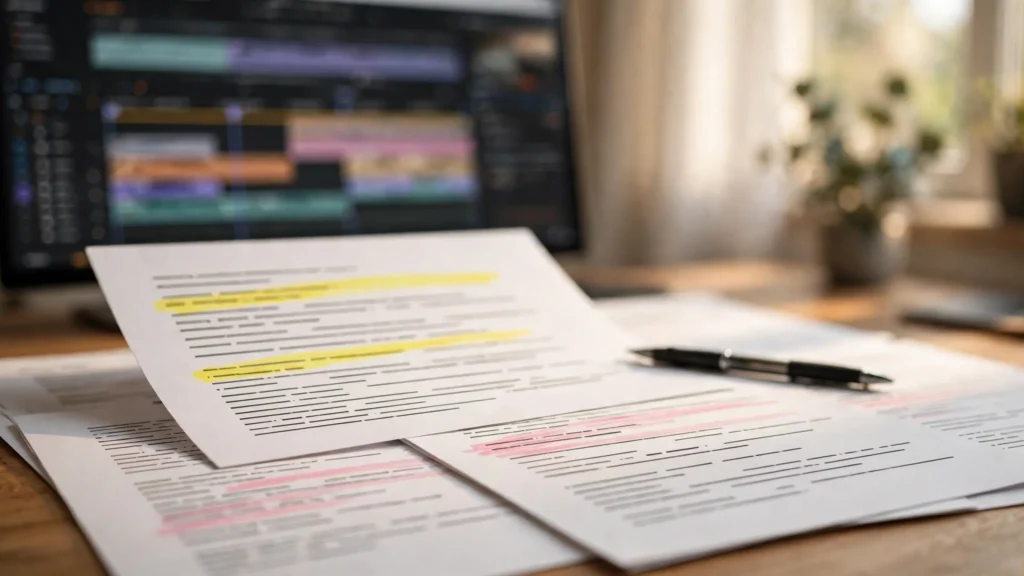
The fastest editing we do happens in a document, with Premiere closed. That is not a paradox. It’s the whole point of a paper edit. Before a single clip touches a timeline, we write down what the finished video will be — which shots, which lines, in which order, carrying which beats — and we argue with that document until it reads like a good video. Documents are quick to change. Timelines are sticky, sentimental things that resist good decisions. If you’ve ever spent an evening shuffling clips while the structure of a video refused to improve… this process is the way out. Honestly, it’s a different life.
Editing Twice Is The Slow Way
Here’s the inefficiency hiding in most AI video workflows. A creator plans loosely, generates a pile of clips, opens the editor, and begins discovering the video by dragging things around. Every structural idea now has to be tested at full production cost: trim this, move that, re-render the preview, watch it again. The timeline becomes both the sketchbook and the final canvas — and it’s only really suited to being the canvas. It was never meant to be the sketchbook. It fights you when you use it that way.
We say these workflows edit twice — once while fumbling toward a structure, once while finishing — and the first of those edits is the slow one, because the tool fights you. Premiere is built to execute decisions beautifully. It was not built to help you decide whether the reaction belongs before or after the reveal. That’s a thinking job. Thinking happens in documents.
A paper edit moves that deciding into a cheap medium. Changing your mind costs a deleted row. Deleting a beat costs nothing and hurts briefly, the way it should. By the time the editor opens, the argument is over — and what remains is craft: timing, trimming, and polish. The fun part. The part the software is actually good at.
- Structure on paper: order, beats, and omissions decided in the doc.
- Performance on the timeline: exact trims, pauses, and cut points found in the edit, where they belong.
- No tourists: clips that never made the paper edit don’t wander into the timeline hoping to be liked.
This sits naturally in our production flow because we already plan visually — the storyboard-first workflow gives us boards for every shot — and the paper edit is where those boards meet the actual words and timings of the piece. Boards are the pictures. The doc is where the pictures meet the words.
What A Paper Edit Contains: Shots, Lines, Beats
A paper edit is not a script and it’s not a shot list, though it borrows from both. It’s the finished video described in rows, in playing order, at the level an editor can execute without interviewing you. That’s the bar: could someone else build this from the doc alone? If yes, you’re done. If no, keep writing.
Each row carries four things. The shot: what the viewer is looking at, named the way your bins and boards name it. The words: the exact line, caption, or narration beat playing there — or a clear note that the moment is silent or music-led. The beat: what changes because of this row — what the audience learns, feels, or starts expecting. And an estimated duration. Honest rather than hopeful. (Hopeful durations are how 60-second plans become 94-second edits.)
- Number the rows in play order and keep the numbering stable, so “move row 9 above row 6” is a sentence anyone can act on. Stable numbers. No renumbering mid-argument.
- Write beats as changes, not descriptions. “She realises the door was open” is a beat. “Medium shot of the door” is a description — and descriptions belong in the shot column. Beats are about meaning. Meaning goes in the beat column.
- Mark the turns. Setup, turn, payoff — name them in the margin. If you can’t find the turn in your own document, the audience won’t find it in your video. They really won’t.
- Note the joins you already know you want: the line that starts early over the previous shot, the reaction that must play in silence, the detail that needs the close crop. Tell your future self now. Future self is busy.
Keep it in a tool you’ll actually open — a doc, a page in your notes, a simple table. The fanciest paper edit is worthless if it lives somewhere nobody looks during the edit. Accessibility beats beauty here. Every time.
Working From Transcript And Storyboard Together
Two documents feed a good paper edit, and they correct each other. Like two friends who keep each other honest.
The storyboard tells you what exists. Every board is a shot you planned and generated, with its framing and purpose. Working from boards alone, though, produces a beautiful slideshow risk: each image is lovely, and the words become an afterthought draped over them. Pretty pictures, empty mouth.
The transcript tells you what is said. Narration copy, dialogue lines, the caption chunks in embryo. Working from a transcript alone produces the opposite failure: a radio play with pictures attached — where shots repeat what the voice just told us and the audience’s eyes get nothing new. Busy ears, bored eyes.
So we lay them side by side and make each row justify both columns. If the line says “the water starts to glow” while the shot shows the water glowing, one of them is redundant — and the paper edit is the cheap place to rewrite the line into something the picture cannot say. The why. The feeling. The consequence. That words-against-picture thinking is the same craft we apply when we handle pairing voiceover with AI video at the mixing stage — only here it costs a sentence instead of a session. Sentences are cheap. Sessions aren’t.
- Read the words column on its own. It should make sense as a piece of writing, because half your audience will meet it as captions. Captions are a reading experience. Treat them like one.
- Read the shots column on its own. It should tell the story in silent images, because the other half has the sound down. Muted viewers are still viewers. They count.
- Where the two readings say the same thing twice, cut one. Where they disagree, understand why before the edit inherits the confusion. Confusion compounds on a timeline. It really does.
Time Estimates That Keep You Honest
Every row gets a duration, and the column gets a total — and that total is where optimism goes to be corrected. The total doesn’t care about your feelings. It’s just arithmetic. And it’s usually right.
We time the words first. Read each line aloud at performance pace — not your reading-aloud-to-check pace, but the actual pace of delivery — and write down what it took. Generated speech and recorded narration both run longer than the same words on a page suggest, because real delivery has breaths, emphasis, and the occasional dramatic pause you’ll definitely want later. The page lies about time. The voice tells the truth.
Silent beats get estimated too. A reaction that must land needs its seconds protected in the plan — or the timeline will steal them to feed a line that overran. Establishing shots, reveals, the held moment before a result: put numbers beside them, even rough ones. Rough numbers beat no numbers. No numbers is how the ending gets 1.2 seconds.
Then look at the total against your target length with clear eyes. A plan that sums to well over the target is not a plan with options; it’s two videos sharing a document. Cut on paper, where cutting is painless, instead of falling in love with trimmed clips later. This kind of honesty upstream is the backbone of the whole prompt to final cut workflow — every stage tells the next one the truth. The truth moves fast. Lies slow everything down.
Changes Belong In The Doc First
Halfway through an edit, a better idea arrives. It always does. Always. The question is where it gets tested. Not whether — where.
Our rule: structural changes go into the document first, even mid-production. Move the rows there. Read the new sequence there. If it still reads well, take it to the timeline with confidence. If it collapses on paper — and many thrilling 2 a.m. ideas do — the timeline never had to suffer for it. The timeline thanks you. The 2 a.m. idea does not get a vote.
The discipline also keeps the document alive as a record. When a video is finished, its paper edit explains why it’s shaped the way it is. Next month, making the follow-up, that record is a running start instead of archaeology. Series stay consistent because the reasoning was written down — not because somebody remembered. Nobody remembers. Write it down.
- Keep one master document per video, versioned by date when a change is structural. One doc. Dated versions. No competing truths.
- Write changes as decisions, not just edits: what moved, and the one-line reason. Future you is a collaborator; brief them properly. They’re busy and they forgot everything.
- Reconcile after the edit: if the finished video drifted from the doc — and small drifts are normal — update the doc to match reality before you archive it. The doc describes what shipped, not what was planned. Reality wins.
A One-Page Paper Edit Template
Here’s the shape we actually use, kept to one page so it stays a working tool rather than homework. Imagine a simple table with five columns and as many rows as the video has beats. Five columns. One page. That’s the whole system.
- Row and shot: the beat number plus the board or clip name. “07 — close, hands with the finished result.” Anyone should be able to find that footage from this alone. Anyone. Including a stranger.
- Words: the exact line or caption chunk, in quotes, or a note like “silent — reaction only” or “music carries this.” Exact. In quotes. No paraphrasing.
- Beat: the change. “The gift is opened and it is not what she expected.” Brief, but about meaning — never about camera. Meaning, not machinery.
- Time: your honest estimate, and a running total in the footer you update as rows change. Honest. Running. Updated.
- Join notes: anything the editor must not improvise — “line starts over previous shot,” “hold two seconds before cutting,” “this row can die if we run long.” The non-negotiables. Written down so they survive contact with the timeline.
That last note deserves respect: marking the expendable rows in advance is a kindness to your future editing self, who will otherwise cut the wrong thing at midnight. Know which beats are load-bearing and which are decorative before the deadline asks. The deadline will ask. It always asks.
Then open Premiere and execute. The timeline work will still surprise you — a trim that plays differently than anyone imagined, a pause that wants to be longer — and those surprises are welcome, because they are performance-level discoveries, not structural emergencies. The finishing craft from there is our familiar Premiere path, now running on rails the document laid down. Rails. Laid down. By a document. It’s a good feeling.
Frequently Asked Questions
What Is A Paper Edit In Video Editing?
It’s a written plan of the finished video, built before editing: every shot, line, and beat listed in playing order with rough durations. Editors use it to settle structure in a document — where changes are cheap — instead of discovering structure by shuffling clips on a timeline. Cheap changes first. Expensive changes never.
Do I Need A Transcript To Make A Paper Edit?
You need the words in some form: narration copy, dialogue lines, or planned captions. A formal transcript helps when the audio already exists, but for AI video the script and storyboard usually provide everything. The point is reading words and shots side by side before the edit. Side by side. Before.
How Detailed Should A Paper Edit Be?
Detailed enough that another editor could build the video from it without asking you questions. Shot names, exact lines, beats, timings, and join notes belong in. Exact trim points and transitions don’t — those are found on the timeline, where they should be. Structure in the doc. Performance on the timeline. The eternal split.
Is A Paper Edit Worth It For A 30-Second Short?
Yes — and it takes minutes at that length. Shorts have no room for a wasted beat, and five rows on paper will expose a weak turn faster than an hour of timeline shuffling. The shorter the video, the more every row has to justify itself. Short means strict. Strict means paper.
The Edit Before The Edit
The mindset shift here is gentle but total: the timeline is not where a video gets invented. It’s where a video gets performed. Invention — order, emphasis, omission, the turn that makes the whole thing worth watching — deserves a medium built for changing your mind. Documents are built for changing your mind. Timelines are built for committing to decisions.
Write the video first. Argue with the document, cut the beloved row, let the total tell you the truth. Then open Premiere into the calm of a decision already made — and spend your editing hours on the part only editing can do. Your timelines will feel shorter. They aren’t. You simply stopped paying for the same edit twice. Twice is too many. Once is enough.