
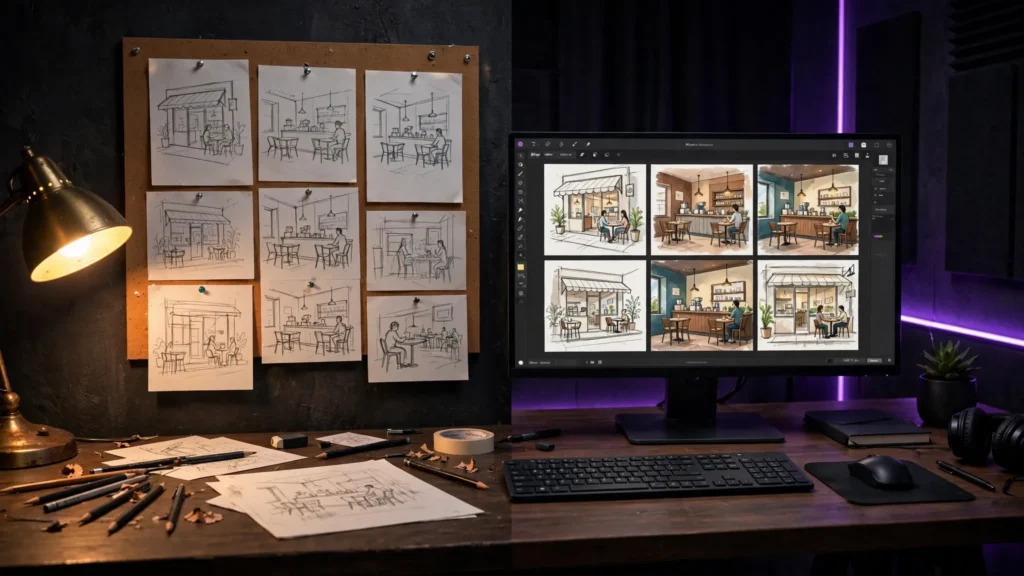
AI video makes it tempting to skip the planning and type the first idea that comes to mind. The render button is right there. But the more a project matters — a series, a client clip, a scene with the same character in six shots — the more expensive that improvisation becomes. A storyboard is where you make the cheap mistakes. Paper or digital isn’t the real question. The real question is how much thinking you want to finish before you start paying for generations.
Why Storyboarding Matters More With AI
On a normal shoot, a weak plan wastes time. In AI video, a weak plan wastes generations — and every new generation can change the face, the room, the light, or the camera logic you were counting on. A board locks the decisions the model keeps trying to renegotiate: who’s in the shot, where they stand, what the camera is doing, and why the shot exists at all.
It also exposes story problems while they’re still free. If shot four needs the character to already be holding the red notebook, the board catches that before you generate three beautiful shots that can’t be used together. This is the habit behind my storyboard-first workflow, and it matters even more when the clips will be chained, repaired, or re-cut later.
Paper: Fast, Ugly, Honest
Paper is still the quickest way to find the shape of a scene. A stick figure, an arrow for the camera move, and one ugly rectangle for the screen can tell you whether the scene works before you care how it looks. That ugliness is a feature. Nobody falls in love with a thumbnail sketch — so you’re willing to throw away the bad idea and draw the next one.
Paper is strongest at the beginning: beats, order, screen direction, and the first hook frame. It’s weakest when you need exact consistency. A pencil sketch can’t tell Seedance what your character’s jacket looks like, and it can’t preserve the layout of a room across five angles. Use paper to decide the shots, not to define the assets.
Digital Boards and Generated Frames
Digital storyboards become useful when the board itself starts feeding the generator. You can arrange frames in order, drop in character references, test a location sheet, and generate the first frame of each shot before committing to full video. For AI work, that’s a serious advantage: the storyboard is no longer just a plan, it’s the first draft of the footage.
The danger is polish addiction. A beautiful generated board can make a weak scene feel finished. You stare at six gorgeous frames and forget the middle has no reason to exist. Digital tools also tempt you to keep regenerating the board until it looks like the final film — which quietly burns the same credits you were trying to save.
My test is blunt: if a frame can’t be explained in one sentence — what happens, why it matters, what changes — it doesn’t deserve to be rendered beautifully yet.
The Hybrid Workflow I Trust
I start on paper when the idea is still moving. Five minutes. Boxes, arrows, no pride. I’m only looking for the spine: opening hook, the turn, the payoff, and which shots absolutely need the character’s face.
Then I move digital for the shots that carry risk. Character scenes get reference images early. Repeated locations get a location frame before I generate motion. Tricky camera moves get a still frame first so I can see whether the composition even makes sense. This is the same thinking that goes into the prompt-to-final-cut workflow: plan the shot, generate with intention, then let the edit expose what the board missed.
For Seedance work, the board is also where I decide what goes into the prompt and what stays in the references. If the board frame already shows the coat, the room, and the light, the prompt can stop describing furniture and do its real job: action, camera, sound. That split is covered more deeply in the Seedance 2.5 guide, but the board is where the decision happens.
What Every Frame Must Decide
Whether the frame is pencil or generated, it has to answer the same questions before you generate video:
- Subject: who or what owns this shot?
- Action: what changes between the first and last second?
- Camera: locked, push-in, pan, handheld — pick one idea, not three.
- Location: what must stay consistent with the shots around it?
- Sound or line: what will the audience hear here, if anything?
- Duration: is this a two-second insert or a fifteen-second performance?
If a frame can’t answer those, it’s a picture, not a plan.
Paper vs Digital Is the Wrong Fight
Paper wins on speed and honesty. Digital wins on references, repeatable locations, and frames that can become the actual first frame of a generation. Serious AI video work usually needs both, in that order: paper to find the story, digital to lock the assets.
Don’t let the board become the project. Its job is to make the generations boring in the best possible way — fewer surprises, fewer wasted credits, fewer shots that looked exciting alone and useless together. Draw it rough, lock what matters, then generate like you meant it.