
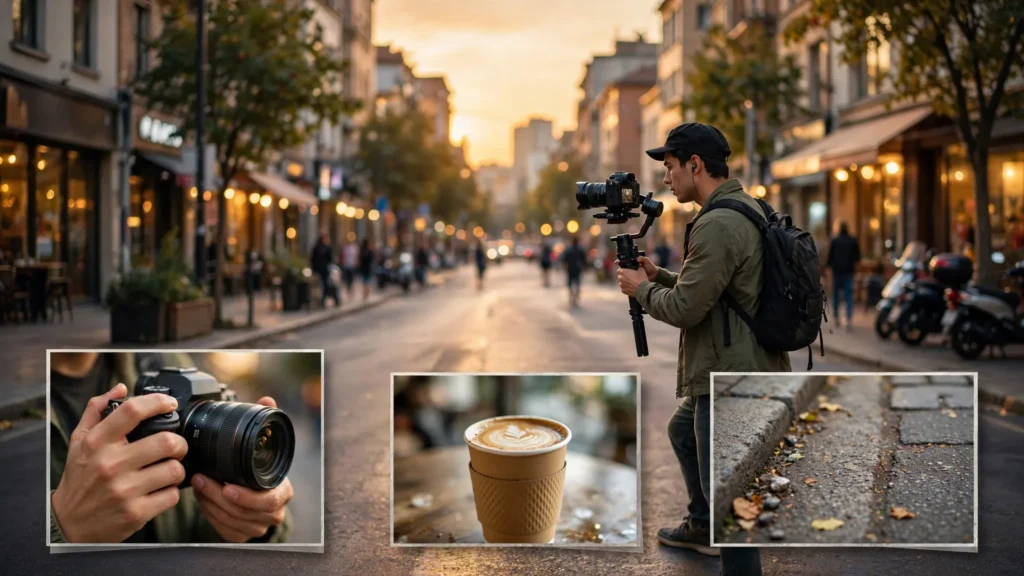
Scroll through AI videos with fresh eyes and a pattern jumps out. Every shot is the hero. Every frame is the main character doing the main thing, center frame, beautifully lit. Sounds like a compliment — until you watch three in a row and feel strangely lost. Where is this kitchen? Whose hands were those? Did time pass, or is she still in the same moment? The story is all nouns and verbs, no connective tissue. Because the two cheapest, most useful shot types in filmmaking barely appear in AI work at all: establishing shots and cutaways.
On a film set, these are the shots nobody puts on the poster. The wide view of the street before the scene starts. The insert of a kettle coming to the boil while two people argue off-screen. Directors shoot them almost as an afterthought, and editors guard them like treasure — because they’re the shots that let everything else make sense. AI creators skip them for understandable reasons. Why spend credits on a shot of an empty street? And then they pay for the omission in confused viewers and edits that can’t breathe. This guide makes the case for generating the “boring” shots on purpose, shows what each type actually does, and covers how to get them nearly free using stills and short motions.
The All-Hero-Shot Problem
The all-hero problem starts at the prompt. Ask for a scene and a model gives you the subject, prominent and active — because that’s what prompts describe and what training data rewards. Do that twelve times and your video is twelve portraits in a trench coat. The symptoms are easy to spot once you know them: the viewer never learns the geography, so every new angle feels like a new place. Time has no texture, because nothing ever happens on screen except plot. And the edit has no flexibility, since every shot demands attention and none can play quietly under a voice or a reaction.
There’s a subtler cost, too. Hero shots carry the heaviest generation risk — faces, hands, performance, consistency. A video built from nothing else is a video where every second is a fresh roll of the dice. Cutaways and establishing shots are low-risk by comparison: buildings, weather, objects, hands doing simple things. Mixing them in doesn’t just help the storytelling; it lowers the average difficulty of your whole render queue. When I review a storyboard now, I count the shots that don’t contain a face. If the answer is zero, the board gets revised before anything is generated.
The fix is a mindset shift more than a budget increase. Stop thinking of every shot as content competing for attention. Some shots are punctuation. A period, a breath, a page turn. Punctuation isn’t filler — remove it from a paragraph and see how far you get.
Establishing Shots: Placing The Viewer
An establishing shot answers one question: where are we, and what is the feeling of this place? It’s usually wide — the bakery street at dawn, the apartment building in rain, the coastline with the lighthouse — and it works even when it lasts barely a second and a half. That brief orientation does measurable work in the viewer’s head: every later shot gets filed into a mental map instead of floating loose. A medium shot of a woman in a kitchen reads completely differently once we’ve seen whether that kitchen is in a farmhouse or a high-rise.
For AI work, the establishing shot has a second, almost unfair advantage: environments are what current models do best. No faces to keep consistent, no hands to count fingers on, no lip sync — just architecture, light, and atmosphere. The home turf of image and video models. An establishing shot you generate will very likely be among the most convincing frames in your entire video, and it arrives at the exact moment (the opening) where convincing matters most. If you’ve studied camera movement prompts, this is where a slow push-in or a gentle aerial drift earns its keep: motion turns a pretty postcard into a place the story is about to enter.
Practical habits for establishing shots:
- Generate one per location, not per scene. If three scenes share a street, one good establishing wide can be re-graded or slightly re-trimmed and reused; the audience builds the map once.
- Include a hint of the coming action. A light on in one window. The café door propped open. It gives the wide a reason to exist beyond scenery.
- Keep people distant or absent. The moment a recognizable character appears, you have made a hero shot with consistency obligations. Let geography be geography.
- Do not always put it first. Opening on action and cutting to the establishing wide three seconds in — “okay, here is where we are” — is a perfectly good rhythm and protects your hook.
One honest caveat: on ultra-short loops and some comedy formats, an establishing shot can spend seconds the joke needs. Judgment applies. But the default should be that a location earns its wide — not that wides must earn their place against an all-hero default.
Cutaways: Hands, Objects, Weather, Rooms
A cutaway leaves the main action briefly to show something related: the listener’s hands tightening around a mug, rain starting on the window mid-conversation, the letter opener sliding into the envelope, the dog watching from the doorway. Editors use cutaways for three jobs, and all three translate directly to AI work.
Job one: hiding edits. When a hero shot has two good halves and a flawed middle — the face drifts for a second, a gesture melts — a cutaway placed over the flaw lets you keep both halves. In generated footage, where some flaw appears in most clips, this isn’t a nicety. It’s the difference between using 80 percent of what you generate and using 40 percent.
Job two: compressing time. A cutaway of a clock, a kettle, a changing sky tells the audience time passed without showing the boring middle. Your character’s three-hour wait becomes four seconds: sit down, cut to the window light shifting, back to the character in the same seat. Without the cutaway you’d need either a much longer generation or an awkward jump.
Job three: adding meaning. The cutaway is where visual metaphor lives. The argument plays over a shot of a pot boiling over. Nobody says “symbolism” — the audience just feels it. This is the cheapest sophistication available to short-form creators, and AI makes it cheaper still, because a pot, a window, and a storm cloud each generate beautifully in seconds.
What makes a good generated cutaway? Simplicity of motion, above all. A kettle starting to steam. Fingers tapping once. Rain streaking glass. Small, physical, single-idea movements. The moment a cutaway asks for complex action, it becomes another hero shot with another failure rate — and you’ve lost the point. I also match light direction to the scene it interrupts; a cutaway lit from the wrong side feels pasted in even when the content is right, and matching “late afternoon sun from the left” across prompts is a two-second storyboard note.
And don’t overlook the humblest cutaway of all: the reaction of someone (or something) watching. A face listening is technically a hero shot, but an animal, a kid at the edge of frame, a neighbor at a fence — these punctuate scenes, reset attention, and in comedy they’re often where the laugh actually lives. The dialogue coverage guide in this series covers listener reactions for conversation scenes; the principle is the same everywhere. Attention needs somewhere to go between the big moments. And cutaways are where it goes.
Generating Cheap Coverage: Still Frames In Motion
Here’s where the economics get friendly. Cutaways and establishing shots don’t need full text-to-video generations. Most of mine start as still images — which cost a fraction of a video render and can be art-directed precisely — and get a whisper of motion in one of three ways.
Image-to-video with a tiny brief. Take the still of the street at dawn and animate it with instructions like “slow push-in, flags stirring slightly, one distant figure crosses.” The still guarantees composition and detail; the model only supplies weather and drift. Because the motion ask is small, the failure rate is small too.
The edit-suite move. A still with a slow Ken Burns push or pan, done in Premiere Pro, reads as intentional cinematography for establishing shots and object cutaways — nobody can tell whether the camera moved in generation or in the editor, and honestly nobody cares. Add a touch of generated or stock ambience and the illusion completes. Save your render credits for faces and action; spend your stills on geography.
Looping texture shots. Rain on glass, steam, curtains, water — these loop or extend happily and can be generated once and reused across an entire project or channel. I keep a small personal library of such shots, generated still-first, and it’s astonishing how often “cut to rain on the window” is exactly the beat a struggling edit needs. Building that library fits naturally into the broader prompt-to-final-cut workflow: a coverage folder beside your hero shots, planned on the same board.
The same cheap-coverage logic powers the AI B-roll guide on this site, which goes deeper into generating filler footage that doesn’t look fake. Cutaways are essentially B-roll with a dramatic job to do — the difference is intent. B-roll fills space; a cutaway lands at a chosen moment to hide, compress, or mean something.
Budget math, roughly: on a recent 30-second piece I generated seven hero clips and six coverage shots. Four of the six coverage shots began as stills. The coverage added maybe a fifth to the total effort and rescued at least three hero clips I’d otherwise have regenerated. Coverage isn’t extra spending. It’s insurance with a negative premium.
A Coverage Checklist For Every Short
Pin this to the storyboard stage, before you generate anything:
- One establishing shot per location. Boarded even if you later decide to open on action instead.
- One object cutaway tied to the story’s key prop. The letter, the key, the bottle, the ring — the thing the story is about, seen close, without faces competing.
- One hands cutaway. Hands doing the most emotional simple action in the piece: gripping, offering, letting go, hesitating.
- One weather-or-room beat. Something environmental that can mark time passing or mood turning.
- Two seconds of “nothing.” An empty frame of the key location — before anyone enters or after they leave. Empty frames are the most versatile editing material you will ever own: titles sit on them, transitions hide in them, endings breathe in them.
- Light and direction noted for each. Same sun, same side, same time of day as the hero shots they will neighbor.
That is it — six lines on the board. Some projects will swap items (a product short may double up on object cutaways; a dialogue scene needs the listener reactions more than the weather), but a board with zero coverage lines is a board planning to be all hero shots. With all the confusion that brings.
The strange thing about establishing shots and cutaways is that audiences never compliment them. Nobody comments “great insert of the kettle.” They just say the video felt smooth, or professional, or easy to follow — words that really mean the punctuation was in place. Generate the boring shots. Your hero shots will look heroic by comparison, your edit will forgive you almost anything, and your viewers will finally know where they are.