
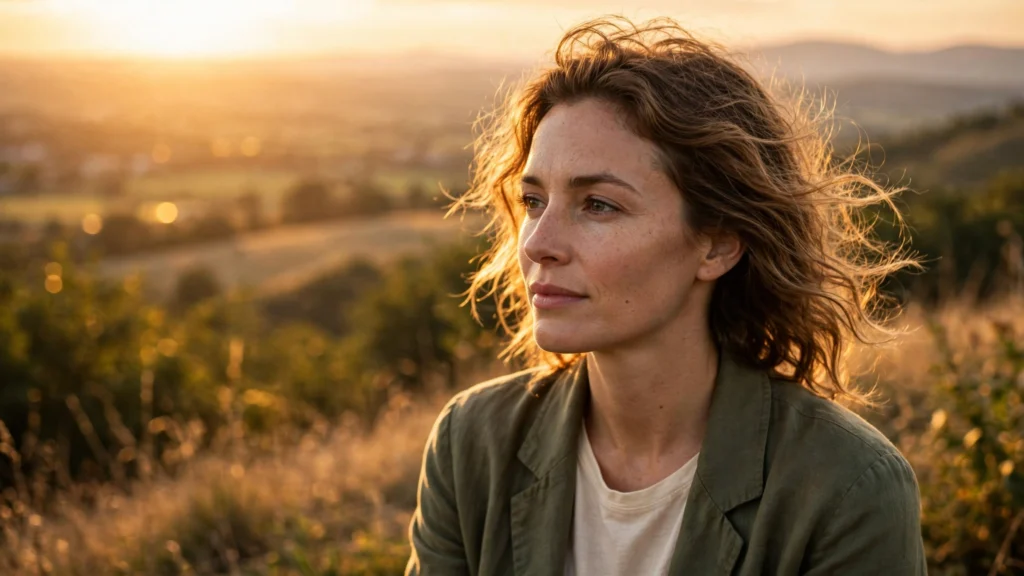
Golden hour might be the most-prompted lighting phrase in AI video. And the results give it away: an orange wash over everything, skin the colour of tangerines, a sun that could be anywhere. Real golden hour is not a filter. It’s a specific sun position — low, warm, directional — with specific consequences: long shadows, glowing skin edges, a bright sky that’s still blue at the top.
Models know this, in a sense. They’ve seen millions of correctly captioned golden-hour frames. But the two-word prompt “golden hour” is too loose to summon the real thing reliably. So the model averages every sunset it’s ever seen into soup. The fix is to prompt time of day the way cinematographers think about it: as a lighting rig with a fixed position, a colour, and a shadow logic.
On our location sheets, time of day is written down and locked like wardrobe. This guide shows how to do the same in your prompts, hour by hour.
Time Of Day Is A Lighting Rig
Every time-of-day phrase is really four instructions bundled together. The sun’s height decides shadow length and direction. Its colour temperature decides the warmth of skin and the coolness of shade. The sky decides your fill light — how much soft ambient wraps the shadow side. And the contrast between lit and unlit areas decides mood more than any of the others.
When a generation looks wrong at “sunset”, it’s usually one of those four breaking ranks: shadows pointing two directions, shade that’s warm instead of cool, or a sky that’s orange to the zenith. Real sunset skies keep blue up top and save the fire for the horizon. Writing two or three of the components out in plain words gives the model anchors.
Compare “golden hour” alone with “low sun from camera-left, long shadows stretching right, warm light on skin, cool blue shade, sky still pale blue above an orange horizon”. The second prompt is longer, yes. But every clause removes a guess. That trade — a few honest words for a lot less luck — is the whole game in lighting prompts for AI video generally. And time of day is where it pays fastest.
Practical note from my own pipeline: I build a one-line “light line” per location and paste it into every prompt for that sequence. Something like: “Late afternoon, low warm sun from the west (camera-left), long shadows, cool open shade.” It travels with the shot like a character description travels. More on keeping a sequence consistent shortly — first, the hours themselves.
Golden Hour: Low Sun, Long Shadows, Warm Skin
Golden hour is roughly the first and last hour of usable sun. The light rakes in nearly horizontal, so it models faces from the side, catches hair and shoulders with a bright rim, and throws shadows many times longer than the objects casting them. Skin looks warm because the light itself is warm — around the colour of a tungsten lamp and warmer — while shade, lit only by blue sky, goes cool.
That warm/cool split is the signature your eye checks unconsciously. Prompt for it directly. Honestly, half of “believable golden hour” is just that one contrast.
Phrases that hold up in Seedance 2.5 and Veo:
- “golden hour, low sun low in frame-left, long soft shadows, warm sunlight on skin, cool blue shade”
- “late afternoon sun raking across the street, backlit hair with a warm rim, lens catching gentle flare”
- “sun just above the rooftops, everything side-lit, sky pale blue fading to peach at the horizon”
Backlight deserves a special mention. With the sun behind the subject, faces fall into shade and need the sky (or a bounce) to stay readable — generated golden-hour shots often either blow the sky to white or crush the face. Adding “face softly lit by open sky, detail held in the shadows” tells the model someone thought about exposure.
Two failure modes to reject in review. Orange skin with orange shadows — no cool side, no believability. And noon-short shadows under a sunset sky, which happens when the model obeys the colour and forgets the geometry. Both are re-roll signals, and both get rarer when the prompt carries shadow language, not just colour language.
Midday: The Honest, Unflattering Truth
Midday is where beginners fear to tread, and where a lot of real life actually happens. The sun is high, shadows are short and pool directly under chins, brows, and awnings. Light is neutral-white and hard. Skies go deep blue. It’s unflattering to faces in a specific, fixable way — eye sockets shade, foreheads shine — which is why real productions either avoid it or embrace it for documentary honesty.
Prompt midday when the story wants truth: a market at noon, a construction site, a kid’s football match, a desert road. The vocabulary: “midday sun directly overhead, short hard shadows, bright neutral daylight, deep blue sky, high contrast”.
For faces, add the survival kit: “subject standing in open shade at the edge of a building, soft even light on the face”. Open shade at noon is one of the prettiest free light sources on earth — full noon brightness without the squint.
AI-specific watch-out: models love to “improve” midday into late afternoon, because golden tones dominate glamorous training footage. If your noon keeps arriving at 5 p.m., strengthen the geometry words (“sun directly overhead”, “shadows directly beneath”) rather than adding more colour words. Geometry is the part the model is actually getting wrong. And if the scene is a product on white-hot pavement at noon, say so proudly — harsh noon is exactly right for anything sun-proof, outdoorsy, or unbothered by romance.
Blue Hour And Dusk: The Underused Gift
Blue hour is the short window after sunset (and before sunrise) when the sun is below the horizon but the sky still holds deep blue light. No direct sun, no hard shadows — the whole sky becomes one enormous soft source, while windows, streetlamps, and signs switch on and glow warm against the blue.
It’s, minute for minute, the most forgiving light in AI video. Faces are modelled softly, practical lights justify themselves, and nothing can be overexposed by a sun that has left. Seriously, if you’re struggling with a scene’s lighting, try blue hour before you re-roll anything else.
For short-form work, blue hour does something else valuable: it reads “evening” instantly without asking the model to render true night — which is where noise and crushed shadows live. A first date, a food stall opening for the night, a city waking its lights: board them at blue hour and you get the night feeling with daytime reliability.
Prompt language: “blue hour, deep blue twilight sky, no direct sun, warm windows and streetlamps glowing, soft even light on faces”. Keep one foot on the exposure: blue hour should sit a touch darker than day but well clear of black. If generations come back as midnight, add “still enough light to see the sky’s gradient, dusk not night”. The gradient is the tell — if the sky has gone flat black, you’ve left blue hour, and asking for the gradient by name pulls it back.
Overcast: Soft Light For Faces And Products
An overcast sky is a softbox the size of a city. Cloud cover diffuses the sun into shadowless, directionless light with low contrast and honest colour. Cinematographers wait for it: faces need no correction, products show their true finish, and nobody squints. It’s also the easiest light for a model to keep consistent across shots, because there’s no sun position to maintain.
Prompt it plainly: “overcast day, soft shadowless daylight, even light, muted colours, grey-white sky”. Two refinements. Bright overcast (“thin cloud, still bright”) keeps energy in the frame. Heavy overcast (“dark grey sky, flat light”) suits melancholy and should be chosen, not drifted into.
And because overcast removes shadows, it also removes some depth cues — compensate in the composition with foreground layers and colour contrast rather than asking the light to do work it can’t do.
One honest trade-off: overcast footage grades gently but can look dull straight out of the generator. In my Premiere finishing pass, overcast clips usually take a small contrast and saturation lift, and they take it gracefully — the information is all there. That’s a much better problem than baked-in orange. For finishing moves like that, see color grading AI footage.
One practical trap deserves naming, because it catches careful people: golden hour at the wrong side of the action. You prompt a beautiful backlit sunset portrait, cut to the reverse angle for dialogue coverage, and suddenly the sun is behind the camera, the light is flat, and the two shots might be from different planets.
Real crews solve this with the sun-axis rule — keep the sun on one side of the line between your subjects for the whole scene. Do the same in words: decide which side of the conversation the sun owns, write “sun from frame-left” into both directions of coverage, and let the reverse shot be the front-lit or side-lit partner rather than a second sunset. Sequences survive on rules like this, not on any single beautiful frame.
Keeping One Time Of Day Across A Sequence
Believable single shots are a prompt problem; believable sequences are a discipline problem. The sun must not move between shots of the same scene — and in generated footage it will, cheerfully, by hours, unless you pin it down. Here’s the pinning method I actually use:
- Write the light line once per location. Time of day, sun direction relative to camera, shadow character, sky state. Ours lives on the location sheet, so every storyboard panel for that place inherits it.
- Paste it verbatim into every prompt. Not a paraphrase — the same words. Models respond to exact repetition as a constraint; your variety would read as new instructions.
- Anchor direction to screen, not compass. “Sun from frame-left” survives camera moves better than “sun from the west” when you cut to a reverse angle, decide what the reverse angle does to the sun, and write that down too. In coverage, the sun stays on the same side of the action axis — this is screen-direction discipline applied to light.
- Review the sequence, not the shot. Lay the clips in order and watch only the shadows for one pass. A shadow that jumps length or side is the mismatch viewers feel but cannot name.
- Grade last, and grade the set. Small exposure and warmth differences between takes are normal even in real footage. A single gentle grade across the sequence in Premiere hides a multitude of small sins — but it cannot move a shadow, so the generation discipline still comes first.
The payoff is disproportionate. A sequence that holds one honest time of day reads as filmed. And “filmed” is the whole game.
Choose the hour for the story — golden for warmth and romance, midday for truth, blue hour for evening without night risk, overcast for faces and products — then lock it in writing and let the model do the easy part. For the full shot-planning method those light lines live inside, see the storyboard-first workflow.