
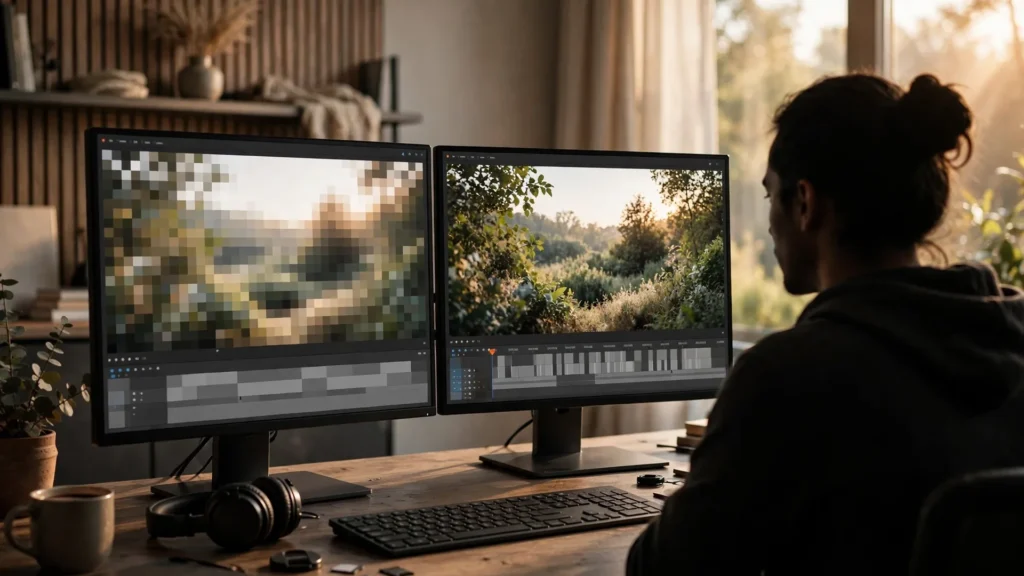
Okay, real question first. If the video is going to end up on a phone screen anyway — why generate it at the highest resolution your tool offers? Here’s the honest answer: sometimes you shouldn’t. But “sometimes” is doing an awful lot of work in that sentence. So let’s untangle it.
Every AI video project has two resolutions living inside it. The one you generate at. And the one you deliver at. Mix them up — in either direction — and you’re either burning money or losing quality you’ll never get back.
Two Resolutions Live In Every Project
Generation resolution is what the model actually renders while it’s building your clip. Delivery resolution is the file you export out of Premiere Pro and hand to the platform. Two independent choices. And the gap between them? That’s where smart creators quietly save serious credits.
Think of it like shooting film. A director shoots on a big sensor, then delivers a smaller file for streaming. Bigger capture than delivery gives the edit room to breathe — punch in a little, stabilize a wobble, reframe for another platform. AI generation works the same way. Generate bigger than you deliver, and you own options. Generate exactly at delivery size, and every crop becomes a quality cut.
The reverse mistake is just as common, honestly. Generating at max resolution for a clip that will only ever live as a tiny social post — then paying full price in credits and generation time for detail nobody will ever see. Resolution is a budget. Spend it where the audience can actually perceive it.
There’s a second difference, and it’s sneakier. Higher-res generations don’t just have more pixels — on a lot of tools, Seedance 2.5 and Veo included, the model also tends to behave a bit better. Faces hold together longer. Fine detail like hair and fabric survives motion. Small text-like elements smear less. That’s model-dependent, though, so test it on your own prompts instead of taking anyone’s word for it. Including mine. But it means “720p vs 1080p” isn’t only a size question. Sometimes it’s a stability question too. That nuance feeds into the resolution and frame rate guide, which is worth reading alongside this one.
What Platforms Actually Keep
Platforms recompress everything you upload. That’s not cynicism — it’s just how delivery works. They need files that stream fast on bad connections. What matters for your decision is the general shape of it: short-form vertical platforms are built around phone screens, phone viewing distances, and aggressive compression. A huge amount of fine detail simply does not survive that pipeline. No matter how beautifully you generated it.
So what does survive? Contrast. Clean edges. Stable faces. Readable composition. Smooth motion. Viewers judge sharpness mostly by those cues, not pixel counts. Which is why a well-made 720p clip, finished properly, can look better on a phone than a sloppy 1080p one. The sloppy one just has more pixels wrapped around the same melted hands.
Long-form and TV-viewed content is a different story. On a big screen at couch distance, softness shows. If your destination is YouTube on televisions, a client presentation, or anything projected — the delivery target changes, and so should your generation choices. The point isn’t that one size wins. The point is to match the spend to the actual screen. Same thinking behind multi-platform delivery specs: one master, sized honestly for each destination.
One more platform truth, and it stings a little: upload a file that’s already been compressed, then let the platform compress it again — the damage compounds. Generate low, export low, upload… you’ve stacked two rounds of mush. Better to keep everything clean until the final export, then export once at solid delivery specs. That principle matters more than the raw numbers.
When 720p Generation Is The Smart Draft
Draft generation at 720p is where I do most of my early work, and I’d defend it to any creator burning credits on full-res first attempts. Use it when you’re answering these questions:
- Does the motion work? Blocking, timing, camera movement, whether the action reads at all. None of this needs full resolution to judge.
- Does the story beat land? If the joke, reveal, or emotional turn doesn’t read in a draft, resolution won’t save it.
- Is the composition right? Framing, subject placement, where the eye goes. Again — pixels irrelevant.
- Which take is the keeper? Generate three or four drafts, pick the performance, then spend real credits once.
This is the workflow I run on character pieces especially. A close-up emotional beat can take several attempts before the expression and timing land. Running those attempts at draft resolution — and finishing only the winner at full quality — has cut my wasted spend more than any other single change I’ve made. The draft tells me everything about whether the shot works. Only the final has to prove how good it can look.
And look, 720p is honestly enough as a final in a few real cases. Background plates that’ll sit blurred behind a subject. Fast-cut inserts that live on screen for half a second. Heavily stylized content where softness is part of the look. I’m not going to pretend I upscale everything. Some footage is set dressing. And set dressing gets set-dressing budgets.
When Only Full Resolution Will Do
Now the other side — because “720p is fine” becomes terrible advice fast if you apply it everywhere. Generate at full resolution when:
- Faces carry the shot. Close-ups, talking heads, anything emotional. Skin detail and eye clarity are the first things low resolution eats, and faces are what audiences judge.
- You’ll crop in the edit. If there’s any chance you’ll punch in, reframe, or pull a vertical cut from a horizontal shot, you need the pixels to spend. Cropping a 720p generation is how you get soup.
- The destination is a big screen. Client decks, YouTube TV viewing, event screens. Softness that a phone forgives, a 55-inch TV prosecutes.
- Fine detail IS the content. Product shots, hands demonstrating something, anything where the viewer is meant to study the frame.
- The clip is a hero asset. The one flagship video your page or campaign hangs on. That’s not where you economize.
Aspect ratio plays into this too. A 720p vertical generation has way fewer pixels across the face than a 720p horizontal one, because the width is what matters for a face in frame. If you’re unsure how the shapes trade off, the breakdown of 9:16 versus 16:9 covers it properly. My shortcut? Vertical close-ups get full resolution sooner than horizontal wide shots do.
The Upscale Question, Placed Correctly
Upscaling has a proper place in this workflow — and it’s not “fix my low-res final.” An upscaler can add plausible detail and clean up edges, and on the right footage it does a genuinely good job. Where it fails: inventing detail on faces mid-motion, or rescuing footage that was soft because the generation itself was unstable. If the take is wrong, upscale just makes it a bigger wrong.
So the order I follow: pick the right generation resolution first, upscale only as a finishing step on approved material. The full decision framework lives in when to upscale AI video. But the one-sentence version? Upscale winners. Never try to rescue losers with it.
There’s a middle path worth knowing, too. Some of my projects generate finals at the tool’s standard resolution, then get a light upscale pass — purely so the delivery export has cleaner downscaling room for multiple platform crops. That’s a legitimate production reason. It’s about flexibility in the edit, not pretending the footage is something it isn’t.
A Resolution Rule By Destination
Rules of thumb you can tape to the monitor:
- Social drafts and motion tests: 720p generation. Judge story and movement only.
- Social finals, wide or medium shots: full-res generation when faces are small; 720p acceptable for inserts and backgrounds.
- Social finals, close-ups and talking heads: full-res generation, no debate.
- YouTube and anything TV-adjacent: full-res generation, master kept at that size.
- Client work: full-res generation and a full-res master, because you don’t know where they’ll show it and “it looked fine on my phone” is not a defense.
- Anything you’ll crop across formats: generate at the largest frame you’ll need, crop down from there.
A Quick Test To Run On Your Own Footage
Don’t take my thresholds on faith. Seriously — run this once on a real project and you’ll calibrate your own eye in an afternoon. Take one finished shot, a medium shot with a face in it ideally, and generate it twice: once at draft resolution, once at full. Finish both identically in Premiere Pro. Same trim, same grade, same export. Post neither. Instead, watch both on your phone at normal viewing distance, then on the biggest screen you own.
What most creators find surprises them in both directions. On the phone, the gap is smaller than the credit difference suggests — sometimes embarrassingly small for wide and medium shots. On the big screen, the gap opens up exactly where predicted: eyes, teeth, hair, anything textured. And on close-ups, the phone gap stops being small. That single test teaches your hands what your settings should be faster than any article could. Because resolution judgment is ultimately a viewing-distance judgment. And viewing distance is physical, not theoretical.
Two practical notes on the test. First: compare the takes at the same point in the motion. Pause both on the same gesture — or the better performance wins and you’ll draw the wrong conclusion. Second: if the tool’s draft mode also changes motion behavior, not just size, note that separately. Some draft modes are genuinely sketchier animation, and that’s fine for story decisions. You just need to know which limitation you’re looking at. The goal isn’t a universal answer. It’s your answer, for the content types you make: your talking-head setup might demand full resolution always, while your B-roll inserts might never need it. Write down what you find. Stick it above your desk with the destination rules. And stop re-deciding per project.
One last note, on storage and sanity: keeping full-res finals alongside drafts grows folders fast. Label honestly, prune drafts once a project ships. The finished master earns its disk space. The nine rejected experiments mostly don’t. My habit is to archive the master plus the approved-take files, and let the rest go when the project closes. A tidy archive you trust beats a fossil record you dread opening.
The thread through all of it: resolution is a decision, not a default. Decide per project — per shot if you have to — based on where the clip will actually be seen and how close the audience will look. Generate drafts cheap. Generate finals at the size the destination deserves. And never let an upscale pass make a promise your generation didn’t keep.