
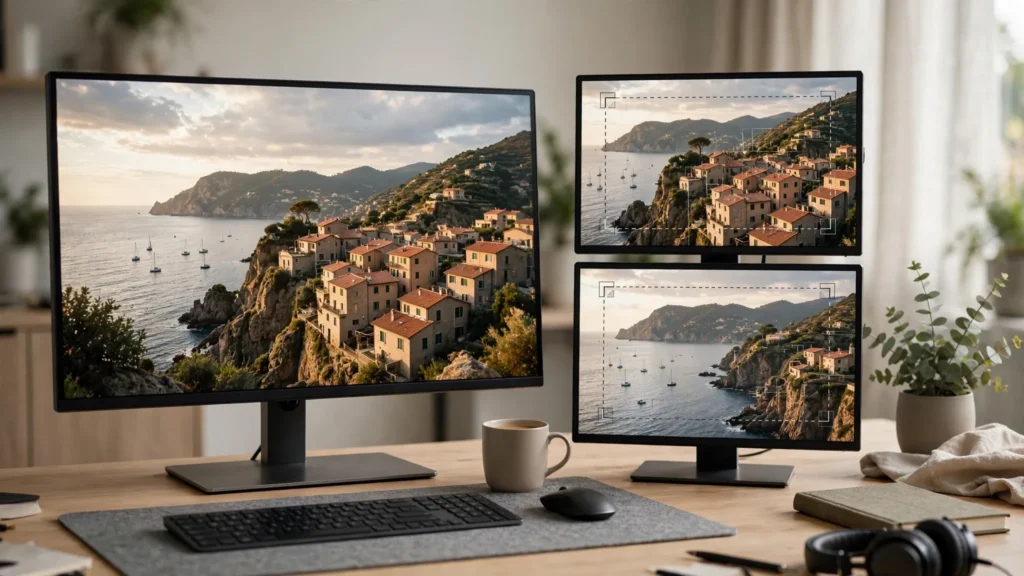
You generated one clip. The edit needs three shots. That gap shows up constantly in AI video work — because a generation gives you a single camera position, while a good sequence wants variety. A wide to establish. A medium to follow. A close shot to land the point. Punch-ins bridge that gap. By scaling into a reframed crop of the same clip, we manufacture shot sizes the generation never had. Fast. No re-render. No queue. Done well, nobody notices. Done carelessly, it looks like exactly what it is: a zoom on a still. This is how we keep it in the first category.
One Clip, Three Shot Sizes
Start by seeing the raw material honestly. A medium-wide generated shot usually contains a usable medium shot inside it. And inside that, often a close shot as well. Not always — and not at unlimited magnification — but far more often than editors assume when they first look at the frame. Most people under-crop. They leave coverage on the table.
Our habit is to build the sequence wide first, then ask where the rhythm wants to come closer. The wide tells the viewer where we are. The punch-in says: look here, this bit matters. That contrast is the whole trick. A punch-in with no wider shot before it is just a crop. A punch-in after a wide is a decision. And audiences read decisions as direction. They can feel the intent.
- The safety wide: the full frame, held long enough to establish place and position. Don’t rush this; every later crop borrows its geography from here.
- The working medium: a crop to roughly half the frame area for the main action or line. This is where most of a short actually lives.
- The point close-up: a tighter crop held briefly — a face reacting, a hand finishing a task, a product detail — then released back out before it overstays.
Because our clips come from a planned board — the storyboard-first workflow we build every project on — we already know which beats deserve closeness. The punch-ins aren’t decoration hunting for a home. They’re the storyboard’s shot sizes, recovered in the edit. The plan said “close-up here.” The edit delivers it.
Resolution Headroom: When Punch-Ins Stay Honest
Here’s the maths nobody can charm their way around: a crop is only as good as the pixels inside it. Blow a small region of a modest-resolution frame up to full screen and the softness shows. Smeared detail. Crunchy edges. That unmistakable digital-zoom look. You can’t grade your way out of missing pixels. They were never there.
So work backwards from delivery. If the finished video is 1080 wide and your source generation is also 1080 wide, a punch-in to half the frame leaves you upscaling twofold. Sometimes acceptable on a phone. Often visibly soft. A higher-resolution source changes everything: the same crop is now a genuine reframing with detail to spare. Same move, different material, different result.
This is why we care about generation resolution before editing begins — and why our guide to the AI video resolution and frame rates sits upstream of this whole technique. Practical rules we actually use:
- Plan the punch-in at generation time. If a beat needs a close shot, generate that shot wider and cleaner rather than hoping to excavate it later.
- Test the crop at delivery size on a phone, not shrunk in the Premiere preview. Softness hides in small previews and announces itself on export.
- Stay shallower than your worst shot. In a sequence of crops, the softest one sets the viewer’s impression of all of them.
- Prefer reframing over enlarging where you can: a crop that shifts composition while scaling modestly reads as a different camera, not a magnifying glass.
When the headroom truly isn’t there, be honest and cut away instead — a reaction shot, a detail from another generation, anything with real pixels. A soft punch-in kept out of pride helps nobody. Least of all the video.
Rhythm: Where Punch-Ins Belong
A punch-in is punctuation. It belongs where the sense changes: the turn of an argument, the moment of realisation, the exact frame a joke tips over. Spread evenly through a clip like seasoning from a great height, it means nothing. Placed on the beat, it feels like the camera leaned in because it cared. Felt that. The camera cared.
We cut on movement or on thought. Cutting into a closer size mid-gesture hides the join in the motion; cutting at the top of a new line or a visible reaction hides it in the meaning. What we avoid is cutting on nothing — a static subject, mid-sentence, no change of idea — because then the viewer has spare attention to wonder why the frame just jumped. And spare attention is dangerous. It finds flaws.
Scale jumps matter too. A small step — say from full frame to a gentle reframe — can pass almost unnoticed and is handy for quietly removing a flawed edge. A big jump to a tight close-up is a shout. Shouts are allowed. Just ration them: a couple per short, on the moments you’d circle in the script. If you circle everything, you circled nothing.
And hold the close shot briefly. The natural grammar of an edited sequence is out, in, out. Linger too long at maximum crop and softness creeps in — plus the viewer starts missing the room. The same pacing sense that shapes our broader cutting (see editing AI clips in Premiere Pro) applies here in miniature. It’s all the same muscle. Just smaller.
Matching Scale And Grain After The Crop
Two crops from the same clip can still feel like strangers if you treat them lazily. The tighter crop magnifies everything — including the texture of the image itself. Grain grows. Compression artefacts fatten. Tiny wobbles become sways. Same clip, two different personalities. That’s the trap.
So match deliberately. If the wide shot has a gentle texture, the punch-in will look noisier by comparison — and a whisper of noise reduction on the crop, or counter-intuitively a touch of added grain on the wide, brings them into the same family. Check sharpness as well. A crop softened by upscaling can sit happily next to a wide that’s slightly soft, but looks broken next to a razor-sharp neighbour. Sharpness is relative. Everything in matching is relative.
- Stabilise after cropping, not before. Warp Stabilizer in Premiere has an easier job on the reframed shot, and a small wobble that was invisible at wide becomes a seasick drift at two-times magnification.
- Match exposure between sizes. Cropping into a bright region can make the close shot feel lighter than the wide it came from, even though it’s the same pixels.
- Reframe with intent: follow the eyeline, keep heads out of the platform’s interface zones, and don’t amputate hands at the bottom of frame unless the crop is genuinely about the hands.
These are unglamorous checks — thirty seconds each — and they are the difference between manufactured coverage and obvious zooming. Thirty seconds. That’s the price of looking like a second camera was there.
Talking Beats And Product Details
Two uses earn their keep in nearly every short we finish. Just two. But they show up everywhere.
Talking beats first. Our dialogue scenes are built from single-speaker generations, so a listener’s reaction often exists only as part of a wider shot. Cropping into that reaction gives us the cutaway every conversation needs — the face absorbing the line — without generating a dedicated reaction clip we may never use again. It also lets us tighten a pause: come closer while someone thinks, and two seconds of thinking plays like drama instead of dead air. Same two seconds. Different feeling. Closer does that.
Product details second. When a result, a texture, or an object is the payoff of the video, stepping into it at the moment of reveal gives the audience the close look they were promised. Pour the wide shot into a tight crop of the finished thing, hold, then open back out for the ending. That little journey — see it made, now really see it — is one of the most reliable shapes in short-form. Reliable as in: it works basically every time.
What both uses share: the punch-in answers a question the viewer just started asking. What did they feel? What does it actually look like? Answer questions and the technique vanishes. Punch in at random and only the technique remains. The viewer should never think “oh, a punch-in.” They should think “oh, look at that.”
When A Punch-In Looks Like An Apology: Limits
Let’s be straight about the failures, because every editor meets them. Every single one. Including us.
The apology punch-in is the one used to hide something: a broken hand at the frame edge, a warped background, a second face that won’t behave. Cropping away from flaws is legitimate — we do it — but a crop whose only job is escape usually lands awkwardly, off-balance and oddly timed. And viewers feel the awkwardness even if they never spot the flaw. They feel the timing. Timing is the giveaway.
Then there’s the magnification wall. Push any crop far enough and detail dissolves; no sharpening filter rebuilds what was never rendered. There’s also the sameness wall: three crops of one clip are still one camera angle, and a long sequence built entirely from them starts to feel like watching through a keyhole that keeps changing size. Same room. Different zoom. The brain notices.
Our rule is simple. Punch-ins extend a good clip; they do not substitute for coverage. If a beat truly needs another angle — over the shoulder, the reverse, the wide the scene never had — generate it. The edit will be better and, honestly, quicker. Sometimes the fast way is the long way around. That’s fine.
Frequently Asked Questions
How Far Can I Punch In Before It Looks Bad?
It depends on your source resolution versus your delivery resolution. As a working guide, modest reframing is nearly free, doubling starts to need a phone test, and beyond that you’re gambling. Always judge the crop exported at full delivery size, never from a small preview. The preview lies. The phone tells the truth.
Is A Punch-In The Same As A Zoom?
Not quite. A punch-in is an instant cut to a tighter crop of the same moment, so it reads as a second camera. Animating the scale turns it into a digital zoom — which reads as one camera leaning in. Useful occasionally, but slower and much easier to spot as artificial. Two different illusions. Pick the right one.
Can I Make Multicam Coverage From One AI Clip?
You can make varied shot sizes, which covers many of the same needs: wide, medium, close. What you can’t fake is a new angle. For genuine reverses and over-the-shoulders, generate the extra clip. Mixing both approaches is how most polished AI shorts are actually built. Nobody’s doing it all one way. The mix is the craft.
Why Does My Cropped Shot Look Noisier Than The Wide?
Because cropping magnifies the image texture along with the subject. Match the shots with a small amount of noise reduction on the crop or a touch of grain on the wide, and check sharpness and exposure across the cut. Same family. Make them look related, because they are.
The Coverage You Already Paid For
Here’s the thought we keep coming back to: you already generated the footage. The wide you’re staring at contains more shots than the one you planned, waiting inside the frame. Punch-ins are how an editor collects that value instead of going back to the generator for every new angle.
Use them where the meaning turns, keep them inside your resolution, match their texture like you mean it, and know when a real extra shot is the honest answer. Do that, and one careful clip starts behaving like a small crew shot it. Which, for those of us building stories out of generations, is more or less the whole craft. The whole thing. Right there.