
Type “zoom in on her face” into almost any video generator. The face looks great. And yet — something’s off, right? The frame got bigger, but the room didn’t come any closer. The background just… sat there. See, what you asked for was a zoom. But that slow, magnetic drift toward someone as the moment lands? The thing you probably actually wanted? That’s a push-in. Physically different move.
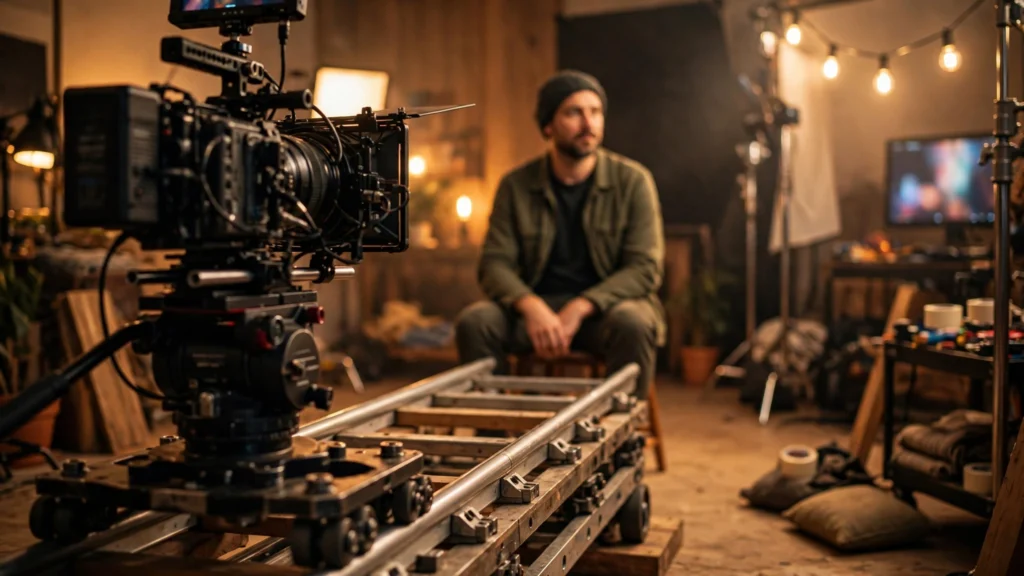
On a real set it’s simple. Zoom: the lens changes, the camera stays put. Push-in: the whole camera physically travels through space. Models have watched enough captioned footage to do both — but only if you name the one you mean.
This is one of those tiny vocabulary fixes that quietly separates directed footage from generated footage. And in a storyboard-first pipeline — where the camera gets mentioned exactly once per prompt — that one mention better be the right move.
Two Moves That Look Alike In A Menu
Honestly? I had this one wrong too when I started. On a phone screen, pinch-zoom and walking closer look basically identical in a thumbnail. Full size, though? Night and day.
A zoom magnifies. That’s all it does. The camera never budges from its exact spot in the room, so the relationship between subject and background stays frozen. Near and far grow at the same rate. Nothing slides past anything. It’s like looking through a telescope.
A push-in — dolly-in, tracking-in, “camera moves closer” — relocates the viewpoint. Foreground objects sweep past. They grow faster than the background. Layers reveal themselves. You feel travel.
Cinematographers have been cashing in on this difference for a century. A push-in says: we’re going toward this person, into their space, into their head. A zoom says: we’re standing way over here, and now we’re staring harder. One is participation. The other is observation.
Confessions push in. Surveillance footage zooms. Look, neither is “better” — but they are NOT interchangeable. And a model, handed the wrong word, will cheerfully deliver the wrong feeling in perfect image quality.
There’s a third impostor, and it’s worth naming because generators default to it: the digital crop. Some tools hear “zoom” and just scale the frame. Resolution bleeds away. Everything flattens. So if your “zoom” looks softer at the end than the start — that’s probably what happened. Naming a physical move is how you ask for fresh parallax instead of blown-up old pixels. For a wider tour of movement options, our guide to camera movement prompts for AI video covers pans, tracks, and cranes alongside this pair.
What A Push-In Does To A Scene
A push-in changes the world while it moves. The viewpoint travels, so a foreground doorway edge widens and slips out of frame. A lamp behind the subject drifts sideways past their shoulder. Depth opens up. Your visual system reads all that relative sliding — parallax — as honest-to-goodness movement through real space.
That’s why push-ins feel intimate even at a crawl. The camera is entering the scene. You’re going with it.
Three things a push-in does that a zoom cannot:
- It reveals. Moving forward uncovers what was hidden behind foreground objects. A push-in past a kitchen counter can end on hands the wide shot could not show.
- It intensifies honestly. The subject grows because we approached, so the emotion feels earned rather than magnified. Romances, realisations, and decisions all live here.
- It reframes relationships. Two people at a table start in one composition; by the end of the push, the framing may favour one of them. The move itself tells you whose moment this is.
In practice? The slow push-in is my default “serious” move in Seedance 2.5. Faces hold up well, because the face grows gradually instead of being re-rendered at a brand-new scale all at once. One tip: keep the speed word in the prompt — “slow push-in.” An unspecified push-in can show up as a lunge. And keep the path simple: straight in, or a gentle arc. The second you ask for a push-in that orbits while rising, the model picks one verb and fumbles the rest.
What A Zoom Does To A Face
A zoom keeps the camera planted and narrows the field of view. The face gets bigger. But so does everything behind it — same rate — so the background feels like it’s creeping up and flattening against the subject. Perspective never changes with a zoom. Only magnification does. That’s why zoomed faces sometimes look slightly “pasted on” to their backgrounds.
Used knowingly, that flatness is a tool:
- Distance and detachment. A zoom from across a street feels like watching, not joining. Perfect for a character observing someone they cannot approach.
- Sudden attention. A quick zoom snaps to a detail — documentary style, breaking-news style, comedy style. The abruptness is the point.
- Compression at the long end. Zooming to a telephoto view stacks background layers together, which can make a crowd or a city feel dense behind a face.
Here’s where zooms bite in AI video: duration. A long, slow zoom makes the model continuously rescale the whole frame — and tiny rendering inconsistencies get magnified right along with everything else. Backgrounds shimmer. Edges crawl. Push-ins hide those sins better because fresh detail keeps entering the frame.
So if I need a slow move onto a face over five seconds? Push-in. Almost every time. Save zooms for short, punchy beats. The grammar I use: approach with the camera, observe with the lens.
Prompt Words That Get Each One
Models read verbs and camera nouns. Not screen-size words like “closer” on their own. These are the phrasings that’ve held up best in my testing, across Seedance 2.5 and Veo:
- For a push-in: “slow dolly-in”, “camera pushes in slowly”, “camera moves forward toward her”, “tracking in from medium shot to close-up”. The word “dolly” is the strongest single cue — captions attach it to physical moves.
- For a zoom: “slow zoom in”, “lens zooms in”, “zoom lens pushes to a tighter frame” — say “lens” once so the model knows the glass, not the camera, is working. Even then, expect flatter results.
- Words to avoid: “get closer”, “come near”, “focus in”. “Focus” invites a focus pull (sharpness change) rather than movement, and vague closeness words split the difference into a mushy crop.
Two worked examples. Same subject. Different move.
Push-in version: “Slow dolly-in from medium shot to close-up: a chef tastes a sauce, pauses, and smiles quietly; the kitchen background slides and softens behind her; warm practical light; photorealistic.” See why the background sliding is written in? That’s the push-in’s signature. You’re telling the model what correct looks like.
Zoom version: “Static camera across the kitchen, slow lens zoom to a close-up as the chef tastes the sauce and smiles; background stays flat and still; photorealistic.” Same beat. But now it feels like we’re watching her from the doorway, not standing at her shoulder. Neither prompt is wrong. They’re different scenes.
One more habit — state the start and end framing when the move matters (“from medium shot to close-up”). Endpoints give the model something to interpolate between. And they give you a pass/fail check against your board. Our anatomy of a great AI video prompt shows where this camera line sits inside the full prompt structure.
The Vertigo Combination: Dolly Zoom On Purpose
There’s one famous move that uses both at once: dolly in while zooming out. Or the reverse. The subject stays the same size while the background warps around them — space itself stretching or collapsing. Hitchcock used it for a stairwell panic. Spielberg used it on a beach, the moment a man realises what he’s seeing in the water.
It’s the visual shape of dread. Of sudden realisation.
Can you prompt it? Honestly… sometimes. The phrasing with the best odds is explicit and mechanical: “dolly zoom: camera moves forward while the lens zooms out, subject stays the same size, background stretches”. Some models have enough of this shot in their training data to attempt it. Others pick one half and ignore the other — usually a plain push-in.
My rule: board it only where the story genuinely turns. A realisation. A revealed threat. And budget two or three generations. It’s a spice shot. If the whole video depends on it and the model won’t give it — fake it in the edit. Scaling a push-in clip against the beat gets you eighty percent of the feeling with none of the gambling. One thing, though: don’t stack it with other moves. A dolly zoom plus a pan is a request for soup.
Another distinction worth internalising, because creators trip on this one constantly: a zoom changes nothing about perspective — only magnification. A push-in changes perspective continuously as the camera travels. Think of it this way. Freeze a zoom halfway, freeze a push-in halfway. The push-in frame can’t be recreated by cropping the wide shot: new angles on objects have appeared, foreground relationships shifted. The zoom frame? Croppable. Which is precisely why it feels thinner. When a reviewer says a shot feels “flat like a zoom”, that crop-ability is what they’re feeling — even if they’ve never touched a camera.
Choosing Per Shot: Intimacy, Scale, Dread
The quick decision pass I run at board stage:
- Intimacy, realisation, decision: push-in. The camera joins the character. Most dialogue payoffs and product “hero moment” reveals sit here.
- Scale: neither, at first — pull back or start wide. But if you must grow into scale, a push-in through foreground layers (past pillars, past crowd shoulders) sells size far better than a zoom, because the layers rushing past prove the space is big.
- Observation, distance, surveillance: zoom. The camera stays out of the scene on purpose.
- Dread, vertigo, the world tilting: dolly zoom, sparingly, with retakes budgeted.
- Comedy: the fast zoom is a punchline all by itself; the dead-slow push-in is the joke that lands late. Both work — pick per beat.
Whatever you choose — write it on the storyboard panel, not just in the prompt. Six weeks later, mid-cut in Premiere, the board is how you’ll remember why shot four creeps and shot five snaps.
Small takeaway, worth taping to your monitor: a push-in moves the camera and the feeling. A zoom moves only the magnification. Spend your one camera mention on the move the beat actually needs.