
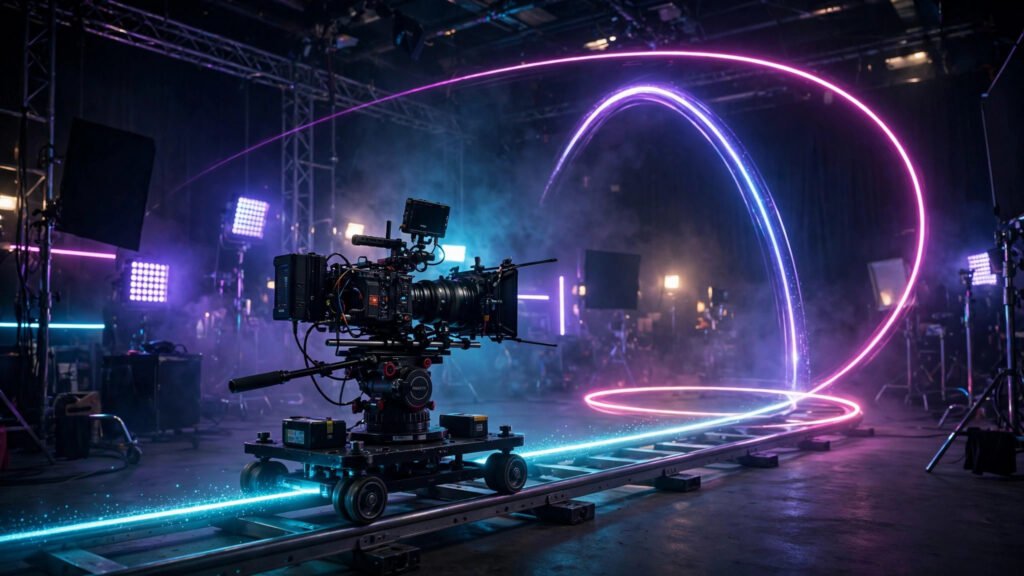
I used to write AI video prompts that described everything except the camera. The subject, the lighting, the style — all there. The camera itself? Frozen in place, like a security camera bolted to a wall. My videos looked fine on a thumbnail but felt dead the moment they played. The day I started prompting camera movement deliberately, everything changed. A slow push-in turned a boring product shot into something cinematic. An orbit turned a static character portrait into a moment.
Camera movement is the fastest upgrade available to any AI video creator. It costs nothing, requires no new tool, and works in every generator that accepts text prompts. In this guide I will walk you through the core moves — dolly, pan, orbit, crane, FPV, and tracking — with the exact phrasing that gets reliable results, when to use each one, and the mistakes that make AI camera moves fall apart.
Why Camera Movement Matters More Than Anything Else in Your Prompt
Viewers judge video quality in the first two seconds, and most of that judgment is about motion. A static AI clip reads as a slideshow. A clip with intentional camera movement reads as cinema. This is true even when the subject barely moves — a slow dolly across a landscape with no moving subject still feels alive because the frame itself is exploring.
There is a second reason movement matters: it hides AI weaknesses. Slightly odd hands, a face that shifts for a frame, texture that breathes — all of these become far less noticeable when the camera is moving with purpose. Your eye follows the motion path instead of hunting for flaws. I am not saying movement fixes bad generations, but it absolutely raises the perceived quality of good ones.
Most AI video tools accept camera direction in plain language inside your prompt, and several also offer built-in camera controls or motion presets. The prompt approach works everywhere, so that is what I will focus on. If your tool has dedicated camera controls, use them together with prompt language — they stack.
The Core Camera Moves Every AI Video Creator Should Know
You do not need film school vocabulary, but you do need the right six moves and the words that trigger them. Each one below includes what it does, when to use it, and a prompt phrase you can copy and adapt.
Dolly In, Dolly Out, and the Slow Push
A dolly move slides the whole camera toward or away from the subject, as if on rails. A slow push-in builds intimacy and tension — it is the move I use for reveals, emotional moments, and product close-ups. A pull-out does the opposite: it establishes scale and context, great for opening shots.
Prompt it like this: “slow dolly push-in toward the subject” or “gradual pull-back revealing the full scene.” Keep the speed word in there — “slow,” “gradual,” “gentle.” Without a speed cue, AI generators often default to aggressive movement that feels rushed. I almost always specify slow for dolly work; fast push-ins look like a crash zoom and rarely suit AI footage.
Pan and Tilt
A pan rotates the camera left or right; a tilt rotates it up or down. These are the simplest moves and the most forgiving for AI generators, which makes them perfect when you are learning. A slow pan across a landscape, a tilt up a building to reveal its height — both are easy wins.
Use “slow pan from left to right across the scene” or “gentle tilt upward revealing the skyline.” One tip from experience: pans work best when there is something worth discovering at the end of the move. A pan across an empty wall is pointless. A pan that ends on your subject gives the movement a payoff.
Orbit and Arc Shots
An orbit circles the camera around the subject, keeping it centered while the background sweeps past. This is the money shot for character showcases, product reveals, and anything where you want instant production value. It is also one of the harder moves for AI generators, so prompt it carefully.
Try “slow orbital camera move circling around the subject” and keep the arc modest — a quarter or half orbit reads better than a full 360, which often breaks down into morphing weirdness halfway through. If your tool supports image-to-video, orbiting from a strong starting frame gives the model the best possible anchor, and your results will be noticeably more stable.
Crane and Aerial Moves
Crane shots sweep vertically — rising from ground level to reveal a vista, or descending into a scene. They carry a sense of scale and drama that no other move matches. In AI video, crane-style moves work beautifully for establishing shots and transitions between locations.
Prompt with “camera rises smoothly upward, revealing the landscape below” or “slow descending crane shot settling on the subject.” Vertical moves are generally well-handled by current generators. Pair a crane rise with a wide landscape prompt and you have an opening shot that looks like it cost thousands to film.
FPV and Drone-Style Flight
FPV — first-person-view — moves fly the camera through space like a racing drone: diving through windows, threading between trees, swooping over rooftops. It is the most exciting move in the list and the riskiest. AI generators love the energy but sometimes lose spatial coherence on complex flight paths.
Keep flight paths simple and legible: “FPV drone shot flying forward through the canyon” beats a prompt describing three turns and a barrel roll. One continuous direction with one clear obstacle or feature works best. Save the complex choreography for tools with dedicated camera path controls, and even then, test short before committing to long generations.
Tracking and Follow Shots
A tracking shot moves alongside a moving subject — walking with a character, gliding beside a car. This is the move that sells realism, because real camera operators track subjects constantly. In AI video it also solves a common problem: a moving subject with a static camera often looks pasted in, while a tracking camera binds subject and background together.
Use “camera tracks alongside the walking character, keeping pace” or “smooth lateral tracking shot following the vehicle.” The key phrase is keeping the subject framed while the world moves past them. When it works, it is the single most convincing move in AI video.
Prompt Phrases That Get Reliable Results
After hundreds of generations, I have settled on a formula: movement type + speed + direction + subject relationship. “Slow dolly push-in toward the lantern” has all four. “Camera moves” has none, and the results show it. Always name the move, always set the speed, always say which way, and always anchor it to the subject.
A few more phrases from my working list: “static camera, subtle subject motion only” — yes, sometimes the right move is no move, and stating it prevents the model from adding random drift. “handheld camera, slight natural shake” for documentary energy. “smooth gimbal-like motion” when you want movement without calling out a specific type. And “camera holds steady, then slowly pushes in” for a two-beat move inside one shot — AI handles simple two-beat moves better than most people expect.
Put camera language early in your prompt, right after the subject description. In my testing, movement instructions placed at the end of long prompts get ignored more often. Front-load the motion, then describe the scene. If you want to go deeper on structuring full prompts, my guide to cinematic AI video prompt styles covers how camera language fits into a complete prompt.
Matching the Move to the Moment
The biggest mistake I see is not bad prompting — it is wrong move selection. A frantic FPV dive during a tender dialogue scene feels absurd. A static camera during a chase feels dead. Match the energy of the move to the energy of the moment: slow moves for emotion and beauty, dynamic moves for action and excitement.
My rough framework: use push-ins for reveals and emotional beats, pull-outs for establishing scale, pans for exploration and discovery, orbits for showcases, crane moves for transitions and grandeur, FPV for thrill and speed, tracking for realism with moving subjects. When you plan multi-shot sequences, assign one deliberate move per shot and vary them — three push-ins in a row feels monotonous no matter how good each shot is.
Also consider your platform. A subtle slow zoom plays beautifully on a phone screen where the viewer is inches away; huge sweeping crane moves can feel wasted at small sizes. For vertical short-form, I favor push-ins, pull-outs, and gentle tilts — moves that read clearly in a tall narrow frame.
5 Mistakes That Ruin AI Camera Moves
1. Stacking three moves in one prompt. “Orbit while pushing in and tilting up” is too much for most generators. One primary move per shot. If you want complexity, do it across shots, not within one.
2. Forgetting the speed word. Without “slow” or “gradual,” models often default to fast, jerky motion. Speed language is the cheapest quality upgrade in prompting.
3. Moving the camera and the subject in opposite chaos. If your subject sprints left while the camera orbits right, the model has to solve two motion problems at once. Keep one element calm — usually the subject — and let the camera do the work.
4. Full 360 orbits. As mentioned, half orbits or less are far more reliable. The model struggles to keep the subject coherent through a complete revolution.
5. Ignoring motion artifacts. Fast or complex moves amplify flicker and warping. If a move looks unstable, simplify it before regenerating — and check my guide on fixing flicker and stabilizing motion for the negative prompts and seed techniques that clean up shaky generations.
Chaining Moves Across a Sequence
The real magic happens when moves connect. End one shot on a push-in toward a doorway, start the next shot pushing through it. End an orbit at the subject’s profile, start the next shot tracking from that same angle. These invisible handoffs are what make AI sequences feel professionally edited rather than randomly assembled.
When I plan a sequence, I sketch the camera path for the whole scene before generating a single clip: wide crane establishing, medium tracking, close push-in for the emotional beat, pull-out to release. Each shot gets one move, and each move hands off to the next. Finish with smooth transitions between scenes and the seams disappear entirely. For a full breakdown of how this looks in practice, the shot-by-shot anatomy of a viral AI video shows move selection working inside a real edit.
Final Take
Camera movement prompting is a skill, not a trick. Learn the six moves, use the four-part phrase formula, match the move to the moment, and avoid the five mistakes above. Do that consistently and your AI videos will carry a cinematic quality that most creators never reach — not because their tools are worse, but because their cameras never move.