
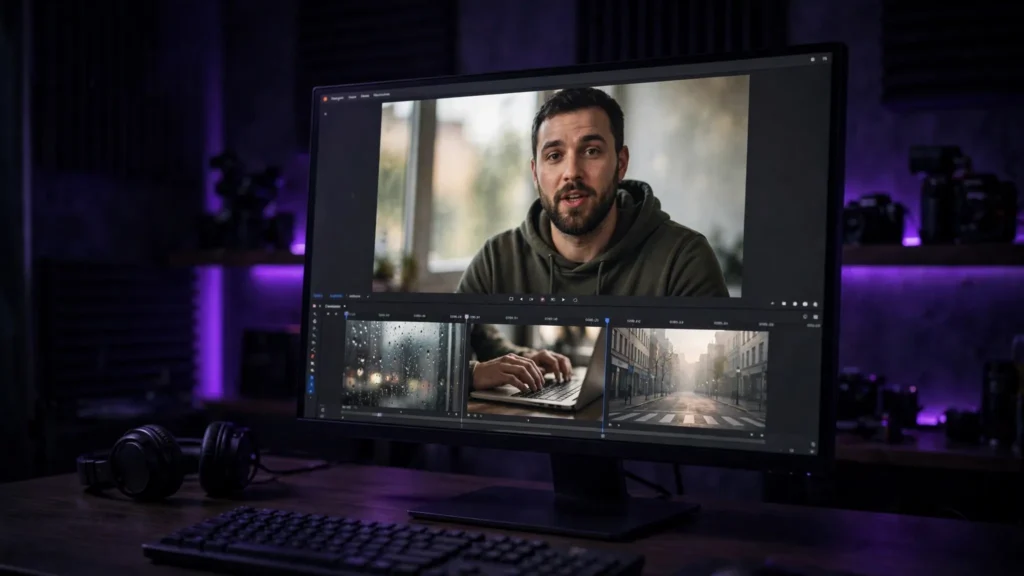
B-roll has one thankless job: make the main footage feel believable without stealing attention from it. AI can generate that filler footage quickly — hands typing, rain on a window, a city waking up, the product’s world in motion. It can also generate the fakest three seconds in your whole edit if you treat it like stock footage with a prompt box. The difference isn’t the tool. It’s how specific, restrained, and honest the shot is.
What B-Roll Is Actually For
Good B-roll covers cuts, proves a location, gives a voiceover somewhere to live, and buys you time while the main shot resets. It should support the sentence being spoken — not illustrate every noun like a school project. If the narration says “the mornings were brutal,” you may need one tired city street and a cold window. Not seven literal images of brutality.
That restraint is why AI B-roll works best when it stays in its lane. It’s excellent for atmosphere, transitions, texture, and generic action. It’s dangerous when it becomes evidence — proof that a product did something, a real place looked a certain way, or a real person performed an action they never performed. B-roll fills gaps. It should not forge facts.
Why AI B-Roll Often Looks Fake
The fake look rarely comes from one big error. It comes from a pile of small ones: light that doesn’t match the main shot, motion that’s a little too smooth, random hands doing almost the right action, text on signs that melts when you look twice, and backgrounds that feel like a screensaver instead of a place.
Viewers may not name the problem, but they feel the seam. Your main footage says “real kitchen at 7 a.m.” and the B-roll says “luxury hotel ad at noon.” Same topic, wrong world. That’s why matching matters more than resolution. A slightly soft clip with the right light beats a crisp clip from the wrong universe.
Prompts That Keep B-Roll Believable
Start with the job of the shot. Is it covering a cut, setting a place, or showing a simple action? Then write the prompt like a camera note, not a fantasy poster: subject, one action, camera behavior, light, and what must stay ordinary.
Ask for less than you want. “Hands typing on a laptop, coffee beside it, morning window light, locked camera” has a chance. “A beautiful cinematic productive morning lifestyle montage” is how you get stock-ad soup. Ordinary is the point. Real B-roll is full of plain walls, imperfect framing, and objects that aren’t performing for the camera.
Image-to-video helps here. Start from a still that already matches your main footage — same color temperature, same kind of room, same level of mess — then ask only for the motion. This is the same first-frame discipline used in the prompt-to-final-cut workflow, and it gives the generator fewer chances to wander off.
Matching B-Roll to Your Main Footage
Before you generate, write down four things from the main shot: light direction, color temperature, camera height, and how busy the frame is. Your B-roll should agree with at least three of them. If the hero shot is handheld and warm, a sterile drone glide will feel imported no matter how pretty it is.
In the edit, don’t grade the B-roll as its own little movie. Pull it toward the main footage: same contrast behavior, similar grain, similar sharpness. If the main clips are a touch rough, let the B-roll be a touch rough too. The audience believes consistency more than perfection. This is simple work in the Premiere editing workflow, but it has to be planned while you generate — not rescued at the end.
Choosing the Tool Without Falling for the Demo
For B-roll, the best generator is the one that gives you control over the first frame, aspect ratio, duration, and negative prompts. A tool that only does text-to-video can still work for atmosphere, but image-to-video is usually safer when the B-roll must match an existing scene.
Check the commercial terms before you fall in love with a look — especially for client work. And be suspicious of any demo that only shows landscapes, oceans, and slow-motion hair. B-roll lives in kitchens, offices, streets, hands, weather, and objects. Test those.
Where to Never Use AI B-Roll
Don’t use generated B-roll to fake proof: before-and-after claims, product performance, medical or safety demonstrations, news-like events, testimonials, or anything where the viewer is being asked to trust that a real thing happened. That crosses from editing into deception, and it can damage the channel or the client when someone notices.
Also avoid it for identifiable real locations when accuracy matters. A generated “Paris street” that has the wrong signs, wrong plates, and a tower in the wrong mood may be fine as mood — but not as documentation.
Used honestly, AI B-roll is a working editor’s shortcut: atmosphere when the budget has no second shoot day, connective tissue between strong shots, and visual breathing room for narration. Keep it ordinary, match the light, and let the main footage stay the star. The moment B-roll starts showing off, it has failed at its only job. Used well with the multi-shot storytelling structure, it makes a sequence feel shot on purpose — even when half the connective tissue was generated at your desk.