
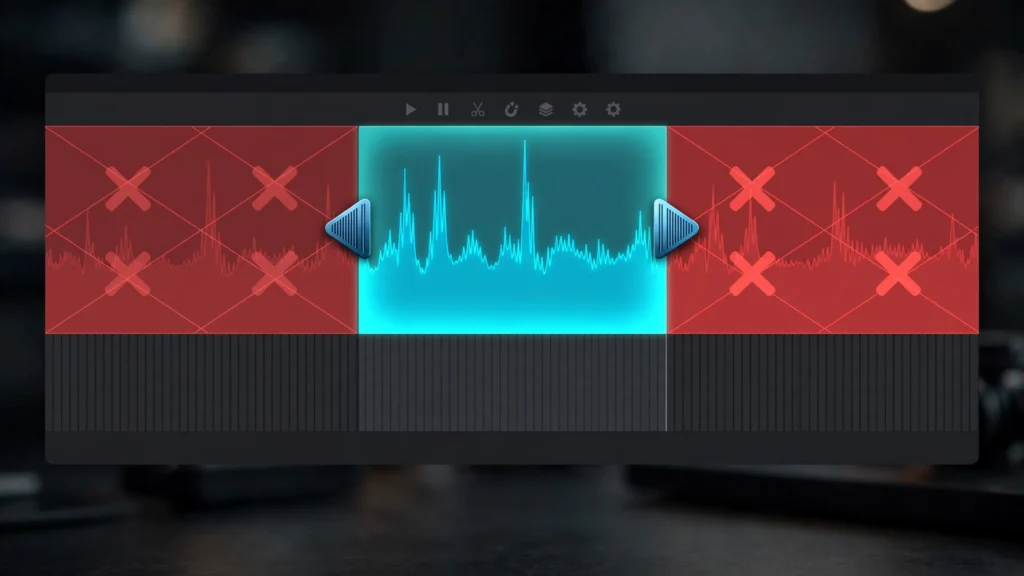
Watch a raw AI generation from the very first frame and you will usually see it wake up. The first half-second shimmers, softens, or arrives half-formed; the last second often fades into drift as the model’s grip loosens. The middle is where the gold lives.
In our edit bay this shape is so reliable we plan around it — generation gives us a clip with rotten edges and a sound centre, and the edit’s job is to live in the centre. Here is how we trim, disguise and occasionally rescue those broken edges without starving the scene they belong to.
Why Edges Rot First
It helps to know this is structural, not bad luck. A generation has to invent an opening frame from nothing — no previous frame to anchor to, the whole scene decided at once. While it settles, faces find their structure, textures agree on what they are, and the camera finds its path. Those settling frames are your wobbly opening.
At the far end the opposite happens: the model has been improvising continuously, small drifts compound, and late frames wander from what the scene established. Prompt adherence decays, motion loses intent, backgrounds start their melt.
The practical shape we see across Seedance and Veo takes, most days:
- The head: often soft, settling, sometimes a visible “forming” quality for the first several frames.
- The body: the shot the prompt actually described — stable subject, committed motion, holding detail.
- The tail: drift, loosening, occasionally a strange final gesture or expression as the generation runs out of instructions.
None of this makes the clip bad. It makes the clip raw material — the same way a real take has slate, settling and the actor relaxing after the line. Editors have trimmed heads and tails forever; AI footage just needs it as a rule rather than an exception.
Our review marks clean in and out points on every generation, a step formalised in our AI video QC checklist, so the decision is made once, calmly, before assembly begins.
The Handles Discipline: Generate Long, Use Short
The single habit that removes most edge pain: ask for more clip than the story needs, and plan to use the middle. If the finished beat is four seconds, generate six or seven. The extra length becomes handles — disposable edges you expect to throw away, buying you a choice of where the shot truly begins and ends.
This changes prompting too. We describe the action so it is already underway, not beginning from stillness. “A woman crosses the market carrying bread” gives the model a moving start it can settle into, whereas asking for someone to stand up, turn, then cross builds the hardest moments — the get-up, the turn — right where the edges are weakest. In our prompt to final cut workflow, storyboard beats are deliberately written as mid-action moments for this reason.
- Budget for the trim. When planning a sixty-second piece, we expect generations to run noticeably longer in total than the finished runtime. The surplus is not waste; it is where quality lives.
- Protect dialogue beginnings. If a line must start the shot, generate a lead-in beat before it — a breath, a glance — so the settling frames carry silence rather than the first word.
- Mark handles at review, not in the edit. Deciding clean in/out points while assembling invites you to keep extra seconds out of hurry. Decide during QC, when nothing is at stake yet.
Generate long, use short. It feels extravagant for about one project, then it feels like the only sane way to work.
Trimming Without Starving The Story
Trimming sounds trivial until a scene needs its edges. The fear is cutting so much safety away that beats lose their breathing room — the glance before the line, the beat after the reveal. Trim the rot, absolutely; but the correct in-point is the first frame that serves the story, not merely the first frame that stops wobbling.
Sometimes those are the same frame. Sometimes the story’s first frame is two wobbly frames earlier, and you either accept a whisper of softness or use one of the rescues below.
Cutting technique helps. Trim AI edges on motion wherever you can: end the previous shot mid-movement and begin this one already moving, so the join carries the eye past any residual softness at the head. Cut on a blink, a turn, a hand entering frame — events that reset the viewer’s attention. A shaky first frame that arrives during another shot’s exit movement is barely a first frame at all; the audience is still watching the previous beat land.
- Trim asymmetrically. Heads usually need more cut than tails on dialogue, less on action. No fixed rule survives every take; look at the actual frames.
- Keep a frames-long safety. Leave a few frames beyond your chosen in/out in the timeline until the sequence locks. Restoring three frames later should be a drag, not a re-import.
- Don’t trim past the first good performance frame to chase technical purity. A slightly soft frame with the right expression beats a sharp frame with the wrong one. The audience watches the expression.
Freeze, Reverse And Boomerang Rescues
When a clip is short and its edges are broken, motion tricks can manufacture the missing handles. These are seasoning, not structure — used constantly, the audience smells a pattern — but for a stuck shot they are genuinely useful.
The freeze rescue: take the first clean frame and hold it briefly with a slow scale push, letting music, narration or a sound effect carry the moment while the shot “starts.” Works beautifully under voiceover and for establishing beats. Keep it short — a held frame in a moving sequence reads as a photograph within a second or two.
The reverse rescue: if the tail is clean and the head is rotten, consider playing the shot, or its opening section, in reverse so the good end becomes your entrance. This only works when the motion is direction-agnostic — waves, smoke, crowds, abstract movement, a camera drift. The moment gravity, pouring, walking or speech is involved, reverse announces itself instantly and the rescue becomes the joke.
The boomerang: play forward then backward to extend a short, clean middle into a longer beat. Divine for loops, product-style shots, ambient moments — anything rhythmic or decorative. Poison for narrative action, where cause and effect reversing is all the viewer will see.
- Sound rescues hide visual tricks. A whoosh, a music swell or a beat of narration over a freeze or boomerang directs attention exactly where you want it.
- Commit or don’t. A boomerang that is nearly hidden is worse than an obvious one played as style. If the technique shows, make it look chosen.
For smoothing the motion inside these tricks — turning stepped or short material into flowing footage — frame interpolation for smooth AI video pairs naturally, particularly on freeze pushes and boomerangs where new in-between frames soften the joins.
Speed Ramps That Eat Bad Seconds
Speed is the editor’s oldest disguise, and bad edges are a perfect use. A gentle ramp — starting fractionally faster through a rotten head, settling to normal speed as the shot becomes itself — moves the audience through the damage before they can study it. Nobody scrutinises frames that are leaving.
In Premiere we build these on the clip’s time remapping graph: modestly faster across the first bad stretch, easing into 100 percent exactly where the shot gets good. The ease matters. A hard speed step reads as a glitch; a smooth ramp reads as intent, almost like the camera pushed in with purpose.
The mirror technique works on tails: a slight ramp up as the generation drifts lets you exit early while the acceleration feels like rising energy into the next cut.
- Keep ramps small. The aim is transit, not a speed effect. If viewers notice speed, the ramp has failed at its one job.
- Protect dialogue and lip movement. Even gentle ramps near speech look wrong. Ramp the silence before the line, never the line.
- Ramp into cuts, not away from them. Acceleration should peak at the transition, carrying momentum across the join.
Combined with handles — generate long, ramp through the head, trim the tail — most edge damage never reaches an audience at all. The clip the viewer sees starts confident and ends on time, which is all they ever assumed about it.
Prompting Safer Edges Next Shoot
Future-you can be spared much of this with five habits at generation:
- Start mid-action. Prompts describing motion already underway settle faster than prompts describing beginnings.
- Open on the stable element. A first moment built around your most consistent subject — the locked character, the simple set — gives the generation something firm to form around.
- Keep opening frames simple. Busy first frames must resolve a whole scene instantly. A simpler opening composition settles in fewer frames, buying back usable seconds.
- Hold endings deliberately. “And the shot holds” energy — a settled final pose, a resting camera — drifts less than an ending mid-gesture. Design the last beat as a landing, then land before it.
- Generate the extra seconds without apology. Handles are a production decision, made in the shot list, not an accident of long generations.
Our storyboard-first planning builds these in: beats begin underway, endings are landings, and durations in the shot list exceed the durations in the script. That gap is the rescue budget, planned instead of improvised.
Frequently Asked Questions
Why Are The First Frames Of AI Videos Always Bad?
The opening frames are invented from nothing with no previous frame to anchor to, so structure, texture and motion need a few frames to settle. Treat those frames as disposable handles: generate longer than you need and start the shot where it becomes itself.
How Much Should I Trim From An AI Clip?
As much as the rot requires — often a few frames to a second at each end. Trim to the first frame that serves the story, not just the first sharp one, and cut on motion so the join hides any softness that remains.
Can A Frozen Frame Really Open A Shot?
Briefly, under music or narration, with a slow push-in, yes — it reads as a deliberate held moment. Keep it short, and don’t attempt it mid-dialogue where a frozen face looks exactly like what it is.
Is Reversing Ai Footage Noticeable?
Immediately, whenever gravity, liquids, walking or speech are involved. On waves, smoke, crowds and drifting cameras it passes easily. Choose shots where direction doesn’t carry meaning.
Live In The Middle
Every generation has a sound middle and questionable edges — that is the shape of the material, not a failure of your prompting. Plan for it.
Generate with handles, trim to the story rather than the sharpest frame, and keep a freeze, a ramp or a boomerang in reserve for the shots that arrive short. The audience will only ever meet the confident part of your clips, and they will assume the whole generation looked that way. Let them.