
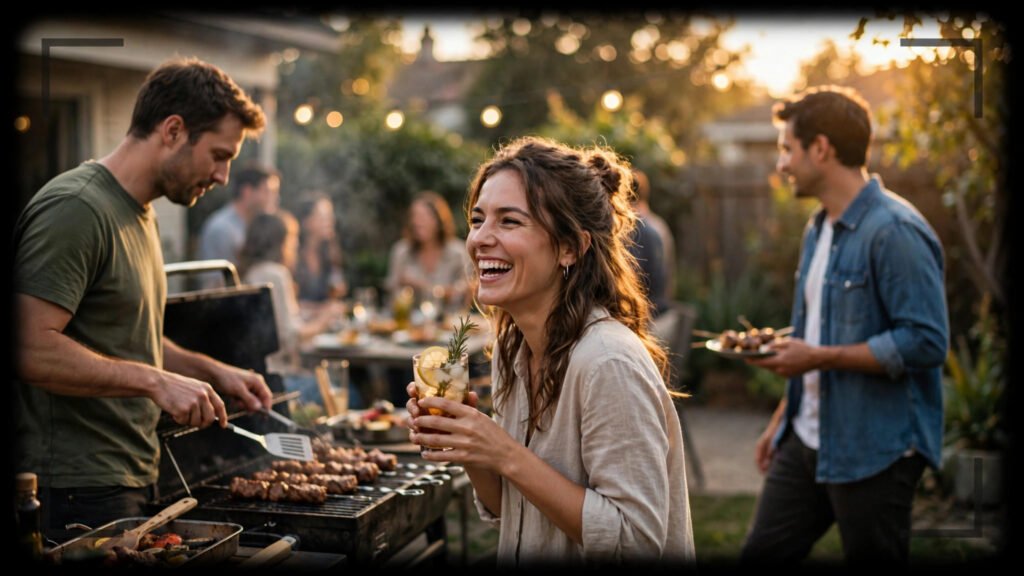
The first time I tried to generate a group scene, I asked for “a busy night market with vendors and shoppers.” What I got back was a nightmare: fourteen arms on one vendor, a shopper whose face slid across three different heads, and a crowd that pulsed like a single organism. One person in a prompt is easy. Five people is where AI video generation starts testing you.
After months of testing crowd shots across the tools I use daily, I’ve built a reliable system for AI video prompts for group scenes. It comes down to three things: limiting the headcount the model has to invent, anchoring every person to a position in space, and giving the camera a single job. Here’s exactly how I do it.
Why Group Shots Break (And What the Model Actually Struggles With)
When you write a prompt with one subject, the model dedicates most of its capacity to that person: face, hands, clothing, motion. Add a second person and that capacity splits. Add six, and each person gets a thin slice. That’s why background figures morph, merge, and sprout extra limbs — the model is rationing detail.
The second problem is relational. A prompt like “friends laughing around a campfire” tells the model what everyone is doing but not where anyone is. Without spatial anchors, the model guesses positions frame by frame, and people drift, swap faces, or fuse together. Every AI video prompt for group scenes that fails usually fails on one of these two axes: too many invented people, or nobody pinned to a location.
The Headcount Rule: Three Named, The Rest Implied
My rule is simple: name at most three people individually. Everyone else becomes atmosphere. Instead of describing eight wedding guests, I describe three and let the rest be “softly blurred guests in the background, out of focus.”
Here’s the difference in practice:
Weak: A group of friends having a barbecue in a backyard, laughing and cooking together, sunny day.

Strong: Three friends at a backyard barbecue in late afternoon light. MARCUS (left, red apron) flips burgers on a charcoal grill, tongs in his right hand. LENA (center, denim jacket) laughs, holding a soda can. DEV (right, sunglasses on his head) carries a tray of buns toward the grill. Two more friends sit softly blurred at a picnic table behind them, out of focus. Warm sunlight, shallow depth of field, handheld documentary feel.
The strong version gives the model three people to fully render and turns the rest into bokeh. The result is dramatically more stable. I’ve found that three named subjects is the sweet spot — four works sometimes, five is where things start melting again.
Spatial Anchoring: Give Everyone a Seat
The single biggest upgrade you can make to multi-person AI video prompts is positional language. Left, center, right. Foreground, midground, background. Sitting, standing, leaning. These words cost you almost nothing in prompt length and buy enormous stability.
The Position-First Sentence
I always write the positions before the actions. The model seems to lock the composition first, then fill in motion — so feed it the composition first:
Two chefs in a restaurant kitchen, steam rising from pots. ELENA (foreground left, white chef's coat, hair in a bun) chops vegetables on a wooden board, knife moving in steady rhythm. RAJ (background right, black apron) stirs a large pot, tasting with a spoon. Stainless steel counters between them, warm overhead kitchen lights, slight camera drift to the right.Notice the pattern: name, position, appearance, action — in that order, for each person. When I skip the position words, the same prompt produces chefs who trade places mid-clip. With them, everyone stays put. If you’re writing prompts for image-to-video tools, this same positional discipline makes your image-to-video motion prompts far more reliable too.
Depth Layers Beat Left-to-Right
Beginners arrange people left-to-right like a police lineup. It works, but depth layering works better: one person in the foreground (maybe even slightly out of focus), the main action in the midground, atmosphere in the background. Depth gives the model separation between bodies, and separation prevents merging.
A street musician plays guitar on a cobblestone plaza at dusk. In the soft-focus foreground, a child's shoulder and the back of her head, watching. Midground: the musician (weathered face, fingerless gloves) strums, foot tapping. Background: a small crowd of six blurred onlookers, some clapping. String lights overhead, blue hour sky, slow push-in.Directing the Crowd: Verbs That Keep People Separate
Not all group actions are equal. Some verbs invite chaos; others enforce order. I’ve learned to choose crowd verbs the way I’d choose one action per clip — deliberately.
Safe Crowd Verbs
These keep people distinct because each person does something self-contained:
- Clapping, cheering, waving — rhythmic, synchronized, no contact between people
- Walking in the same direction — parallel motion, minimal interaction
- Sitting and watching — static bodies, only heads and hands move
- Dancing in place — each body occupies its own column of space
Dangerous Crowd Verbs
These cause merging because bodies overlap and interact:
- Hugging, wrestling, embracing — contact melts bodies together
- Crowd surfing, piggyback rides — stacked bodies confuse the model
- Fighting or brawling — fast interpenetrating motion, limbs everywhere
- Passing objects hand to hand — hands are already fragile; chains of hands are worse
If your story needs a hug, cheat it: generate the two people approaching, cut, then generate them already embracing as a static tableau with minimal motion. Two easy generations beat one impossible one. This is the same diagnostic thinking I use when rewriting a failed prompt — split the impossible shot into possible ones.
The Formation Trick: Borrow From Real Directing
Film directors block scenes with formations, and you can steal their vocabulary. These formation words give the model a recognizable arrangement instead of asking it to invent one:
- “Standing in a loose semicircle” — perfect for conversations, presentations, campfire scenes
- “Seated around a table” — the table physically separates bodies
- “Walking single file down a path” — depth order is automatic
- “Shoulder to shoulder facing the camera” — team photos, lineups, group portraits
- “Scattered across the plaza, no two closer than arm’s length” — explicit spacing instruction
That last one is my secret weapon. Explicitly stating spacing — “no two closer than arm’s length” — noticeably reduces body-merging in my tests. The model treats it as a hard constraint.
Camera Work for Groups: Wider and Slower
Group scenes punish fast camera moves. A whip-pan across six faces gives the model six morphing opportunities per second. My camera rules for groups:
- Go wider than you think. A medium-wide shot gives every person room. Tight framing on groups forces overlap.
- Move slower than you think. Slow push-in or gentle lateral drift. Never handheld-shaky with crowds — the jitter multiplies across every face.
- One camera move per clip. Push in OR drift. Not both. Compound moves destabilize backgrounds, and unstable backgrounds drag people with them.
For a deeper dive on matching camera energy to your scene, my guide on push-in vs zoom covers why the model handles one better than the other.
My Full Group-Scene Prompt Template
Here’s the template I actually use. Fill the brackets, keep the order:
[SHOT TYPE, e.g. medium-wide] of [SETTING] at [TIME/LIGHT].

[NAME 1] ([position], [1-2 appearance details]) [action with specific verb].
[NAME 2] ([position], [1-2 appearance details]) [action with specific verb].
[NAME 3] ([position], [1-2 appearance details]) [action with specific verb].

[Number] additional people [softly blurred / in the background], [simple collective action].
[Formation or spacing note]. [Lighting]. [Camera move, one only].
A filled example:
Medium-wide shot of a rooftop party at sunset.

PRIYA (left, yellow sundress) raises her glass toward the camera, smiling.
JAMES (center, rolled-up sleeves) tends a small grill, turning skewers.
ANA (right, leaning on the railing) laughs, hair moving in the breeze.

Four more friends softly blurred near a string-lit pergola behind them, chatting.
Loose semicircle, no two closer than arm's length. Golden hour backlight, warm tones.
Slow push-in, steady.
Every element in that prompt exists for a reason: positions pin the composition, the headcount stays at three named, the background crowd is blurred atmosphere, spacing is explicit, and the camera does exactly one thing.
Quick Troubleshooting: When Groups Still Melt
If you’ve done all this and faces still drift, work through this checklist in order:
- Cut one named person. Go from four to three, or three to two. Headcount is the highest-leverage fix.
- Blur the background harder. Add “shallow depth of field” or “background figures out of focus.”
- Freeze the crowd. Make background people static — “standing still, watching” — while only your named subjects move.
- Shorten the clip. Group stability decays over time. An 8-second group shot holds together better than a 15-second one.
- Generate the background separately. Advanced move: generate your three main subjects against a simple background, then composite or accept a simpler plate. Not every shot needs a living crowd.
The Takeaway
Directing groups in AI video is really directing the model’s attention budget. Three named people, each pinned to a position, each with one clear action, everyone else as atmosphere — that’s the whole system. It’s less glamorous than describing an epic crowd, but it generates clean footage, and clean footage is what your audience actually watches. Master this, and group scenes stop being the shots you dread and start being the shots that make your videos feel big.