
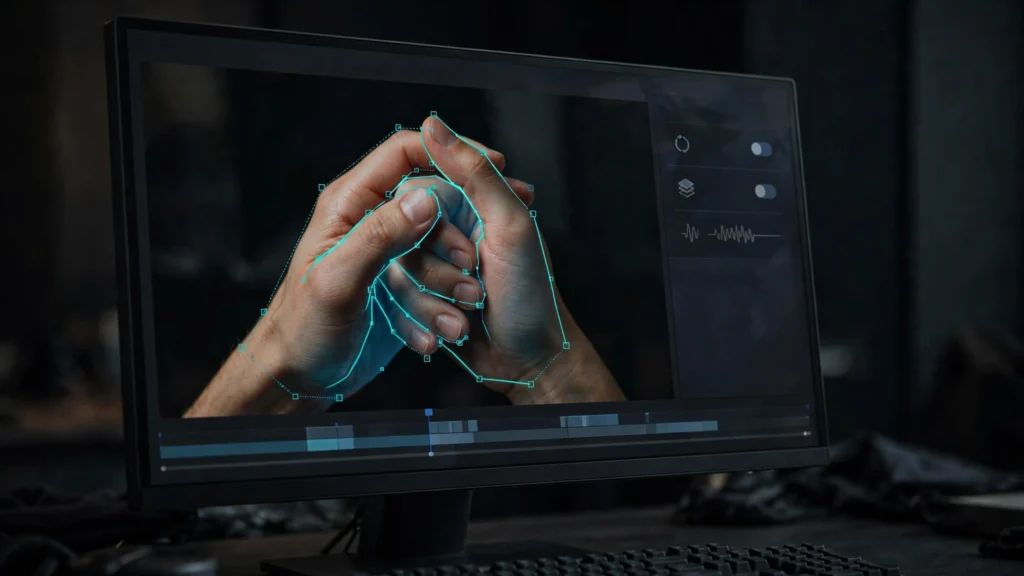
Hands remain the fastest way a generation gives itself away. The face holds. The performance works. And then a hand crosses the frame with the wrong number of fingers and the whole shot collapses.
In our Premiere Pro finishing pass, we don’t ask “can this hand be fixed?” in the abstract. We ask where the hand sits in the shot, how long it stays broken, and what the story needs from that moment. This guide covers how we grade hand damage — and when the honest answer is a crop, a patch, a cover, or a regeneration.
Grade The Damage: Background, Midground, Hero
Before choosing a fix, we grade every bad hand into one of three tiers. Because the tier decides the budget. A hero fix on a background problem is a waste of your evening.
- Background hands: small, distant, briefly visible, often partially behind other elements. A wave from across the room, hands on a background extra. Most viewers never look here unless the error is grotesque.
- Midground hands: clearly visible but not the subject of the shot. Hands resting on a table during a conversation, a hand holding a cup at waist height while the face does the acting.
- Hero hands: the shot is about the hand. Counting money, tying a knot, reaching for a door handle in close-up. The audience is looking directly at the failure.
We also note duration. A warped hand visible for eight frames is a different problem from one that deforms across four seconds. In our review pass we mark the exact frames where the hand breaks and where it settles, because several fixes below only work if a clean version of the same hand exists somewhere in the clip.
Grading first stops the classic mistake: spending hero-shot effort on a background problem nobody would have seen, while the actual hero shot ships broken. Our AI video QC checklist includes this hand grading as a standing review step. It takes a minute. It saves hours.
The Crop: Reframing Hands Out Of The Story
The crop is the cheapest real fix and the one we reach for first. AI generations often give us more frame than the story needs, and hands doing damage frequently live near the edges — at the bottom of a medium shot, drifting in from the side, resting below the action.
In Premiere, we scale the clip to 105–120 percent and reposition so the offending hand leaves the frame or tucks behind the frame edge. On vertical 9:16 work the crop is tighter still, which cuts both ways: less spare frame to spend, but hands fall out of a vertical composition more easily than a wide one. Swings and roundabouts.
- Crop for the story, not the hand: reframe so the composition still makes sense. A crop that saves the hand but decapitates the subject just trades one defect for another.
- Move the crop over time: if the hand enters mid-shot, a slow push-in keyframed on position can start wide and arrive tight just before the hand appears. Done gradually, viewers read it as intention. Done suddenly, they read it as panic.
- Mind the resolution: every percent of scale costs sharpness. On material destined for upscaling later, heavy crops compound. If the crop needs more than about 125 percent, the fix is probably a different one.
Background and low-midground hands die to the crop more often than any other technique on this list. It fails only when the hand is central — which is exactly when we move to patching.
The Patch: Borrowing Clean Frames And Hands
Generations rarely break a hand for the entire take. Typically the hand is clean entering the gesture, deforms through the middle of the motion, and resolves clean at the end. That pattern makes patching possible: borrow the good hand and cover the bad frames.
Our Premiere approach is a masked freeze or short borrowed segment on the track above. We take the last clean frame before the deformation, place it over the broken section with a soft-edged mask around the hand and wrist, and let masks and slight position keyframes keep it attached to the arm. This works when the hand’s motion during the broken stretch is slow or mostly stationary — holding, resting, gripping. It fails on fast, articulated motion: a frozen hand pasted over a waving arm looks like a sticker. A very suspicious sticker.
- Harvest donors from the same clip first: the same hand, same light, same angle usually exists a second earlier or later. Same-clip donors match perfectly; donors from other takes bring color and angle mismatches.
- Feather the mask generously: hard mask edges are more visible than the soft hand underneath. Feather like you mean it.
- Let motion sell it: keeping tiny position drift in the patch makes it feel alive rather than pasted. Perfectly still patches confess.
For localized repairs — a warped region within an otherwise good shot — generative fill approaches can also rebuild a small area. We cover those workflows in our guide to inpainting and outpainting for video, which pairs well with this patch-first mindset: repair the smallest area that solves the problem. No more, no less.
Cover It: Cutaways And Inserts That Forgive
Sometimes the cleanest fix is not touching the hand at all. It’s making sure nobody is looking when it breaks. Our storyboard-first workflow plans cutaways in advance: reaction faces, object inserts, wide establishing beats. In the edit, those planned pieces become rescue equipment.
- Reaction cover: if the warped hand belongs to the speaker, cut to the listener for the broken second. Dialogue continues over the reaction, the hand exits the story, and the scene gains pace. Everybody wins.
- Insert cover: the object the hand was reaching for — the cup, the letter, the door handle — makes a natural insert. Cutting to it at the moment of deformation reads as emphasis, not evasion.
- Shorten into the break: if the hand breaks late in the shot, simply end the clip before the break and let the next shot start the new beat. AI clips usually run longer than the edit needs. Use that.
Cover works at every damage tier, including hero hands, because it removes the audience’s line of sight rather than repairing the defect. Its limit is supply: it needs coverage to cut to. And that’s a planning argument we make at storyboard stage, not in the edit — a scene shot as one locked take gives the rescue edit nothing to work with. Our prompt to final cut workflow builds those escape shots into the generation list on purpose. Plan the escape before you need it.
When Only Regeneration Is Honest
Hero hands doing complex work are where edit fixes run out. If the shot exists so the audience can watch fingers perform a task — dealing cards, playing an instrument, assembling something — then a warped hand is not a blemish on the shot. It is the shot failing at its only job. Cropping removes the subject, patching freezes the action the shot exists to show, and covering deletes the beat entirely.
We call regeneration early in those cases, using the same test we apply to faces in our guide to fixing ugly faces in AI video: if the audience is staring straight at the defect for the length of the shot, editing can only disguise, and disguise at hero scale reads as a cover-up. The honest move is a new generation — possibly with the shot redesigned. A slightly wider framing. The task split into two simpler gestures. Or the hands’ job reassigned to a prop interaction the model handles more reliably.
Sunk cost is the trap here. Forty minutes spent masking a hero hand is forty minutes not spent regenerating three versions of the shot. Grade the damage honestly at the start and hero hands go straight to the reshoot list. Don’t negotiate with yourself.
Edge Cases That Fool Everyone
A few hand situations look fixable and aren’t. Worth naming, so you don’t burn time on them.
Hands holding thin objects are one. Chopsticks, pens, straws: the model has to keep the object and the grip agreeing, and when they disagree the fingers bend around something that is also moving. That’s regeneration territory — usually with the object made thicker or the grip made simpler.
Hands crossing each other are another. The moment one hand passes in front of the other, models often swap which arm owns which hand. A patch won’t save it, because there’s no clean donor frame for the crossed position. Cut before the cross, or restage so the hands stay on their own sides.
Then there are reflective surfaces. A warped hand is bad; a warped hand plus its warped reflection is twice as visible, and patching the hand leaves the reflection confessing. Check mirrors, windows, and glossy tables before you commit to a repair. Sometimes the right fix is cropping the reflection out and letting the real hand be slightly imperfect — the eye forgives a hand it isn’t seeing doubled.
Two practical habits tie this together. Keep the playback loop short while you judge a repair; a patch that convinces on a two-second loop may fall apart in the full scene, and the reverse is also true — repairs often look worse in isolation than they ever will at story speed. And judge repairs at delivery size. A hand fixed for a phone screen doesn’t need to survive a paused 4K inspection, and pretending otherwise is how finishing passes never finish.
Prompting The Reshoot So It Stays Fixed
A regeneration that repeats the original prompt usually repeats the original hands. When we reshoot for hands, we change the conditions that broke them:
- Simplify the gesture: one clear action per shot. “Picks up the cup” survives; “picks up the cup while gesturing at the window and adjusting his sleeve” does not.
- Reduce finger business: prompts that name counting, typing, pointing in sequence, or interlaced fingers invite deformation. Restage the beat so hands hold, carry, rest, or push — grips are far more stable than articulations.
- Keep hands in frame and lit: hands entering from darkness or crossing the frame edge mid-gesture are where models improvise anatomy. Start the shot with hands already visible where possible.
- Shorten the take: hand stability decays over the length of a generation. Ask for the gesture beat only, and let the edit supply the surrounding seconds from other shots.
- One hand when one will do: every additional hand multiplies the failure surface. Restage two-handed business into a one-handed version when the story allows.
Fixed in the edit or fixed in the reshoot, the principle is the same: the audience should leave the shot remembering the action, not the anatomy. Grade the hand, spend the cheapest fix that fits the tier, and never let loyalty to a broken take talk you out of the regeneration the shot was asking for all along.
Frequently Asked Questions
Can You Fix Bad Hands In AI Video Without Regenerating?
Often, yes — if the hand is small, brief, or near the edge of frame. Crops, cutaways, and borrowing a clean frame from the same clip handle most background and midground cases. The closer the shot and the more the hand is doing, the less editing can honestly do. Scale of the problem, scale of the fix.
Why Do AI Hands Look Fine At The Start Of A Clip And Break Later?
Stability decays as a generation runs. The model holds poses it can predict and improvises more as motion stacks up. That’s why shortening the take — or prompting for just the gesture beat — works so well as a reshoot strategy. Shorter asks get better hands.
What Is The Quickest Way To Hide A Bad Hand?
Cut away from it. A reaction shot or an insert of the object being handled removes the audience’s view entirely and reads as normal editing. If you planned coverage at storyboard stage, this takes under a minute. Under a minute.
Do Hand Fixes Survive Upscaling?
Not always. Enhancement tools can sharpen a patched region into visibility or re-invent fingers you carefully hid. If a shot is headed for upscaling, check the patched areas again after the upscale, full screen. The upscale is a second audience with sharper eyes.
The Honest Test
Here’s the test we use before any hand repair ships: play the shot once, at full speed, and write down what you remember. If you remember the beat — the laugh, the reveal, the decision — the repair worked, whatever a paused frame says. If you remember the hand, it didn’t.
Viewers watch stories, not stills. Edit for the story, grade the damage honestly, and let the hero shots go back for the reshoot they need. Your future self, not re-opening this project at midnight, will be grateful.