
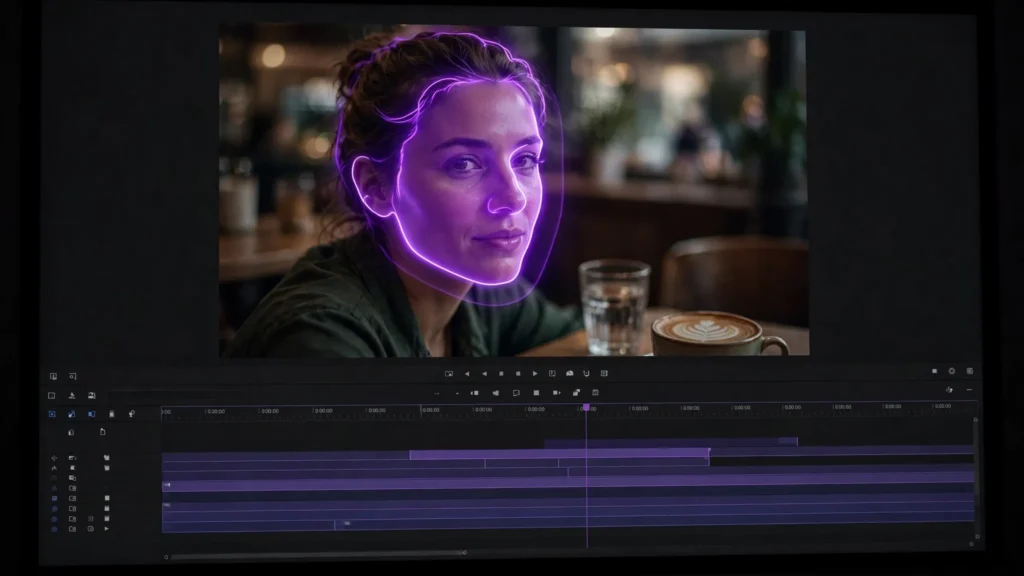
You know the moment. Shot looks great — light’s right, camera move is smooth — then the character turns her head and her face briefly becomes someone else. Or, honestly, something else. Faces are still the weakest part of AI video. “Weak” doesn’t mean hopeless, though. Most bad faces can be prevented. And most of the rest? Repairable. Here’s the ladder I actually work through, cheapest fix first.
Why AI Faces Break
Here’s the thing: the failure explains the fix. Faces break when the model has too little information and too much motion at the same time. Simple as that. The usual triggers:
- Distance. A face that’s 40 pixels tall gives the model almost nothing to hold onto, so it improvises — and improvises differently every few frames.
- Fast head turns and profile angles. The model knows the front of your character far better than the side. Quick turns pass through angles it barely understands.
- Hands near the face. Fingers crossing a cheek is the single most reliable way to melt a face in any current model.
- Long clips. Drift accumulates. A face that’s fine at second 3 can wander by second 25.
Nearly every repair below is about one of two things: give the model more information, or ask it to do less.
Prevent It Before You Generate
The cheapest face fix happens before you ever press generate. Give the model a character reference sheet — front view, side view, close-up — and keep it attached to every shot the character appears in. Compose so the face is big enough to matter but not so close that every pore becomes a special effect. Keep head turns slow and deliberate in your prompt language (“turns her head slowly”). And keep hands away from faces unless the shot absolutely needs it. It usually doesn’t.
A negative prompt earns its place here too: deformed face, extra eyes, asymmetric features, morphing. Look, it won’t save a doomed shot. But it cleans up the borderline ones, the ones that were almost fine.
Fix Level 1: Re-Roll With a Locked Seed
Composition’s right, motion’s right, only the face wandered? Don’t rewrite the prompt. Lock the seed of the take you like and re-roll with one small change — tighter framing, a slower turn, the reference sheet weighted more heavily. Small changes around a good base beat a fresh lottery ticket, every time. I log seeds for exactly this reason. No seed, no level 1. That whole option just vanishes.
Fix Level 2: Inpaint or Re-Draw Just the Face
When the take is 90% right, repair the 10%. Local editing tools let you mask the face region and regenerate only that area — body, costume, camera move all stay untouched. Seedance’s local re-draw does this inside the same clip; dedicated inpainting workflows handle it frame-region by frame-region for footage from other tools.
Two practical notes. Work on the worst frames first — if the face only collapses for a second, you may only need to repair that one stretch. And zoom in while you judge the result, I mean actually zoom in. A face that looks fine at timeline size can still be wrong at full screen. Which is where your audience will watch it, right?
Fix Level 3: Cut Around It in the Edit
Editors fixed bad performances long before AI existed, and the tricks still work. Face melts at second 12 — do you actually need second 12? Cut earlier. Cover the moment with a cutaway: the object she’s looking at, her hands (shot separately, hands-only), the listener’s reaction. Rearrange so the broken frames land on the cutting-room floor.
This is the fix beginners resist most. It feels like admitting defeat. It’s not. It’s editing — it’s literally what editing is. In Premiere, I’ll happily lose three seconds of a clip to save the shot, and the audience never knows a thing. My QC checklist has a specific pass for this: watch only the faces, mark the broken seconds, then decide — repair or cut.
When to Give Up and Regenerate
Sometimes the honest answer is that the shot is dead. Regenerate from scratch when the face is wrong in most frames rather than a few, when the character’s identity itself drifted (a different person, not a distorted one), or when you’ve already repaired the same clip twice. Repairs compound — a twice-patched face often looks stranger than a fresh generation with better references and a calmer camera move.
The creators who ship consistent work aren’t the ones whose generations never break. They’re the ones with a system. Prevent what you can. Repair the cheap problems. Cut around the medium ones. And regenerate without sentimentality when a shot is truly dead. Run that ladder in order, and ugly faces stop being a crisis. They become a Tuesday.