
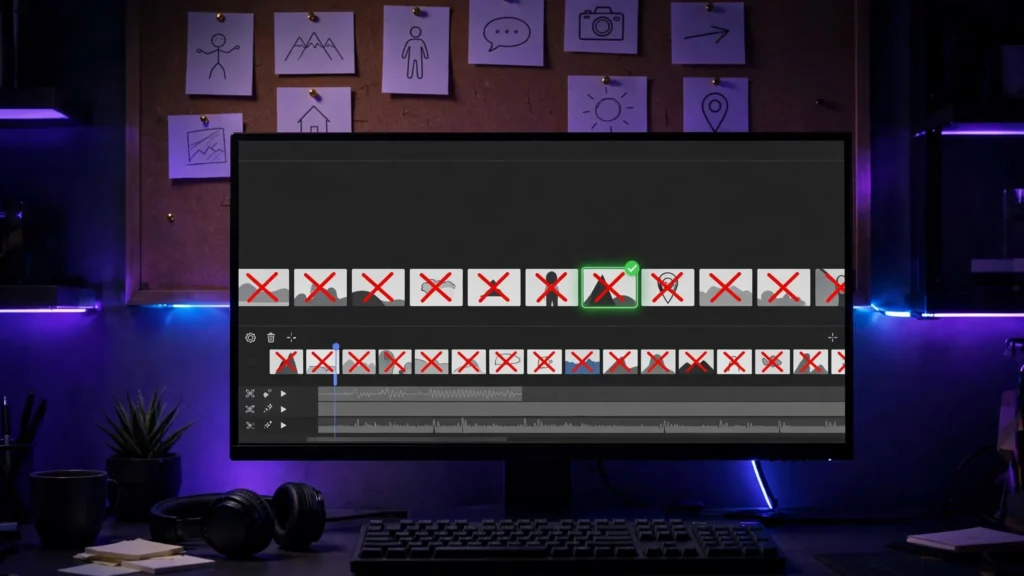
Seedance 2.5 is the tool I reach for when a shot actually has to hold together — a character who stays the same person for 30 seconds, a location that doesn’t melt between cuts. Most beginners I watch struggle with it for the same handful of reasons. And honestly? None of them are the model’s fault. They’re workflow mistakes. Here are the seven I see again and again — and what to do instead.
1. One Prompt, Five Actions
Seedance can generate up to 30 seconds in a single pass. And that number goes straight to beginners’ heads. They write one prompt asking a character to enter a room, cross it, pick up a phone, argue with someone, and leave — then wonder why the middle turns into soup. I mean, what did they expect?
Look, a video model is good at one clear beat per shot. Two beats, at a push. The fix is boring and it works every single time: split the scene into shots, the way a storyboard would. One generation per beat, stitched in the edit. It’s exactly why I work storyboard-first — the board decides the shots before the model gets a chance to improvise. You’ll spend fewer credits and get footage you can actually cut.
2. No Reference Images, Then Complaining About Drift
Seedance accepts dozens of reference inputs in one pass. Character sheets, a location photo, even audio. Beginners ignore all of that, describe a character in words alone — and then act surprised when shot three has a different face. Come on. You gave it nothing to hold onto.
Words are a weak lock. A reference image is a strong one. Before you generate a series, build a simple character sheet — front, side, a couple of expressions — and feed it in every time. Same for locations you’ll revisit. If consistency matters to your project, this is the single highest-value habit you can build. I go deeper on it in the character consistency guide.
3. Camera, Action, and Dialogue All Fighting
A common beginner prompt reads like three instructions arguing with each other: “the camera slowly pushes in while she runs across the frame shouting over her shoulder.” The model has to choose what to obey. And it usually chooses badly.
So separate the jobs. Decide the camera move first — one move per shot. Then describe one action. Then the dialogue or sound. When each layer has one clear instruction, Seedance follows all three surprisingly well. If your prompts feel muddy, it’s worth revisiting the structure in my prompting system — because most “bad generations” are just badly layered prompts.
4. Forgetting Seedance Makes the Sound Too
Seedance generates audio together with the picture. Beginners either forget this entirely — and ship clips with strange, accidental noise — or they plan to “fix the sound later” without ever describing what the scene should sound like. Both are a mistake. Same mistake, really.
Write the sound into the prompt. Room tone. Footsteps on gravel. A kettle in the background. The exact line of dialogue and who says it. You won’t use every generated sound, but directing it beats cleaning up random audio in the edit — and keep a negative prompt handy for the usual audio junk: warbling voices, doubled speech, music you never asked for.
5. Wrong Aspect Ratio, Cropped Later
Generating at 16:9 and cropping to vertical afterwards throws away most of your frame — and usually the subject’s headroom with it. It also upscales the crop, which softens everything. So you end up with a soft, decapitated clip. Great.
Decide the destination before you generate. A clip destined for Shorts or Reels gets generated vertical, composed vertical — subject placement, headroom, and background all designed for that tall frame. It takes ten seconds to set. And it saves you from the whole crop-and-pray workflow entirely.
6. Re-Rolling the Whole Clip for One Bad Second
Twenty-eight good seconds. One melted hand at second 12. And the beginner regenerates everything — losing the 28 good seconds forever. Credits burn. Tempers follow. Don’t be that person.
Seedance supports local re-draw editing: select the problem area and fix that element instead of the whole frame. If the flaw is small and late in the clip, there’s an even cheaper fix — cut around it in the edit, or cover it with a cutaway. I treat regeneration as the last resort, not the first. And the QC checklist I use catches most of these flaws before they cost anything.
7. Not Saving the Seed of a Good Take
When a generation comes out right, beginners celebrate and move on. Then they can’t reproduce the look three shots later. The seed and the exact prompt are the recipe — lose them and every subsequent shot is a fresh lottery. That’s it. That’s the whole tragedy.
Keep a plain text log per project: prompt, seed, reference files used, and one line on what worked. Thirty seconds of bookkeeping per take. When shot six needs to match shot one, you’ll be grateful you did. Future-you says thanks.
The Pattern Underneath All Seven
Every mistake on this list has the same root: treating Seedance like a slot machine instead of a camera. The creators who get consistent results direct it — planned shots, locked references, layered instructions, logged seeds. None of that requires more credits. It requires deciding what you want before you press generate. Which is a habit, not a talent. If you’re new to the tool itself, start with the full Seedance 2.5 guide, then come back to this list when your first series starts drifting — it’ll make a lot more sense with a few failed clips behind you.