
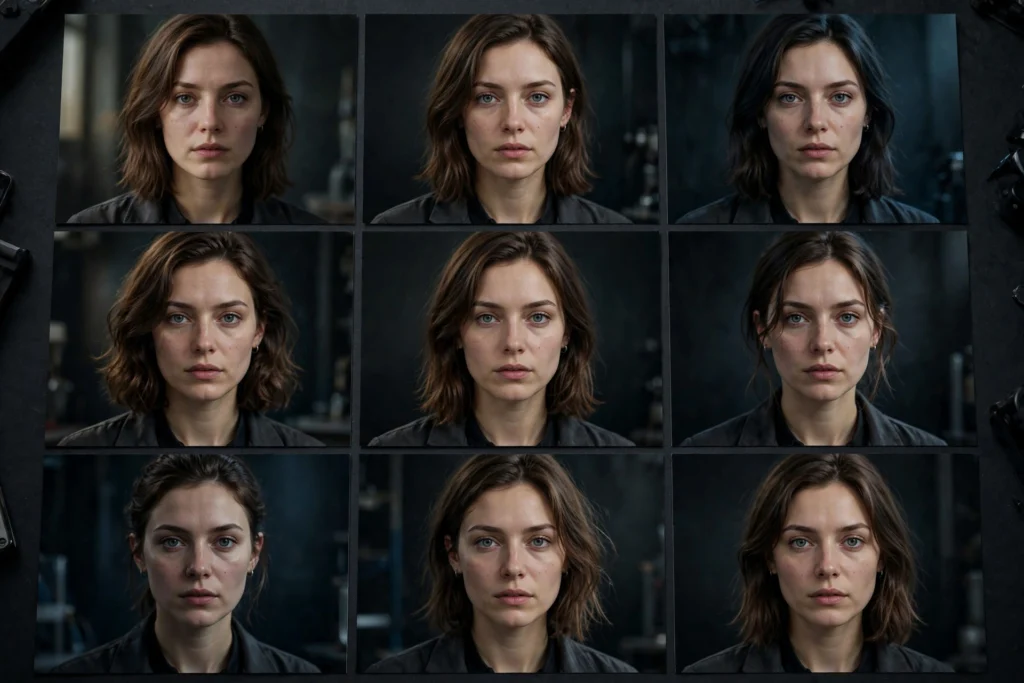
Watch two creators use the same AI video tool. You’ll see the real skill gap within minutes.
The amateur types a prompt. Hits generate. Sighs at the result. Retypes the prompt completely differently. Hits generate again. Repeats this lottery for an hour.
The professional types a prompt. Generates. Studies the result. Changes one thing. Generates again. Converges on the shot they want in four or five deliberate iterations.
Same tool. Same model. Wildly different output.
The difference isn’t talent. It’s methodology.
Seed control and systematic iteration are the least glamorous and most valuable skills in AI video creation. They turn generation from gambling into engineering: controlled experiments where each attempt teaches you something, and the good results are reproducible.
This guide covers the full professional method. The fixed-seed variation technique. Systematic prompt versioning. The one-variable rule. Building a prompt library from your winners. Documenting what worked so you never solve the same problem twice. Plus a ready-to-use iteration log template.
Why pros iterate systematically
Every AI video generation has two kinds of randomness baked in. The first is the starting noise — the random pattern the model refines into your video. The second is the model’s interpretive latitude — the same prompt can produce legitimately different compositions, framings, and details on different runs.
Amateurs treat both as weather. Uncontrollable. To be endured.
Professionals treat the first as controllable (that’s what seeds are for) and the second as measurable (that’s what versioning is for).
The payoff is concrete. Systematic iteration means you can reproduce a good result instead of losing it forever. You know which change caused which improvement instead of guessing. You stop paying for generations that teach you nothing.
And over months? You accumulate a library of proven prompts instead of starting from zero every project.
None of this requires advanced technical knowledge. It requires the discipline to change one thing at a time and write down what happened. That’s it.
The fixed-seed variation method
A seed is the number that initializes the model’s random starting point. Same prompt + same seed + same settings = same (or very nearly the same) output. Different seed = different interpretation of the same prompt.
This single mechanism is the foundation of all controlled iteration. And most creators ignore it completely.
How to use seeds in practice
- Generate with a random seed first. Write your best prompt, generate once, and evaluate. Don’t generate five variations yet — one is enough to see what the prompt does.
- If the result is close, lock the seed. Note the seed value from that generation (most tools display it in the output details or generation history). Now you have a reproducible baseline.
- Vary the prompt, not the seed. With the seed locked, change one element of the prompt and regenerate. The composition, framing, and general layout stay similar — only your changed element shifts. This isolates the effect of your edit.
- If the result is wrong, roll the seed. When the composition itself is bad — wrong framing, bad layout, unusable arrangement — no prompt tweak will save it. Change the seed (keep the prompt identical) and regenerate. You’re re-rolling the compositional dice while keeping your descriptive work.
The mental model: the seed controls composition, the prompt controls content. Bad layout? Change the seed. Good layout but wrong details? Lock the seed, change the prompt.
Creators who change both at once can never tell which change mattered. And they regenerate three times as often as they need to.
Seed rolling for options
There’s a legitimate use for changing seeds deliberately: generating options. When a prompt is solid but you want compositional alternatives — different framings of the same described shot — generate the identical prompt across three or four seeds.
This is the professional version of “hit regenerate until something good appears.” Except you’re doing it once, deliberately, with a good prompt — instead of fifty times with an evolving mess.
Pick the best composition, lock that seed, and iterate the prompt from there.
Systematic prompt versioning: v1, v1.1, v1.2
Software developers version their code because “final_final_v2_ACTUAL.js” is not a system. Prompt creators need the same discipline.
The method is simple: every prompt gets a version number, and every change gets logged.
- v1.0 — the first complete prompt. Written carefully using your prompting system: subject, action, camera, setting, lighting, mood.
- v1.1, v1.2, v1.3 — minor iterations. One changed element per version. “v1.1: changed lighting from ‘harsh noon sun’ to ‘soft overcast light.’”
- v2.0 — a structural rewrite. You changed the approach, not just a detail: different camera angle, different action, different composition strategy. The jump from v1.x to v2.0 means “the v1 direction wasn’t working.”
The version number forces honesty about what you’re doing. If you’re on v1.7, you’re refining. Good. If you’re on v4.0, the concept needs rethinking, not more tweaking. Also good to know — because it tells you to stop polishing and go back to the storyboard.
Without versioning, creators tweak indefinitely without noticing they’ve been circling the same dead end for an hour.
What a version log looks like
For a single shot in a project, your log might read:
- v1.0 (seed 48291) — baseline. Composition good, but the lantern light looks like daylight.
- v1.1 (seed 48291) — changed “bright warm light” to “flickering amber lantern glow.” Better, but flame looks static.
- v1.2 (seed 48291) — added “flame flickering, light dancing on walls.” Approved — this is the one.
Three generations. One approved shot. A complete record of how you got there.
If the client asks for a variation next week, you start from v1.2. Not from scratch.
Change one variable at a time
This is the cardinal rule. And it’s the one amateurs break most often.
When a generation is wrong in two ways — bad lighting AND wrong camera angle — the temptation is to fix both at once. Don’t.
Change the lighting, regenerate, evaluate. Then change the camera angle, regenerate, evaluate. The reason is purely practical: if you change two things and the result improves, you don’t know which change did it. If it gets worse, you don’t know which change broke it.
You’ve spent a generation and learned nothing.
The one-variable rule applies to the full parameter set, not just prompt text:
- Prompt text — one clause per iteration.
- Seed — change it alone when re-rolling composition.
- Negative prompt — add terms one or two at a time, so you can see which term fixed which defect (and catch the term that damages the output).
- Settings — duration, aspect ratio, motion intensity, model version: change one, evaluate, then change the next. Never change settings and prompt text in the same generation.
- Reference image — when iterating image-to-video, change the prompt or the image, not both.
Yes, this feels slower than changing everything at once. It isn’t.
It’s faster, because every generation produces information. The “change everything” approach produces generations that produce confusion. And confused creators regenerate far more times than disciplined ones.
Building a prompt library from winners
Every approved shot is an asset, not just a deliverable. The prompt that produced it — with its seed, settings, negative list, and reference images — is a proven recipe.
Professionals save all of it. And over time this library becomes the most valuable thing they own: a collection of prompts known to work, organized by shot type.
How to organize it
Organize by shot type and subject, not by project. “Close-up portrait, warm practical lighting, v1.2 (approved)” is findable next month. “Project X shot 4 final” is not. Useful categories:
- By shot type: establishing wides, close-up portraits, product shots, action shots, transitions.
- By lighting: golden hour, night neon, soft overcast, harsh noon, practical interior.
- By subject: human faces, hands, animals (where relevant), vehicles, architecture, nature.
- By style: photorealistic, cinematic film, stylized animation, commercial clean.
What to save per entry
A library entry isn’t just the prompt text. Save the complete recipe:
- The exact prompt (final version, verbatim)
- The negative prompt used
- The seed
- Model name and version
- Settings (duration, aspect ratio, motion strength, anything non-default)
- Reference images (the actual files, or precise descriptions)
- One line on what it’s good for: “reliable close-up portrait, warm light, minimal face drift”
When a new project needs a close-up portrait in warm light, you don’t write a prompt. You pull the proven one, adjust the subject details, and generate.
The first generation is already at v1.2 quality instead of v1.0. Multiply that across every shot in a project and the library pays for itself within weeks.
Documenting what worked (and what didn’t)
The library saves your winners. Documentation saves everything else — including the failures, which are often more instructive. A working creator’s documentation habit has three parts:
1. The project log
One document per project. For each shot: the final prompt version, the seed, the number of generations it took, and what the key fix was. (“Shot 4: 3 generations. Key fix was simplifying the action from two verbs to one.”)
This takes thirty seconds per shot. And it becomes a goldmine when you do similar work later. Patterns emerge: you’ll notice you always need three generations for night exteriors, or that product shots converge faster than character shots. That knowledge changes how you budget time and credits.
2. The failure catalog
When a generation fails interestingly, save it with a note. “Seed 99120 + ‘crowd cheering’ prompt = faces merge at frame 40. Avoid crowds with this model version.”
This is institutional knowledge. It stops you — and anyone you work with — from paying to rediscover the same failure.
The failure catalog is also where tool limitations get documented honestly: which defects a given model version can’t avoid, which prompts it can’t handle, where its ceiling is. That honesty is what separates professional assessment from hype.
3. The settings baseline
One page: your default settings per tool. Aspect ratios, durations, motion strengths, negative template, preferred model version.
When you start a project, you start from the baseline instead of re-deciding everything. When a tool updates, you update the baseline once instead of rediscovering your preferences per shot.
Boring. Administrative. And worth more than any single prompting trick.
Iteration log template
Here’s the ready-to-use template. Copy it into a notes app, a spreadsheet, or a project doc — whatever you’ll actually open. The best template is the one you use.
Project: [name] Date: [date] Tool/Model: [tool + version]
Shot [N]: [one-line description, e.g., “Close-up, courier raises lantern”]
- v1.0 — Seed: [number or “random”]. Prompt: [full text]. Result: [what worked / what failed]. Generations used: [n].
- v1.1 — Changed: [the one thing]. Seed: [locked or new]. Result: [what worked / what failed]. Generations used: [n].
- v1.2 — Changed: [the one thing]. Seed: [locked or new]. Result: [APPROVED / continue]. Generations used: [n].
Final recipe (save to library):
Prompt: [final verbatim]
Negative: [final verbatim]
Seed: [number] | Model: [version] | Settings: [duration, ratio, motion, etc.]
Reference images: [filenames]
Good for: [one-line reuse note]
Notes: [anything future-you should know — defects to watch, tool quirks, client preferences]
The compounding effect
Here’s what this methodology buys you over time. And why it’s worth the discipline.
Month one: you’re slightly slower than the amateur, because you’re writing things down. Month three: you’re faster, because your library covers your common shots and your logs prevent repeated mistakes.
Month six: you’re operating at a different level entirely. New projects start from proven recipes. Iteration converges in two or three generations instead of ten. And you can accurately estimate how long a project will take and what it will cost in generation credits.
That predictability is what makes AI video a professional service instead of a lottery ticket.
The amateur asks “what prompt makes good videos?” The professional asks “what system makes good videos reliably?” Seeds, versioning, one-variable changes, a library, documentation — that’s the system.
It’s unglamorous. It works. And it’s the reason two creators with the same tool produce work at completely different levels.
For the prompting fundamentals this system builds on, start with the prompting system guide and the anatomy of a great prompt — then come back and make the whole thing reproducible.