
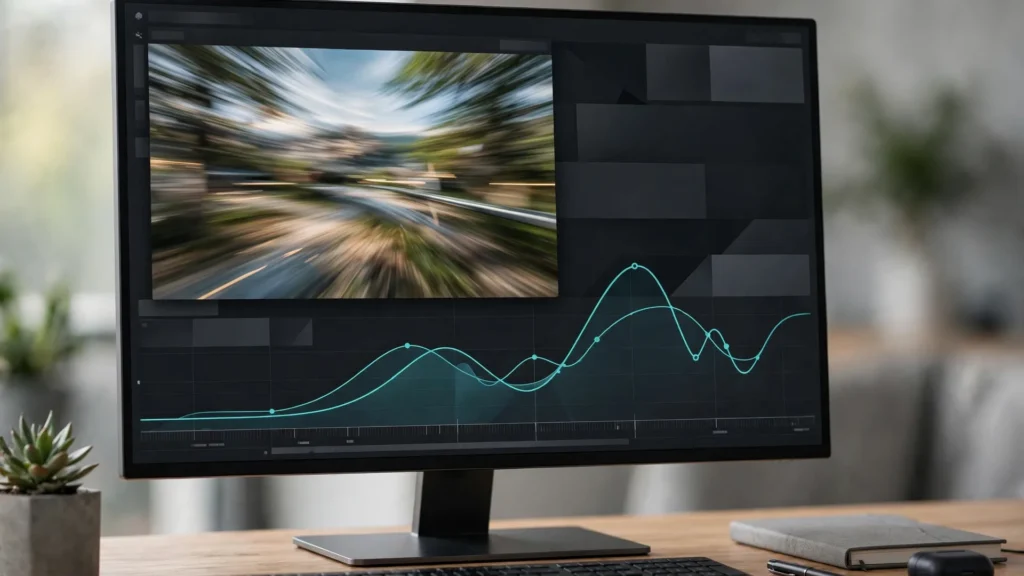
Generated motion arrives at whatever pace the model felt like. A door opens a little too evenly. A turn of the head takes a beat too long. A product lands without weight. In the edit, re-timing is how we take that pace back. Speed ramping — moving between normal speed, slow motion, and fast motion inside a single shot — is one of the most useful finishing tools for AI footage. It’s also one of the easiest to overdo. This is how we decide where time should bend, and how we bend it cleanly in Premiere Pro.
Generated Motion Has No Director’s Pace
A camera operator and an actor share an instinct for emphasis: move quickly through the ordinary, linger on the important. Video models don’t have that instinct. They produce motion that is smooth, plausible, and oddly democratic — every second gets the same energy as every other second.
- Flat entrances: a subject walks in at one steady speed, so the moment of arrival has no punctuation.
- Even gestures: a hand raise, a head turn, or a glance can unfold so uniformly that it reads as drifting rather than acting.
- Missing impact: objects land, doors close, and feet step without the small acceleration real weight has.
- Lingering exits: clips often keep moving politely after the useful action is done.
Here’s the thing: re-timing isn’t about making everything faster. It’s about redistributing emphasis so the shot has a shape — a lead-in, a moment, and a release. That shape is ours to impose at the editing stage.
Where Time Bends: Entrances, Hits, Reveals
We mark candidate moments while watching the rough cut, and they fall into a few reliable families.
- Entrances: speed up the approach slightly — 110 to 140 percent — then settle to normal speed as the subject arrives. The arrival feels intentional.
- Hits and contacts: a footstep, a tap, a placed object. Brief slow-down just before contact, normal speed through it, sells weight.
- Reveals: when a pan or a movement uncovers the important thing — a face, a product, a result — slow down as it enters frame. Give the viewer time to register what the shot exists for.
- Reactions: a half-second of near-slow motion on a facial reaction can carry a joke or a turn that normal speed would step on.
- Dead travel: crossing a room, waiting for a pour, any transit with no information — this is where honest speed-ups belong.
The generation-side companion to this work matters too: clips planned with steadier motion re-time more gracefully, which is why we treat this as the editing half of the same problem covered in our guide to frame interpolation for AI video.
Optical Flow And Frame Blending, Honestly
Slowing a clip down means Premiere needs frames that were never generated. It has three ways to invent or reuse them — and choosing well matters more than any numeric setting.
- Frame Sampling: repeats frames as needed. Honest but steppy. Fine for tiny adjustments and fast action where the eye cannot inspect individual frames.
- Frame Blending: dissolves between neighbouring frames. Smoother, but double images appear on moving edges. It can look like a soft ghost on hands and faces.
- Optical Flow: analyses motion and synthesises new in-between frames. This is the good option for real slow motion — and the one that can melt. Faces mid-expression, crossing hands, patterns, and text are where Optical Flow time interpolation invents the wrong thing.
Our rule is to preview the exact frames around every speed change at full resolution. If Optical Flow bends a face, we either shorten the slow section, move the ramp to a simpler part of the motion, or accept Frame Blending and keep the moment brief. We also use Time Remapping rather than simple clip speed for ramps — because it lets speed change gradually along a curve instead of switching in steps. Keyframes on the speed line, smoothed, with the transition spread over six to twelve frames.
Speeding Up To Hide, Slowing Down To Sell
The two directions do opposite editorial jobs. Name the job before touching the clip — it keeps us honest.
- Speed hides: a slightly fast clip gives flaws less time on screen. Mild morphing, an uncertain hand, a background that breathes — at 125 percent, most viewers never see it.
- Speed builds energy: mundane actions at 150 to 200 percent become purposeful montages — setting a table, packing a bag, assembling a scene.
- Slow sells: slow motion is emphasis. We spend it on the one moment the video exists for: the splash, the smile, the finished result.
- Slow exposes: the same emphasis magnifies every wobble. We only slow the cleanest section of a clip, and we check it frame by frame.
A useful discipline: in any one shot, use one direction for one reason. A clip that speeds, slows, and speeds again without clear motivation reads as restlessness, not style. This finishing judgement sits inside the wider assembly approach in our guide to editing AI clips in Premiere Pro, where pacing decisions come before polish.
Ramps That Forgive Bad Frames
Every AI editor knows the clip that’s perfect except for twelve frames in the middle — a hand that doubles, a face that slides, a prop that changes shape. Re-timing offers three honest repairs before we consider regenerating.
- Accelerate through it: ramp up across the flawed stretch. Motion blur of attention does the rest; the flaw becomes two frames instead of twelve.
- Arrive after it: if the flaw sits early, start the slow, important part of the ramp after it, and keep the flawed section at the edge of the used range.
- Cut inside the ramp: a speed change is a moment of visual disturbance, which makes it a forgiving place to hide a cut to a different take or a punch-in.
What we don’t do is slow a flawed section down and hope. Re-timing forgives in one direction only. And where a clip’s source frame rate itself is the problem, fix that first — our explainer on AI video resolution and frame rates covers choosing source rates that leave the editor room to work.
Worked Example: Rescuing A Flat Product Moment
Picture a shot we generate often: a hand brings a glowing object into frame and sets it down. The model gives us an even, floating descent. Nothing is wrong, exactly. It just has no weight — and the whole video is building to this object arriving.
Here’s the re-time. The approach comes in slightly fast, around 120 percent, so the hand feels like it has somewhere to be. Just before contact, we ease down towards 60 percent — not full slow motion, just a breath of it — and let the set-down happen at that weightier pace. Then back to normal speed as the hand leaves, so the shot hands over cleanly to the next one.
Three speed points. One curve. The object now lands. Notice we didn’t slow the whole clip — that’s the beginner move, and it’s usually where faces and fingers start to melt under Optical Flow. We slowed the moment that mattered and kept everything else honest.
Audio needs a thought here. If the clip carries sound, slowing picture will drag the sound with it unless you separate them. For a silent product beat, no problem. For speech, re-time the gaps between lines instead of the lines themselves — or you’ll get that underwater voice nobody wants.
Edge Cases: Faces, Text, And Busy Patterns
Some material simply refuses to be re-timed gracefully. Recognising it early saves an afternoon.
- Faces mid-sentence are the first casualty. Lips moving through invented frames can bend in ways viewers read instantly, even if they cannot explain what they saw. Slow the reaction, not the line.
- Anything with text — a label, a sign, a screen — will warp under aggressive interpolation. Either keep that portion at normal speed or cut away for the slowed beat.
- Repeating patterns, railings, water, crowd movement: all of these give motion analysis too much to guess at. Small adjustments only, and check the result at full size rather than trusting the preview.
- Very short clips leave no room for a curve to breathe. A ramp needs runway. If the shot is barely a second long, a straight, well-chosen constant speed beats a cramped ramp every time.
And a boring but real point: render the section before you judge it. Premiere’s real-time preview will happily smooth over artefacts that a proper render reveals — and the export is what your audience gets.
Frequently Asked Questions
Is Speed Ramping The Same As Slow Motion?
Slow motion is one fixed speed below normal. A ramp changes speed inside the shot — fast into slow, slow back to normal — following a curve you shape. Think of slow motion as a setting and ramping as a sentence with emphasis.
Why Does My Slow Motion Look Warped Or Melted?
Usually Optical Flow is inventing frames it cannot really predict, especially around faces, hands, text, or crossing movement. Shorten the slowed section, move it to simpler motion, or switch to Frame Blending and keep the moment brief. Also check that your source clip has enough frames to give — low frame-rate sources re-time poorly.
Can Speeding Up A Clip Really Hide AI Flaws?
Within reason, yes. A mildly fast clip spends less time displaying a soft hand or a shifting background. It will not rescue a broken clip, and pushing past roughly double speed starts to look frantic — but as a finishing repair on a nearly-good shot, it is one of the most reliable tools we have.
Should I Re-Time Before Or After Colour Grading?
After picture lock, before the final grade and captions. Ramps change clip lengths, and lengths change everything downstream. Grade the shot at the duration it will actually be seen.
A Re-Timing Pass In The Finishing Order
Re-timing has a correct place in the sequence of work. We do it after picture lock and before the final grade and mix, for practical reasons: ramps change clip lengths, clip lengths change caption timing and music hits, and grading a shot you’re about to shorten is wasted effort.
- After lock: ramp only shots that survive the rough cut.
- Before captions: let the final timings settle, then caption against them.
- With sound in mind: speeding picture under dialogue rarely works; re-time the silent beats, or re-time picture and voice together only in tiny amounts where pitch shift will not be noticed.
- Render and watch whole: preview ramps inside the full sequence, not in isolation. A ramp that sings alone can stumble between its neighbours.
The mindset shift is this: stop treating a generated clip’s duration as a fact. Duration is raw material. Entrances can lean forward, moments can open up, dead travel can fold away — all in the edit, all without another generation. Direct the pace you were given, and the footage starts to feel like it was shot on purpose.