
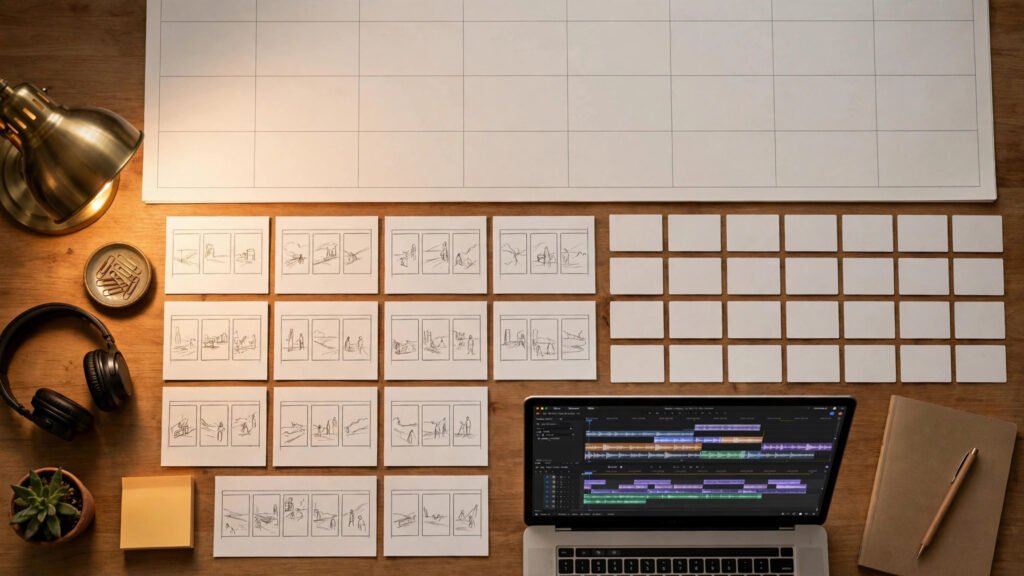
Daily content creation is a treadmill, and I stepped off it months ago. These days I plan one weekend a month, generate thirty videos in batches, and spend the rest of my time doing literally anything else — including the part of content strategy that actually matters, like studying what’s working. The 30-day content calendar isn’t a productivity hack. It’s the difference between a channel that posts when motivation strikes and one that posts every single day without fail.
Batch prompting is what makes it possible. Instead of opening your AI video tool every morning and staring at an empty prompt box, you design a system once — themes, templates, visual anchors — and then execute it like an assembly line. Here’s exactly how I structure a month of AI video content in a single weekend.
Why Batching Beats Daily Creation
Every time you switch from “planning mode” to “generating mode” to “editing mode,” you pay a context-switching tax. Daily creators pay it thirty times a month. Batch creators pay it three times — once per phase. The math isn’t subtle: batching doesn’t just save hours, it produces better work, because your creative decisions compound instead of resetting every morning.
There’s a quality argument too. When you generate thirty videos in two days, you see patterns across them — which prompts are landing, which visual style is holding, where the weak spots are. That feedback loop doesn’t exist when you’re making one video at a time in isolation. And for the mechanics of queuing all that generation efficiently, my guide to batch generation and shot queues covers the technical side of running big generation batches without babysitting them.
The 30-Day Calendar Framework
A calendar without structure is just a to-do list with dates. The framework I use divides the month into four theme weeks, each with its own visual identity and content pillar. Themes do two jobs: they make planning dramatically easier (you’re filling in variations, not inventing from zero), and they give your audience a reason to keep watching — people binge series, not random uploads.
The Four Theme Weeks
Week one is your flagship theme — the content your channel is known for, the stuff your existing audience expects. Week two goes educational: tutorials, breakdowns, explainers. This is the content that brings in search traffic and new viewers. Week three is experimental: new formats, trending sounds, wilder visual ideas. Most of it will be average; one of them might be your breakout. Week four is community and recap: remixes of your best performers, behind-the-scenes process content, responses to comments. It closes the loop and sets up next month.
Adjust the ratio to your niche, but keep the principle: never let a month be thirty random videos. Random doesn’t compound.
Content Pillars Inside Each Week
Within a theme week, I assign each day a pillar — a repeatable format. Monday might be “quick tip,” Wednesday “full breakdown,” Friday “trend reaction.” Pillars are powerful because each one gets its own prompt template, and templates are what make batching fast. When you know every Wednesday is a breakdown video, you stop deciding what to make and start executing how to make it. If you want help thinking about where each pillar performs best, the platform playbook for Shorts, TikTok, and Reels maps formats to platforms.
Prompt Templates That Scale to Thirty Videos
The heart of the system is a small set of master prompt templates with variable slots. You write the template once, then fill the slots thirty times. This is where most people go wrong — they write thirty unique prompts from scratch and call it batching. That’s not batching, that’s just doing daily work on a Saturday.
Anatomy of a Batch-Ready Template
A good batch template has three layers. The fixed layer never changes: your visual style, camera language, lighting direction, aspect ratio, duration. This is your brand consistency — it’s what makes thirty videos feel like one channel instead of thirty experiments. The theme layer changes weekly: subject matter, setting, mood keywords. The slot layer changes per video: the specific subject, the specific action, the specific hook.
Here’s the shape of it in practice: “Cinematic macro shot, shallow depth of field, warm rim lighting, 9:16 vertical [FIXED] — in a misty pine forest at dawn [THEME] — a glass perfume bottle condensing with dew drops, slow push-in [SLOT].” Write five or six of these skeletons and you can generate a month of varied content without ever facing a blank prompt box. For managing all these templates long-term, keeping a proper prompt library pays for itself within the first month.
Filling Thirty Slots Without Burning Out
Slot-filling is a brainstorming session, not a generation session — keep them separate. I do it with a simple spreadsheet: one row per day, columns for theme, pillar, slot subject, slot action, and notes. Fill all thirty rows in one sitting, ideally with reference images or trending examples open for inspiration. The rule is volume over quality at this stage; you’ll kill the weak ideas when you see them in the grid. A full grid of thirty mediocre ideas beats ten brilliant ones and twenty blank rows, because mediocre ideas get better when you actually generate them and brilliant ideas don’t exist until you do.
The Weekend Batch Workflow
Here’s the actual schedule. It assumes you’ve already done your slot-filling session during the week — the weekend is for execution, not decisions.
Saturday Morning: Generation Block One (Themes 1–2)
Generate all videos for weeks one and two — roughly fourteen to fifteen clips. Work theme by theme, not day by day: generate all week-one videos, then all week-two. This keeps your visual anchors fresh in your mind and your prompt template loaded. Queue generations in batches and let them run while you prep the next theme’s slots. If your tool supports proper queuing, you should be actively working less than half this time.
Saturday Afternoon: Generation Block Two (Themes 3–4)
Same process for weeks three and four. By now you’re fast — the templates are warm, you know what good output looks like for each one, and you’re spotting weak prompts before you even generate. Expect this block to go quicker than the morning despite covering the same volume. Save everything with a consistent naming scheme: theme, day, version. Future you will be grateful.
Sunday: Edit, Brand, and Schedule
Sunday is assembly, not creativity. Review all thirty clips, cut the ones that failed (expect to lose 10–20%, that’s normal and budgeted), and apply your standard finishing pass: captions, branding, audio, color consistency. Then schedule everything. Native scheduling on each platform, or a scheduler if you prefer one dashboard — the point is that by Sunday night, your entire month is queued and you don’t touch it again. For how this fits into a larger operation, my AI video production pipeline guide covers the full journey from idea to published.
Keeping Quality Consistent Across Thirty Videos
The biggest risk of batching isn’t speed — it’s drift. Video 1 and video 30 can look like different channels if you’re not deliberate. Three guardrails prevent it.
First, lock your visual anchors in writing before Saturday. Style keywords, lighting direction, color palette, camera language — write them at the top of your template doc and copy them into every prompt verbatim. Don’t retype from memory; memory drifts. Second, generate a reference frame per theme and keep it visible while you work that theme’s batch. Your eyes calibrate to what they see most recently, so make sure they’re seeing the right target. Third, do a consistency pass on Sunday before scheduling: watch the first three seconds of every video back to back. Openings are where inconsistency screams loudest, and it’s the cheapest place to catch it.
For channels with recurring characters or worlds, this discipline matters even more — my guide to weekly batch workflows for AI shorts goes deeper on maintaining character consistency when you’re generating at volume. (That’s the weekly version of this system — worth reading once your monthly machine is running.)
What to Do With the Rest of Your Month
Here’s the part nobody expects: the system only works if you actually use the freed-up time well. A batched month gives you roughly three free weeks. Spend them on the things daily creators never have time for — studying analytics to see which themes actually performed, engaging with comments while the videos are fresh, researching next month’s experimental theme, and improving your templates based on what you learned.
The calendar is a machine, but you’re still the operator. Every month, kill your worst-performing pillar and promote your best experimental format into a pillar. That’s how the system gets smarter over time instead of just getting faster. After three months of this loop, you’ll have a content operation that looks effortless from the outside and is genuinely sustainable on the inside — which, in the creator economy, is the rarest thing of all.
Frequently Asked Questions
What if half my generations fail or look bad?
Budget for it. I plan thirty slots expecting twenty-four to twenty-six keepers — that’s still nearly a video a day. Failed generations aren’t wasted; they’re information about which prompts need rewriting before next month’s batch.
Doesn’t batching make content feel repetitive?
Only if your templates are too rigid. The fixed layer (style, lighting) should repeat — that’s branding. The slot layer (subjects, actions, hooks) should vary wildly — that’s content. Repetition of style with variety of substance is exactly what successful channels look like.
How do I handle trends that pop up mid-month?
Leave two to four flex slots in your calendar — unscheduled days you can fill with trend-reactive content. The calendar gives you structure; the flex slots keep you relevant. Never let the calendar become a cage.
Is one weekend really enough for thirty videos?
For short-form AI video, yes — once your templates exist. The first month takes longer because you’re building the system. By month three, the weekend rhythm feels routine. The slot-filling brainstorm is the real work; generation is just execution.