
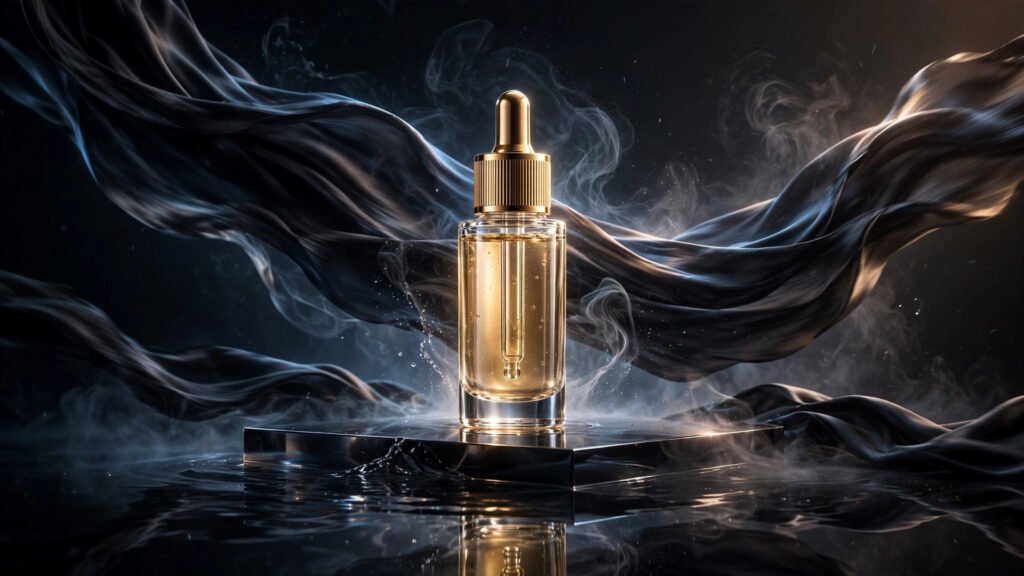
The highest-converting ad creative in my workflow right now doesn’t involve a camera, a studio, or a shoot day. It starts as a single product photo — the kind any brand already has sitting in a Dropbox folder — and ends as a six-second video that stops thumbs mid-scroll. Image-to-video generation changed the economics of product advertising, and if you’re still storyboarding shoots for simple product spots, you’re spending money you don’t need to spend.
I’ve been testing product image-to-video across skincare, supplements, gadgets, and apparel for months now, and the pattern is consistent: the closer your prompt stays to what the photo already shows, the better the result. Products are the easiest subject in all of AI video because there’s no face to morph, no hands to mangle, no character to keep consistent. There’s just an object — and objects are what these models render best. Here’s the full playbook.
Why Image-to-Video Beats Text-to-Video for Product Ads
Text-to-video is a guessing game. You describe a serum bottle in words and the model invents one — wrong label, wrong cap, wrong proportions. For a brand, that’s not a creative choice, it’s a liability. Image-to-video flips the equation: the product in your output is the product in your photo, because the model builds motion on top of real pixels instead of inventing the object from scratch.
That single difference is why every serious product ad workflow I run starts from a photo. You get perfect product accuracy for free, and your prompt only has to handle one job — motion. If you’re still deciding between approaches, my breakdown of text-to-video vs image-to-video covers where each one actually wins.
There’s a second advantage nobody talks about: revision speed. A reshoot costs a day. A re-prompt costs thirty seconds. When a brand asks for “the same thing but with morning light,” you don’t relight anything — you change seven words and regenerate.
Start With a Photo That Wants to Move
Not every product photo animates well. The photo does half the work, so choosing the right starting frame matters more than any prompt trick I know.
Lighting and Backgrounds That Animate Well
Photos with soft directional lighting and simple backgrounds give the model the cleanest signal. A product on a seamless backdrop, a marble counter, or a softly blurred lifestyle background — these all convert beautifully because there’s visual room for motion. Reflections are gold: a glossy surface under the product gives the model natural material to shimmer and shift, which reads as premium motion with almost no prompting.
I also look for a clear silhouette. If I can trace the product’s outline with my finger in under two seconds, the model can too, and the object will hold together through the animation. Busy, cluttered product shots are where morphing starts.
Photos to Avoid
Skip anything with harsh flash, heavy shadows cutting across the product, or text-heavy packaging filling the frame. Small printed text on labels is the number one thing image-to-video mangles — the letters swim and warp as the frames progress. If the label text matters, keep the product small in frame or choose a photo where the label faces slightly away. Watermarked stock photos are an obvious no; the model will lovingly animate the watermark right along with everything else.
Motion Prompt Formulas That Sell Products
Product motion prompts work best when they’re boring in the right way. You’re not directing a short film — you’re adding exactly enough life to make a static image feel like a video. These are the four formulas I return to constantly, and if you want the deeper mechanics behind them, my image-to-video motion prompt guide breaks down the verbs and pacing in detail.
The 360 Hero Rotation
The workhorse of product ads: the product slowly rotates as if on a turntable, camera locked or drifting almost imperceptibly. Prompt it with restraint — “the product rotates slowly on its vertical axis, studio lighting glints across the surface, background remains still.” The mistake is asking for too much rotation; beyond about 30 degrees of turn, most models start inventing the unseen side of the product, and that’s where labels warp. Slow and partial beats fast and full every time.
Liquid, Splash, and Particle Reveals
For beauty, beverage, and fragrance, motion around the product sells harder than motion of the product. Water droplets beading and rolling, a slow splash crown behind the bottle, fine mist drifting across frame — these effects read as high-budget commercial work and they’re exactly the kind of fluid motion current models handle gracefully. Keep the product itself nearly still and let the environment do the performing. The contrast between a rock-steady product and living surroundings is what makes these spots feel expensive.
Lifestyle Context Without a Photoshoot
This is the advanced move: take a clean studio product shot and prompt the background into a lifestyle scene. “The serum bottle sits on a sunlit bathroom counter, soft steam rises in the background, a blurred monstera leaf sways gently at frame edge.” You’re faking an entire lifestyle shoot from one studio photo. It works best when the lighting direction in your prompt matches the lighting already in the photo — mismatched light is the tell that breaks the illusion.
The Unboxing Tease
Hands opening a box, tissue paper lifting, a product rising into frame — unboxing motion is catnip for ad algorithms because it triggers curiosity. The catch: hands are still the weakest point of AI video. Prompt hands at the edge of frame, slightly out of focus, doing simple motions. Never ask for fingers manipulating small objects. A box lid lifting on its own with the product revealed inside gets you 90% of the unboxing feel with none of the hand risk.
Keeping the Product Recognizable
Here’s where product ads succeed or fail: the output has to look like the actual product a customer receives. Drift is the enemy. Three rules keep you safe.
First, name the product’s fixed attributes in every prompt — its color, material, and proportions. “Matte black cylindrical bottle, silver cap” anchors the model to specifics instead of letting it drift toward a generic version. Second, keep motion intensity low. Aggressive motion is what causes morphing; gentle motion preserves identity. Third, generate at the highest quality setting your tool offers for the final version, even if you draft cheap. Compression artifacts in drafts hide the small warps that become obvious in the final render.
Logos and label text deserve special attention — they’re the most legally sensitive pixels in the frame. I’ve put together specific guidance on keeping trademarks and logos intact in AI video, and for paid product work it’s required reading, not optional.
Which Tools Handle Products Best
Most current image-to-video tools — Kling, Runway, Luma, Hailuo, Pika, Vidu — can animate a product photo competently. The differences that matter for ads are object consistency over the clip length and how gracefully they handle reflective materials. In my testing, tools with strong first-frame adherence keep the product locked best; the ones that “reimagine” aggressively are fun for creative work and dangerous for client work.
My practical advice: pick one tool and learn its product behavior deeply rather than hopping between five. Generate the same product photo in each candidate once, watch all five outputs back to back, and commit to the winner for your product pipeline. Consistency in your tooling matters as much as consistency in your prompts.
The Ad-Ready Workflow: Photo to Published in Under an Hour
Here’s the actual pipeline. It assumes you already have a decent product photo — which, for any real brand, you do.
Minutes 0–10: Prep the frame. Pick your photo, crop to your ad aspect ratio first (9:16 for Reels/Shorts/TikTok, 1:1 or 4:5 for feed), and clean up dust spots or background clutter in any photo editor. What you feed the model is what you get, only moving.
Minutes 10–25: Generate motion options. Run three variations — the hero rotation, one environmental effect, one lifestyle context. Same photo, different motion prompts. Don’t overthink the first pass; you’re looking for the one with the cleanest product hold, not the fanciest motion.
Minutes 25–40: Pick and refine. Take the winner and run two more generations with tightened prompts — slower motion, more specific lighting language. This is where good enough becomes genuinely good.
Minutes 40–60: Finish like an ad. Add your text overlays, logo lockup, and call-to-action in an editor (Premiere, CapCut, whatever you use) — never ask the AI to render text. Color grade lightly for platform consistency, export, and ship. For the broader strategy of how these spots fit into a brand’s funnel, my guide to AI product video ads for ecommerce brands covers positioning and formats, and if you’re pitching this as a service, AI UGC-style ad videos for brands explains how to package it.
Common Failures and How I Fix Them
The product “breathes.” Subtle pulsing or warping of edges means your motion prompt is too aggressive. Cut the motion verbs in half and regenerate. Less is more is not a suggestion here — it’s the fix.
The background steals the show. If the model’s invented background motion is more interesting than your product, add “background remains calm and still” explicitly, or mask your intent with “shallow depth of field, background softly blurred.” Blur is a cheat code; use it.
Colors drift. The product’s red looks orange by frame 60. Anchor the color in the prompt (“deep crimson red, color stays consistent”) and avoid prompts with strong color grading language like “golden hour” unless you actually want the shift.
It looks like a slideshow, not a video. This happens when the motion is too subtle to register. Add one secondary motion element — drifting particles, a light sweep, slow push-in — while keeping the product itself still. The eye needs something to track.
Frequently Asked Questions
Can I use any product photo, or does it need to be professional?
A clean smartphone photo on a plain background works fine. What matters is even lighting, a clear silhouette, and no clutter — not the camera that took it. I’ve animated perfectly good ads from phone photos shot on a white desk.
How long should a product image-to-video ad be?
Five to eight seconds is the sweet spot for paid social. It’s long enough to register the product and one motion idea, short enough to loop seamlessly. Loops matter — design the motion so the last frame flows back into the first.
Will the AI change my product’s appearance?
It can, which is why you anchor fixed attributes in the prompt and keep motion gentle. Always compare the final frame against your source photo before publishing. If a brand’s legal team ever asks, you want to show them that check happened.
Do I need the brand’s permission to animate their product photo?
If you’re creating ads for a brand, that permission should already be in your working agreement — animating their product is a derivative use of their imagery. For your own products, obviously, it’s all yours. When in doubt, get it in writing.