
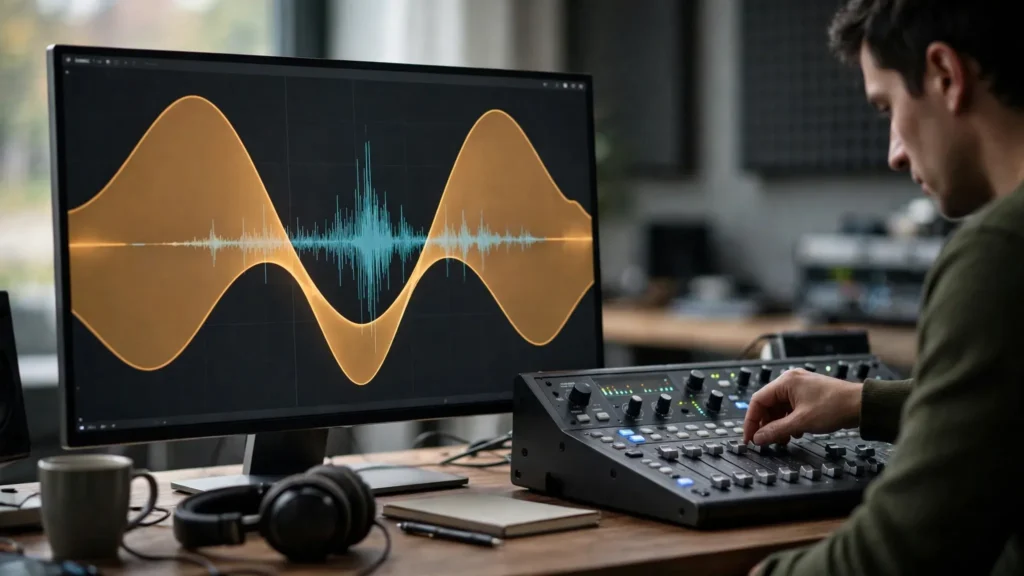
Voice first, everything else after. That’s the whole game. It’s also the rule that gets broken in almost every AI video we review — and it’s nearly always broken the same way. The music sounds great on its own. The voice sounds great on its own. Together they fight like two radios in one room.
The fix is called ducking: music stepping down, gracefully and repeatedly, whenever the voice speaks. Done well, viewers never notice it. Done badly — or not at all — they rewind, squint, and leave. Here’s how we handle it in Premiere Pro, manually and with the built-in tools, plus the judgement calls no tool makes for you.
The Two-Slider Problem That Ruins Good Videos
Every mix with narration is a negotiation between two sliders: voice and music. Set music low enough to never threaten a single syllable and it becomes pointless wallpaper — felt more than heard, adding nothing between lines. Set it high enough to feel alive in the gaps and it tramples the quiet words, the ends of sentences, the moments where your AI voice naturally drops in energy.
The rookie response is to pick one compromise level and suffer both problems at half strength. The professional response is to stop treating it as a static setting. Music level should be a moving thing: present when the voice rests, deferential when it speaks. That movement is ducking. And once you hear a mix doing it well, static mixes sound broken forever. You can’t unhear it.
This negotiation sits at the centre of the broader mix order we describe in professional sound design for AI video, where dialogue owns the top of the stack and music owns the bottom — ducking is how the bottom behaves itself.
Target Levels: Voice First, Everything Else After
Absolute numbers depend on your delivery loudness, which is a separate final step. But the relationship between elements is constant, and it’s worth fixing in your head before touching any automation.
- The voice is the reference. Set it first, alone, at a comfortable, confident level. Everything else in this article is defined as “below the voice.”
- Music under speech sits clearly below. As a working relationship, the music during lines should feel like a bed the voice lies on, not a duet partner — you should be able to hear that music is present without being able to hum along during dialogue.
- Music in the gaps can rise. Between sentences, over transitions, under silent picture — this is where the track earns its keep emotionally. The rise should be smooth enough that it registers as energy, not as a volume event.
- Effects live between. Foley and key sound effects sit above the ducked music and below the voice, which is why ducking matters to them too: when music dips properly, your foley pass stops fighting the track and starts reading clearly.
AI voices need extra respect in this negotiation. They often have a flatter dynamic than recorded narration — fewer natural peaks, quieter line-endings. A music level that behaves under a human voice can swallow an AI voice’s sentence tails whole. So duck a little deeper and a little earlier for generated narration than you would for a recorded presenter. It’s not a flaw in your mix. It’s the material telling you its shape. Listen to it.
Manual Ducking: Keyframes With Intent
Manual ducking means drawing the music’s volume yourself with keyframes on the clip or track. It’s slower. It’s also — on any passage that matters — better. Because you decide where the music breathes instead of an algorithm guessing.
- Mark the voice. With the dialogue track visible, note where lines start, where they end, and where the natural pauses are. The waveform shows you most of this; AI narration’s pauses are usually visible cliffs.
- Dip before the line, not on it. The music should already be settling as the first word arrives. A dip that starts on the first syllable feels reactive and late — the ear catches the music being caught out. Starting the descent a beat early feels like the track politely stepping aside.
- Release slowly into pauses. Between sentences, let the music bloom back up over a comfortable glide — fast enough to fill the gap, slow enough not to lurch. Sentence tails are where mixes get seasick; smooth releases are the cure.
- Ride the phrase level, not every word. Keyframe per sentence or phrase, not per syllable. Word-by-word riding sounds nervous and pumped. You’re conducting, not fencing.
For a thirty-second short this might be eight or ten keyframe moves. Ten honest minutes. The result is a track that feels choreographed to the narration, because it is. When we build narration-led pieces, this manual pass follows the voice placement work described in pairing voiceover with AI video — first the voice sits right against picture, then the music learns to move around it.
Auto-Ducking Tools And Their Pumping Problem
Premiere’s Essential Sound panel offers auto-ducking: tag the voice as Dialogue, the music as Music, enable ducking, and the panel generates level automation that dips the music when the voice speaks. For drafts, long episodes and quick client previews, this is genuinely useful. Use it. But know its failure mode, because you will meet it.
Auto-ducking listens and reacts. On flat, steady AI narration it can over-react — dipping and recovering so frequently that the music starts to pump, a subtle seasick swelling between phrases. The voice’s uniformity, which makes it easy to generate, makes it hard to duck automatically. Ironic, honestly. Taming it:
- Reduce sensitivity until the pumping stops, even if the dips become shallower than you’d draw by hand. A calm shallow duck beats an eager deep one.
- Lengthen the fades. Slower attack and release smoothing hides the algorithm’s decisions. Most pumping is really just abruptness wearing a costume.
- Hybrid the important bits. Let auto-ducking carry the bulk, then hand-draw over the opening line, the emotional peak and the ending — the three places viewers actually judge.
Our honest position: auto-ducking gets you eighty percent in two minutes, manual riding gets the last twenty that people feel. Budget accordingly per project. A daily short might live at eighty. The series flagship should not.
Music Choice: Lyrics And Busy Arrangements Under Speech
Half of ducking trouble is actually casting trouble. The wrong track cannot be ducked into behaving. No amount of keyframes fixes a bad casting decision.
- Lyrics under narration is a duel. Two voices, two sets of words, one listener. Unless the lyric is the point of the moment, instrumental wins under speech. Every time. This isn’t snobbery; it’s how hearing works.
- Busy arrangements fight quietly. Dense percussion, busy melodic lines and strong rhythmic hooks keep grabbing attention at any volume. Under narration, prefer tracks with space in them — sustained textures, simple pulses, melodies that leave gaps. You can hear the difference in one audition: talk over the track yourself. If you stumble, the track is wrong.
- Loop points matter. Short-form music gets cut and looped. A track whose loop seam lands mid-line under auto-ducking creates a little hiccup exactly where you least want one. Place seams in pauses when you lay the track in.
The Phone-Speaker Test
Final arbiter. No exceptions. Export or play the mix through a phone speaker, at arm’s length, in a normal room. Most of your audience for short-form AI work is on exactly this setup — in kitchens and buses, not on studio monitors.
Every word should survive. Not most words — every word, including the quiet ends of sentences where AI voices go to fade. If a phrase disappears behind the music on the phone, the audience doesn’t rewind; they absorb a small confusion and trust the video slightly less. Deepen the dip, thin the track choice, or re-record the line stronger. Those are the only three doors, and the phone tells you which one to take.
Headphones flatter everything. The phone tells the truth. Which is why this check also closes out our AI video QC checklist before anything ships. Truth before shipping.
What To Do When The Voice Itself Keeps Moving
One wrinkle deserves its own warning: generated narration changes level between sessions. The same voice settings on Tuesday’s render can sit noticeably hotter or quieter than Monday’s, and ducking keyed to yesterday’s balance quietly goes wrong. So before drawing a single music keyframe, normalise the voice against itself — even out obvious line-to-line jumps with clip gain so the narration sits at one consistent working level across the whole video. Then duck.
Ducking built on a steady voice is one smooth job; ducking built on a wandering voice becomes a second, accidental riding pass fighting the first. The same applies across an episode boundary in series work: match the new narration to the previous episode’s narration level by ear before the music negotiation starts, or viewers will feel the series “got quieter” without knowing why — and they’ll blame the platform, the phone, anything except the real culprit sitting politely on your dialogue track.
Steady The Voice Before You Duck Anything
One cause of ducking misery sits upstream: generated narration rarely holds one level. A voice that swells and shrinks inside a single line makes every duck chase it, and the music ends up pumping even with gentle settings. So before touching the music track, walk the voice track itself: clip gains at phrase level, a light pass of level-riding on the worst swings, nothing aggressive.
You’re not mastering the voice here — that has its own pass. You’re giving the duck a stable partner to dance with. Once the voice sits still, the ducking distances you set in the earlier sections suddenly behave the way the numbers promised. In our template timelines this takes two minutes, and it’s the difference between a mix that feels mixed and one that feels like it mixed itself while nobody watched.
Frequently Asked Questions
What Is Ducking In Audio Editing?
Ducking is the automatic or manual lowering of one sound — usually music — whenever another, more important sound is present, usually the voice. The music steps down for each line and rises back in the pauses, so both stay audible without fighting. Simple concept. Lifetime of practice.
How Much Should Music Duck Under Dialogue?
Enough that every word, including quiet sentence endings, stays effortless to follow — and judged on a phone speaker, not studio headphones. Practically, the music should feel present but not hummable during lines. If any word needs effort, duck deeper or choose a sparser track. Effort is the enemy.
Is Premiere’s Auto-Ducking Good Enough?
For drafts and routine episodes, largely yes — with sensitivity lowered and fades lengthened to prevent pumping on flat AI narration. For hero pieces, treat auto-ducking as the base and hand-draw keyframes over the opening, the peak and the ending. The parts people actually remember.
Why Does The Music Sound Like It Is Pumping?
Because the ducking is reacting too fast and too often, usually to the very even dynamics of generated narration. Reduce the ducking sensitivity, lengthen the fade times, and ride whole phrases rather than individual words. Smooth and shallow beats deep and jumpy. Every time.
Loud Is Easy; Clear Is The Craft
Anybody can make a video loud. Making one where a generated voice stays intelligible over real music, on a phone, in a kitchen — that’s the craft, and ducking is most of it.
Voice first. Music that knows when to step aside. A phone that tells you the truth. Run that order and your narration will stop apologising for existing.