
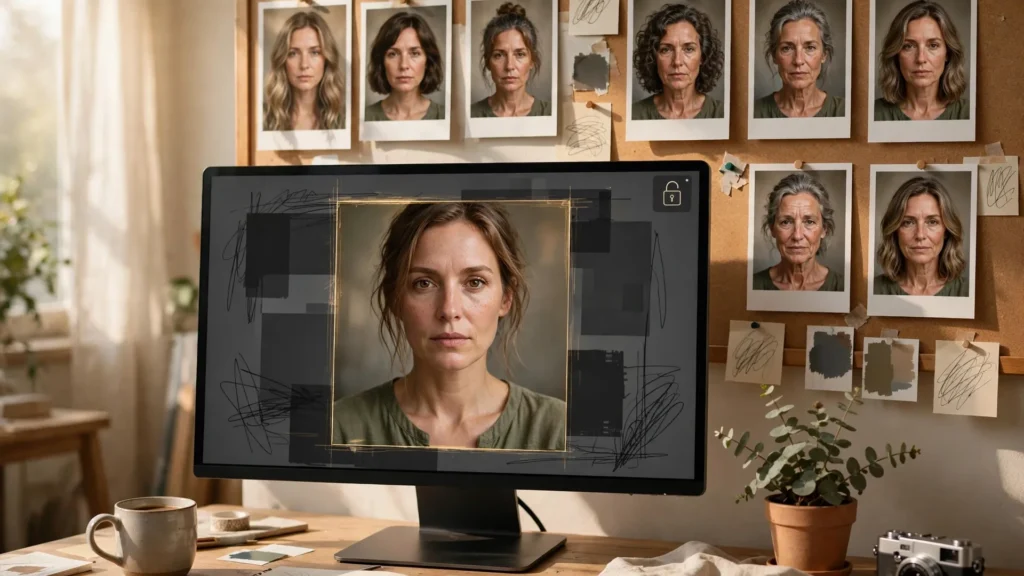
Full face swaps are easy to spot. What actually sneaks into finished videos is quieter. Hair that’s two inches longer than it was three shots ago. Skin that looks airbrushed in one shot and raw in the next. A jaw that’s softened just enough that the character reads five years younger. Nobody pauses the video and says “her hairline moved.” They just feel the scene wobble. And wobbling scenes don’t hold attention — or build trust in a series.
Hair, makeup and age drift are the subtle end of character inconsistency, and in some ways they’re harder to manage than big identity failures. Because you can watch a shot twice and still miss them. But they’re also the drift your audience feels most — precisely because faces are what humans are wired to read. This guide breaks down where each type of drift comes from, how to slow it down at generation time, and the comparison audit I run before any multi-shot scene leaves the edit.
Drift You Feel Before You See
Human vision is a face-reading machine. We track tiny changes in the faces around us without conscious effort — which is why a friend’s new haircut registers instantly even when you can’t describe it. Generated video runs straight into that machinery. A character can keep roughly the same face across a sequence while the details around it shift — hair volume, skin finish, how deep the lines around the eyes are — and the viewer’s brain reports “something is off” without filing a detailed complaint.
This is why subtle drift deserves its own workflow instead of being lumped in with general character consistency. The big failure — a different person — you catch in any review. The subtle failures pass casual review, survive export, and only show up as a vague feeling that the video looks “AI-ish.” I’ll be real: half of what people call the AI look is exactly this. Not broken faces. Faces that won’t sit still at the detail level.
Three things make detail drift hard to fight:
- It is cumulative. Shot one is right, shot two is close, shot three drifts a little from shot two — and by shot nine you have walked a long way from the character you started with, in steps too small to object to individually.
- It hides inside legitimate change. Characters move, turn, get lit differently. Real variation masks artificial variation, so drift rides along under changes that should be there.
- Close-ups and wide shots anchor differently. A wide shot barely resolves hair detail, so the model invents it loosely; the following close-up then has to match an invention. Detail invented at low resolution rarely survives being examined at high resolution.
The general consistency system — references, fixed description strings, review — is the foundation, and the main guide to character consistency in AI video covers it. What follows is the detail layer on top of that foundation.
Hair: The Fastest-Moving Target
If you rank facial features by drift speed, hair wins by a mile. Length creeps. Partings migrate from left to right. A ponytail gains volume. Loose hair gets tidier. Curly hair relaxes a little more in every generation until the character’s texture has quietly changed. Hair is high-frequency detail with a huge range of plausible shapes — and plausible is all the model aims for.
What helps, in rough order of impact:
- Constrain the style to something with a fixed shape. Tight buns, short crops, braids worn the same way every time, hats where the story allows them — hairstyles with hard structure drift less than loose, flowing styles. If a character’s loose hair matters to their look, accept a higher regeneration budget for their close-ups.
- Describe hair like a fixed object, not a vibe. “Long wavy brown hair” is a vibe. “Chest-length dark brown hair, centre parting, loose waves, worn down, no fringe” is an object. Length anchor (chin-length, shoulder-length, chest-length), parting, texture, and how it is worn — all four, every prompt, same words.
- Show the hair in the reference from more than one angle. A front reference cannot describe what the back of the hairstyle does. A three-quarter or back view in the reference set pays for itself the first time the character turns around on camera.
- Be careful with wet, wind and action. Hair physics is where models improvise hardest. Rain scenes, wind, running — beautiful, and a drift festival. Keep hero close-ups out of the wildest hair moments, or generate those shots image-to-video from a still where the hair is already right.
One more honest note: hair colour drifts with scene light more than people realise. The same “dark brown” reads near-black in a night scene and warm auburn at golden hour — and the model amplifies the swing. If colour identity matters, your reference frames should be in neutral light, and your grade at the end should be pulling shots toward each other, not pushing them apart.
Makeup And Skin Finish Under Changing Light
Makeup drift is the one creators talk about least. Possibly because it feels vain to write “eyeliner: yes” into a technical document. Write it anyway. Models treat makeup as part of the lighting-and-mood package — so a character generated in a soft morning scene comes back with barely-there makeup, and the same character in an evening scene arrives with a full glam look. Lipstick darker. Eyes heavier. The character didn’t decide to do their makeup between shots. The scene’s mood did it for them.
The counter is boring and effective: put the makeup state in the character’s fixed description and keep it there. “Natural makeup, no visible lipstick, matte skin” or “defined eyeliner, deep red lipstick, satin skin finish” — whichever the character wears, it’s a line in the locked string, repeated in every prompt. So the scene’s mood stops making wardrobe-of-the-face decisions.
Skin finish is the subtler half of this. Watch for:
- The beauty-filter shot. One generation comes back with pores erased and skin glowing like a cosmetics ad while the surrounding shots have realistic texture. It stands out badly once you see it, and other people feel it even when they do not see it.
- Shine swings. Oily highlights in one shot, powder-matte in the next, under what is supposed to be the same light. This one is partly a lighting problem, but naming the finish in the prompt (“realistic skin texture, visible pores, natural shine”) steadies it.
- Blemish and mole migration. Small marks move, vanish, or multiply. Moles and scars are identity features; if your character has one, it belongs in the locked description and in the reference, and it goes on your review checklist by name.
In the grade, resist over-beautifying. Heavy skin smoothing in one scene of Premiere Pro colour work can create the very finish mismatch you’re trying to avoid. Keep correction gentle and consistent across the whole sequence — rather than perfecting shots one at a time.
Age And Face Shape Creep
Age drift is the slow leak of AI video. It rarely jumps. It seeps. The jawline softens a touch. The under-eye area smooths. The face gets a fraction rounder or longer. Each generation is a plausible version of the character at a slightly different age or weight — and because every step is plausible, nothing triggers your “wrong person” alarm.
Where does it come from? The model’s idea of a face is an average pulled toward common, attractive norms, and every fresh generation re-rolls around your description. Descriptions like “young woman” or “man in his forties” span a decade of faces. Repeated generations wander within that span — and tend to drift toward the smoother, younger end unless something holds them.
Anchors that slow the creep:
- Narrow the age wording. “24 years old” holds better than “young.” It feels over-precise for a fictional person, but you are not describing a person — you are pinning coordinates for a model.
- Name the face structure. Strong jaw, soft jaw, high cheekbones, round face, long face. Shape words give the re-roll less room to wander, and face shape is a large part of what reads as age on screen.
- Keep one hero reference and actually use it. Verbal anchors slow drift; image anchors stop most of it. Every face-critical shot should start from, or be referenced against, the same locked image — not the best frame from the last generation, which is how creep compounds. Generation-to-generation chaining is how shot nine ends up a stranger: each clip slightly edits the last. More on that discipline in the seed and iteration methodology guide.
- Generate important faces at the length you need. Extending and re-extending a clip asks the model to keep re-imagining the face at every seam. Fewer seams near the face, fewer chances to wander.
The Drift Audit: Comparing Shot 1 And Shot 9
All of the above gets you most of the way. The audit catches the rest. It’s a deliberate comparison pass, done once per sequence before export — and its whole trick is comparing non-adjacent shots. Because adjacent shots almost always match well enough to fool you.
The process I use:
- Park the locked reference and the first approved shot side by side with the latest shot. In Premiere Pro, I keep stills of the reference frame and shot one in a “drift check” bin. The comparison that matters is shot nine against shot one and against the reference — not shot nine against shot eight.
- Check in a fixed order: hair, skin, shape, marks. Hair first (length, parting, texture, colour under the scene’s light). Then skin finish (smoothing level, shine, makeup state). Then face shape and age (jaw, cheek, overall roundness). Then the small identity marks — moles, scars, tooth gap, whatever your character has.
- Zoom the same way every time. Compare faces at the same scale on screen. A face checked small always looks “fine”; the drift lives at 100%.
- Decide per failure, not per feeling. Slight hair variation in a moving wide shot: ship it. Face visibly younger in a dialogue close-up: that shot goes back for regeneration with the hero reference driving it, or gets replaced with an image-to-video build from a correct still.
Five minutes of this per sequence saves the specific embarrassment of a character slowly becoming their own younger sibling across a video. Fold it into your normal review rather than treating it as extra work — a QC checklist pass is built for exactly this, and hair-skin-shape-marks slots straight into it.
Nobody’s pipeline produces zero drift. The creators whose work looks stable aren’t using a magic tool. They’re constraining hair, locking makeup into the description, pinning age with numbers and shape words — and, the part everyone skips, actually comparing the last shot against the first before calling it done. Feel-based review misses detail drift. Side-by-side review doesn’t. Build the audit into the last ten minutes of every edit session, while the sequence is still open on the timeline and a regeneration is still cheap. Drift caught there costs one shot. Drift caught by your audience costs you the comment section’s trust in every face that follows.