
Why One Great Character Isn’t Enough
You’ve built a consistent AI character. The face holds across videos, the outfit stays put, viewers recognize them instantly. That’s a real achievement — and it’s only half the job. Because now your consistent character is standing in a coffee shop that looks different every episode, holding a phone that changes brands between scenes, in a city whose skyline rearranges itself whenever the model feels creative.
World building is the discipline of making everything around the character as consistent as the character. The locations, the props, the lighting language, the background details that tell viewers “you’re in the same place as last time.” Without it, you have a recognizable person wandering through a dream that resets every video. With it, you have a series — and series are what audiences follow, remember, and return to.
What a World Bible Actually Contains
Professional productions use a world bible: a single reference document describing everything about the fictional world. For AI video, yours can be one page. But it needs to exist, because the alternative is keeping it all in your head, and heads are where details go to drift.
A practical AI video world bible has five sections. Characters: each recurring character’s locked description and reference image. Locations: every recurring place, described in fixed visual terms — not “a cozy cafe” but “a narrow cafe with exposed brick, brass pendant lights, and a chalkboard menu wall.” Props: significant objects with fixed descriptions. Visual language: the color palette, lighting style, and time-of-day conventions for the series. Rules: the things that are always true — the tech level, the season, anything the model might otherwise randomize. Write it once, reference it forever.
Character Sheets: The Foundation
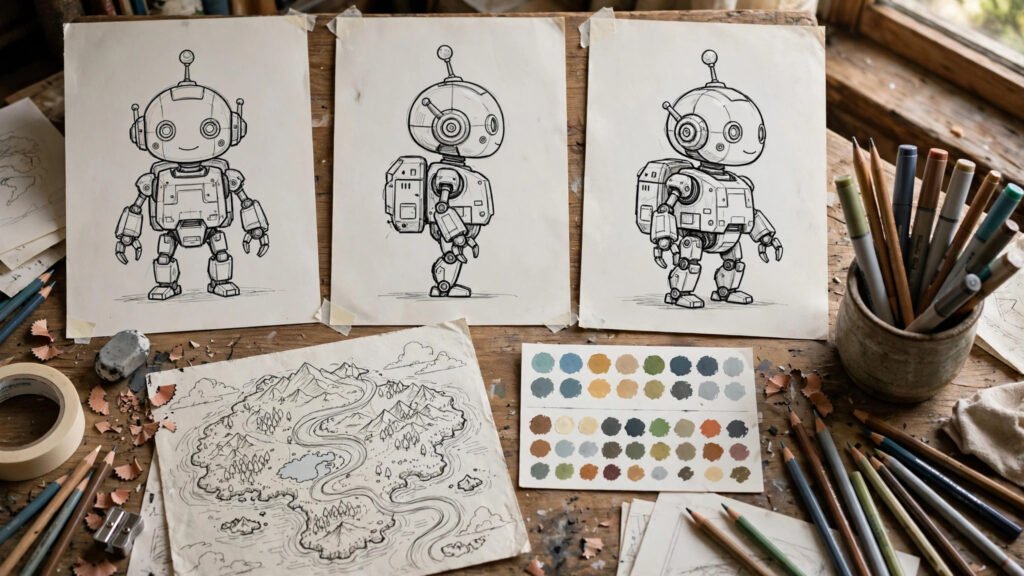
Everything starts with the character sheet, because characters are what viewers track most closely. A proper sheet has four views: front-facing portrait, three-quarter view, side profile, and a detail shot of the signature element — whatever makes this character unmistakable. Generate these from a single locked description, pick the best set, and treat it as canon.
The sheet does two jobs. First, it’s your reference for every new generation — feed the sheet images back into image-to-video tools or use them as style anchors. Second, it’s your consistency test: when a new render comes back, compare it against the sheet, not against your memory. Memory forgives drift; side-by-side comparison doesn’t. If you haven’t built one yet, start with my guide to building your first reusable AI character — the sheet is the deliverable that makes everything else possible.
Locking the Description
Write one canonical description per character and never deviate. Not “young woman with red hair” in one prompt and “female protagonist, auburn hair” in another — pick the exact wording and paste it everywhere. I keep mine in a text file I copy from, because retyping invites variation and variation invites drift. The description should cover age impression, face shape and features, hair, build, outfit (every item), and one or two distinctive details. Boring, specific, identical — that’s the goal.
Locations That Stay Put
Locations drift because creators describe them casually. “In a cafe” gives the model infinite freedom, and it uses all of it — different layout, different lighting, different vibe every time. The fix is the same as for characters: fixed descriptions and reference images.
For each recurring location, generate three to five reference images from a locked description: a wide establishing view, two medium angles, and any distinctive detail (the neon sign, the mural, the staircase). Save them as the location’s canon. When a new video needs that location, the prompt references both the description and the reference images. The first time you do this, it feels like overkill. The first time a viewer comments “love that we’re back at the cafe,” you’ll understand.
The Establishing Shot Habit
Open location-based sequences with a wide establishing shot from your reference set. This does two things: it re-orients returning viewers instantly, and it sets the visual baseline that subsequent closer shots get judged against. Skipping the establishing shot is the most common reason location changes feel jarring — the viewer never got anchored, so every shot feels like a new place.
Props: The Details Viewers Actually Notice
Here’s something counterintuitive: viewers forgive a slightly different background faster than a changed prop in a character’s hand. Props live in the foreground, near the face, in the center of attention. A coffee mug that changes color between episodes is more damaging than a rearranged bookshelf.
Maintain a prop list for your series — every significant object with a fixed description. For hero props (things the character interacts with repeatedly), generate reference images. When prompting, name the prop exactly as listed: “her chipped blue ceramic mug,” not “a coffee cup.” And watch for the classic failure: objects shifting or morphing between frames. If a prop won’t stay still, it’s telling you the description isn’t locked tightly enough.
Visual Language: Color, Light, and Time
Beyond individual elements, your world needs a consistent visual language — the overall look that makes disparate shots feel like one series. Define three things. Palette: two or three dominant colors that recur (the teal-and-amber cafe, the desaturated blue workshop). Lighting: the default quality of light — warm practicals, cool daylight, neon nights. Time conventions: does this world live in golden hour, or does time pass normally?
Include a one-line visual language note in every prompt: “warm amber practical lighting, teal accent tones, evening.” It’s the cheapest consistency tool you have, because color and light unify shots even when details vary. This is also where a final color grade earns its keep — one grade across the series smooths over the small variations that slip through.
Keeping It All Consistent Across a Series
The system only works if using it is easier than not using it. That means organization. Keep a single folder per series with subfolders: characters, locations, props, references. Name files descriptively — “mara-cafe-wide-v3.jpg” beats “final-final-2.jpg.” Keep the world bible as a text document in the same folder, and update it when you add elements rather than letting it go stale.
Before each new video, do a two-minute bible check: which characters appear, which locations, which props? Pull the references, paste the locked descriptions, and generate. After generation, do the comparison pass — new renders against the canon sheets. Fix drift now, not three videos later when the audience has already noticed. Consistency compounds: every video that matches strengthens the world’s reality, and every drift weakens it.
When to Evolve the World Deliberately
Worlds shouldn’t be frozen — they should evolve on purpose. New locations, seasonal changes, a character’s new jacket: these keep a series fresh. The key word is deliberately. Introduce changes as events, with establishing shots and acknowledgment, not as silent drift the audience is supposed to ignore. A character getting a new jacket in a dedicated moment is storytelling. The jacket changing without comment is a continuity error. Same pixels, completely different meaning.
World Building for Faceless Channels
Faceless creators sometimes assume world building doesn’t apply to them — no face, no character, no problem. The opposite is true: without a face to anchor on, your world is your identity. The consistent desk setup, the recurring visual motifs, the signature color grade — these become what viewers recognize. My guide to faceless channel branding covers the identity side; the world bible is its production counterpart. The channels that feel like “a place you visit” rather than “clips you watch” all have this, whether they named it or not.
Voice and Sound as World Elements
Worlds aren’t only visual. A consistent voice across episodes is part of the world’s fabric — the same narrator, the same energy, the same sonic texture. If your series has dialogue or narration, lock the voice exactly like you lock a face: same voice model, same settings, same delivery notes. Inconsistent audio breaks immersion as fast as inconsistent visuals. For the technical side, see keeping the same voice in every clip — and don’t forget wardrobe-level attention for recurring costume elements via wardrobe consistency, since what characters wear is world as much as character.
Frequently Asked Questions
How detailed should a world bible be?
Detailed enough that a stranger could generate a matching shot from it, short enough that you’ll actually use it. One page is the sweet spot for most creators. If it’s ten pages, you’ll stop referencing it, and an unreferenced bible is just a document.
Can I build a world for a single standalone video?
You can, but the return on investment is lower. World building pays off across series — the third, fifth, tenth video is where the compound effect shows. For one-offs, a lighter version (locked character + one location reference) is usually enough.
What if my AI tool doesn’t support reference images?
Then the locked text descriptions carry the full load. Make them extremely specific — materials, colors, spatial relationships, lighting — and keep them identical across prompts. Text-only consistency is harder but absolutely achievable with discipline.
The Bottom Line
Character consistency gets the attention, but world consistency is what makes a series feel real. Build the bible, lock the descriptions, keep the references organized, and check new work against canon. Do it for five videos and you’ll have something most AI creators never achieve: a place your audience recognizes, trusts, and comes back to. That’s not a technical achievement — it’s a storytelling one, and it’s entirely within reach.