
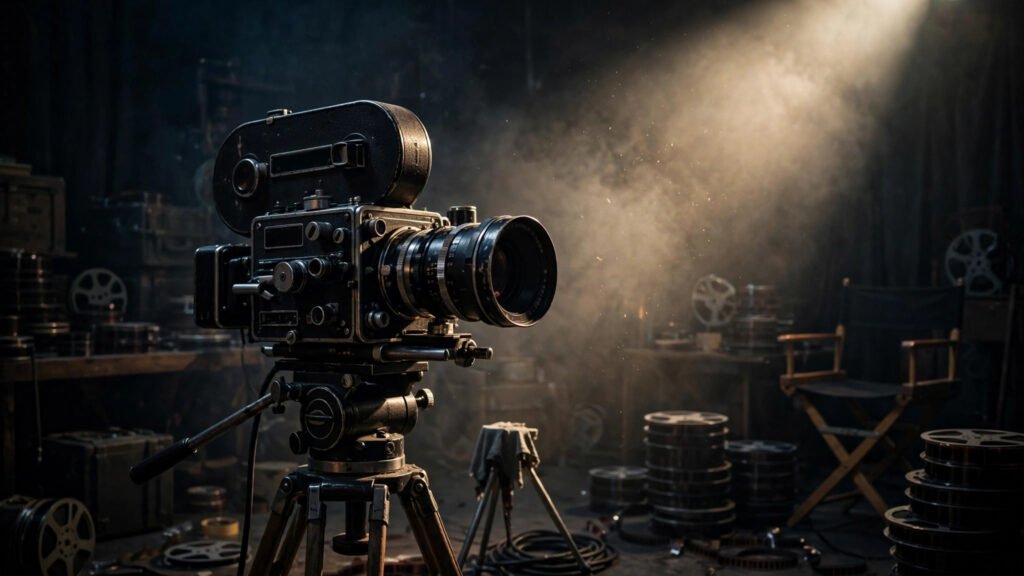
There is a specific disappointment every AI video creator knows. You type a decent prompt, the generator spits out a clip, and it looks… fine. Technically fine. But it has the visual personality of a stock footage reel — flat lighting, generic framing, that unmistakable “AI made this” sheen. Meanwhile, someone else posts an AI short that genuinely looks like a film still, and you wonder what secret prompt they used.
The secret is not a magic word. It is that cinematic AI video prompts are built from the same ingredients cinematographers have used for a century: motivated lighting, deliberate lens language, controlled color, and texture. AI generators understand these terms surprisingly well because they were trained on millions of captioned film frames. You just have to speak their language. This guide gives you complete, copy-ready prompt recipes for four proven aesthetics — film noir, Wes Anderson symmetry, anime, and documentary realism — plus the underlying structure so you can invent your own.
Why Most AI Video Looks Flat (And How to Fix It)
Default AI video output looks generic for a predictable reason: most people prompt the subject and forget the cinematography. “A detective walking down a street at night” tells the model what to show but nothing about how to show it. The generator fills the gaps with its safest, most average choices — even front lighting, medium shot, neutral colors. That is the recipe for flat.
The fix is to prompt like a director, not a describer. Every cinematic prompt needs four layers: lighting (where the light comes from and what quality it has), lens language (shot size, focal length feel, camera behavior), color (palette, contrast, saturation), and texture (grain, haze, sharpness). Get those four right and the subject almost takes care of itself. If you want the deeper breakdown of why some AI footage reads as cheap, my guide on why AI video looks cheap covers the visual tells in detail.
The Anatomy of a Cinematic AI Video Prompt
Before the recipes, here is the structure I use for every cinematic prompt. Think of it as five slots you fill in order:
- Subject and action — who/what is doing what, in one clear sentence.
- Lighting — source, direction, quality (hard/soft), and mood words like “chiaroscuro” or “golden hour.”
- Lens language — shot size and camera behavior (“slow dolly in,” “static locked-off wide”).
- Color and grade — palette words (“teal and orange,” “desaturated,” “high contrast”).
- Texture and finish — “35mm film grain,” “subtle haze,” “sharp focus on subject.”
Camera behavior deserves special attention because it is where beginners go wrong most. If you have not locked in your framing vocabulary yet, read my shot sizes guide for AI video first — it will make every prompt in this article twice as effective. And when choosing between camera moves, the push-in vs. zoom breakdown explains which reads as cinematic and which reads as amateur.
Film Noir: Shadows, Rain, and Moral Ambiguity
Noir is the most forgiving cinematic style for AI generators because darkness hides imperfections. Heavy shadows mean the model has less detail to get wrong, and high contrast reads as intentional artistry. The noir vocabulary: venetian blind shadows, wet asphalt reflections, cigarette smoke, fedoras and trench coats, single-source hard lighting.
Film noir scene, detective in trench coat and fedora standing under a streetlamp on a rain-soaked street at night, venetian blind shadows cutting across his face, hard single-source lighting from above, deep blacks and stark highlights, wet asphalt reflecting neon signs, cigarette smoke drifting through the light beam, slow dolly in, 35mm film grain, high contrast black and white with subtle warm highlightsThree things make this work. First, the lighting is motivated — every shadow has a source (the streetlamp). Second, the prompt names specific noir props (venetian blinds, wet asphalt) instead of just saying “noir style,” which gives the model concrete visuals to render. Third, “black and white with subtle warm highlights” is more effective than pure black and white because it keeps a hint of color information for the model to work with. For aerial noir establishing shots, the drone shot prompting guide has angle and altitude language that pairs well with this style.
Wes Anderson Symmetry: Pastel Precision
Anderson’s style is the opposite of noir — bright, flat, obsessively symmetrical — and it works beautifully in AI video because the model loves geometric composition. The key insight: you must explicitly demand symmetry, because generators default to rule-of-thirds framing. Without the word “symmetrical” or “centered,” you will not get the look.
Wes Anderson style scene, centered symmetrical composition, a quirky hotel lobby with pastel pink and mint green walls, perfectly balanced furniture on both sides of frame, character standing dead center looking at camera, flat even lighting, pastel color palette, vintage 1960s production design, slow lateral tracking shot, whimsical and precise, sharp focus throughoutThe critical phrases are “centered symmetrical composition” and “perfectly balanced on both sides” — belt and suspenders, because AI models need the instruction reinforced. “Flat even lighting” prevents the dramatic shadows that would break the storybook feel. One caution: faces in dead-center close-ups can trigger the uncanny valley in some models, so keep Anderson-style shots at medium or wide distance. Skin tones also need attention in pastel grades — washed-out palettes can make faces look plastic, so add “natural skin tones” to your negative prompt if your tool supports one.
Anime Style: Bold Lines and Emotional Skies
Anime is one of the most requested AI video aesthetics and one of the easiest to nail, because the style is so visually distinctive that a few keywords lock it in. The trick is specifying which anime look you want — Ghibli pastoral, cyberpunk neon, or shonen action all need different language.
Studio Ghibli inspired anime scene, lush green countryside with a lone ancient tree on a hill, dramatic emotional sky with towering cumulus clouds, hand-painted background art style, soft watercolor textures, warm afternoon light, gentle wind moving the grass, slow aerial drift over the landscape, vibrant but natural colors, nostalgic and peaceful moodFor a darker anime look, swap the palette: “cyberpunk anime, rain-soaked neon Tokyo street, magenta and cyan color scheme, dramatic rim lighting, detailed background art, moody atmosphere.” The phrase “hand-painted background art style” is doing heavy lifting — it tells the model to render like background art rather than photoreal footage with an anime filter, which looks far better. Avoid asking for complex character animation in anime style; AI video still struggles with consistent anime faces in motion, so favor landscapes, crowds at distance, and slow camera moves.
Documentary Realism: The Invisible Camera
Documentary style is the hardest aesthetic on this list because “realistic” gives the model the least stylistic guidance — and unguided realism defaults to that flat stock-footage look. The solution is to prompt the imperfections of real documentary footage: handheld shake, natural light, unposed subjects.
Documentary realism, handheld camera following a street vendor through a busy morning market, slight natural camera shake, available daylight only, unposed candid moments, shallow depth of field, natural skin tones, muted realistic colors, 16mm documentary film grain, observational style, no staged lighting, authentic and unstaged feeling“Handheld” and “slight natural camera shake” are essential — without them you get tripod-smooth footage that reads as corporate video. “Available daylight only” and “no staged lighting” push the model away from studio polish. This style pairs well with interview-style content and vlog formats. One warning: documentary prompts sometimes produce watermark-like artifacts or timestamp overlays because the training data includes so much archival footage — add “no text overlay, no timestamp, no watermark” to your negative prompt.
5 Mistakes That Kill the Cinematic Look
After testing dozens of style prompts, these are the errors I see most:
- Style keywords without cinematography. Writing “cinematic” alone does almost nothing. You need the specific lighting, lens, and color language.
- Conflicting directions. “Film noir” plus “bright cheerful lighting” in the same prompt confuses the model. Pick one visual idea per clip.
- Forgetting texture. Film grain, haze, and sharpness instructions are what separate “AI render” from “film frame.” Never skip the texture slot.
- Over-specifying the grade. Naming three color palettes (“teal and orange, warm golden, cool blue tones”) muddies the result. One palette per prompt.
- Ignoring flicker. Stylized prompts with heavy grain can amplify temporal flicker. If your cinematic clips shimmer, the flicker fix guide has negative prompt blocks specifically for stabilizing stylized footage.
Your Cinematic Prompt Cheat Sheet
Keep this quick reference next to you when writing prompts:
- Lighting words: chiaroscuro, golden hour, blue hour, hard single-source, soft diffused, rim lighting, practical lights, motivated lighting
- Lens words: 35mm, anamorphic, shallow depth of field, deep focus, slow dolly in, lateral tracking, locked-off, handheld
- Color words: teal and orange, desaturated, high contrast, pastel palette, monochromatic with warm highlights, muted realistic
- Texture words: 35mm film grain, 16mm grain, subtle haze, lens flare, sharp focus on subject, soft background
Master these four vocabularies and you will never generate a flat, generic clip again. Start with one style, run the same subject through all four recipes above, and compare — that single exercise will teach you more about cinematic prompting than any tutorial. Pick the aesthetic that fits your channel’s identity, build a consistent visual signature around it, and your videos will start looking like they belong on a much bigger screen.