
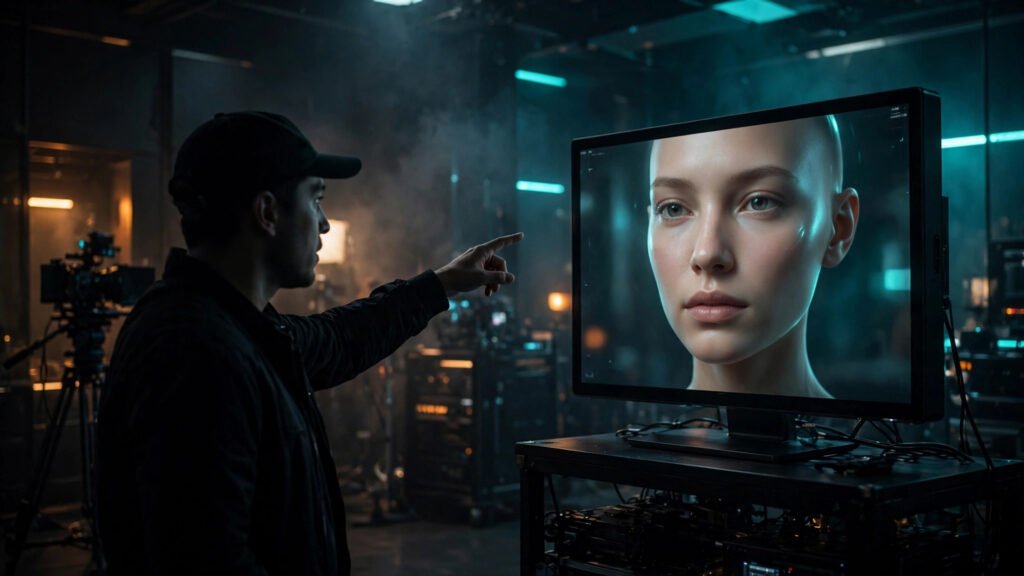
Most AI avatar videos fail for the same reason: nobody directed them. A creator picks a tool, pastes a script, hits generate, and posts whatever comes out. The result looks like a mannequin reading a teleprompter — technically impressive, emotionally dead. But an AI avatar is a performer, and performers need direction. Once I started treating avatar generation like directing an actor instead of operating software, the believability of my talking-head videos changed completely. Here is how to direct AI avatars so viewers forget they are watching synthetic media.
Think Like a Director, Not a Software Operator
A human actor arrives with instincts — they know when to raise an eyebrow, when to lean in, when to let a sentence breathe. An AI avatar arrives with none of that. Every ounce of performance has to come from your direction, expressed through the two things you control: the script and the generation settings.
This mindset shift changes every decision. You stop asking “which button makes it better” and start asking “what would I tell an actor in this scene?” Would you tell them to slow down here? To smile on this line? To look straight at the camera for the important part? Every one of those instincts has a concrete equivalent in the avatar workflow, and this article maps each one. If you have not chosen your platform yet, my comparison of HeyGen vs Synthesia vs Hedra covers which tools give you the most directorial control.
Write Scripts That Avatars Can Actually Perform
Human presenters compensate for weak scripts with charisma. Avatars cannot — they perform exactly what you write, nothing more. So the script has to carry the entire performance, which means writing it differently than you would for yourself.
First, shorten everything. Avatar delivery works best with sentences under twelve words, because long sentences flatten into monotone. Where a human would naturally vary their energy across a complex sentence, an avatar tends to ride one flat line. Short sentences force natural inflection points.
Second, write the emotion into the words. “I am excited about this” will never sound excited — but “This is the part I have been waiting to show you” performs excitement through word choice alone. Choose verbs with energy. Put the important word at the end of the sentence, where the voice naturally lands with emphasis. Write conversationally, with contractions and fragments, because formal written language is the fastest route to a robotic performance.
Third, mark your beats in the script. I use simple bracketed cues — [pause], [smile], [lean in] — as notes to myself during generation, even on platforms that do not parse them. They remind me where the performance moments are when I am choosing takes and settings.
Direct Expressions Through Emotional Beats
Believability comes from emotional variation, not emotional intensity. A real presenter is not smiling constantly — they move between neutral, curious, emphatic, and warm. Your avatar script needs the same arc. I map every script into emotional beats before generating: the hook is energetic, the explanation is calm and clear, the key insight gets emphasis, and the close is warm.
Most avatar platforms let you select an expression, mood, or emotion per generation. Use this per section, not per video. Generate the hook with an energetic setting, the body with a neutral-confident one, and the call to action with a warm one — then edit the sections together. A single video cut from three emotional takes feels dramatically more human than one take with one setting. For the prompting side of this, my guide to prompting emotion and expressions in AI video goes deeper into the language that triggers believable faces.
The Eyebrow Rule
Here is a small detail with outsized impact: watch the avatar’s eyebrows in your test renders. Real human emphasis involves subtle eyebrow movement, and avatars that keep a frozen brow read as mannequins. If your platform offers expressiveness or gesture controls, turn them up for emphasis sections. If a take has dead eyes and a still brow, regenerate — that take will never feel alive no matter how good the script is.
Get Gestures Working For You, Not Against You
Nothing destroys believability faster than random, repetitive hand gestures — the infamous “avatar chop” where the hands bounce on every syllable. The fix is restraint. For most talking-head content, subtle is better: slight head tilts, small nods on key points, stillness during serious moments.
Direct gestures the way you would block a scene. Decide in advance: where does the avatar lean in? Where does it pause with a nod? Then choose takes or settings that match. If the platform generates gestures automatically, generate multiple takes and select the one where the hands are calmest during your most important lines — viewers forgive stiff hands during transitions, but not during the moment that matters.
For longer videos, vary the framing between sections. A medium shot for the hook, a slightly tighter crop for the explanation, back to medium for the close. This is standard presenting technique, and it breaks the visual monotony that makes avatar videos feel synthetic. Even simple punch-in cuts in editing create the impression of a directed, multi-camera shoot.
Solve the Eye Contact Problem
Eye contact is the single biggest trust signal in talking-head video, and it is where avatars most often fail. The issue is usually gaze drift — the avatar’s eyes wander slightly instead of locking onto the lens. On a human this reads as thoughtfulness; on an avatar it reads as malfunction.
When choosing or creating your avatar, prioritize a straight-to-camera gaze in the source footage or base model. During generation, keep sentences shorter in sections where trust matters most — the hook and the call to action — because shorter utterances give the eyes fewer chances to drift. And in editing, cut away to b-roll during any moment where the gaze wobbles; a well-timed cut hides a multitude of sins.
Also consider when not to use a talking head at all. Some sections of a video are better served by voiceover with visuals, and alternating between avatar-on-camera and voiceover-over-b-roll is exactly what human creators do. The avatar becomes more believable precisely because it is not on screen the entire time.
Direct the Voice Like a Separate Performance
On most platforms, the avatar’s voice is generated separately from its face, which means you get two performances to direct. Do not use the same flat delivery for both halves. Apply everything from voiceover craft — pacing, pauses, emphasis — to the audio track independently of the visual settings.
The critical technical checkpoint is lip sync quality. Watch the mouth on plosive sounds — b, p, m — where mismatches are most visible. If the sync drifts, the usual culprits are overly long sentences or unusual words; shortening the line almost always tightens the sync. When a line will not sync no matter what, rewrite the line. Directors rewrite for actors all the time; rewriting for an avatar is the same instinct.
Match the voice energy to the facial expression take. An energetic voice on a neutral face — or a calm voice on an expressive face — creates an uncanny mismatch that viewers feel without being able to name. When you generate the hook with high energy, make sure both the voice settings and the expression settings agree.
Build Consistency Across a Series
One believable avatar video is a demo. Ten is a channel. The directors’ trick for series work is a locked “character bible”: the same avatar, the same voice settings, the same framing, the same background style, the same pacing rhythm — episode after episode. Audiences bond with consistency; it is what turns a synthetic presenter into a familiar host.
Save everything as presets: voice settings, expression choices, framing, even the script formatting conventions you use. When you need to produce episode twelve in a hurry, those presets are what keep it feeling like the same show. This discipline is the heart of character consistency in AI video, and it matters even more for avatars than for any other format because the face is the brand.
Resist the urge to “upgrade” the avatar mid-series. A new, slightly better avatar model will feel like a recast to your audience. If you must switch, do it between clearly separated series, never mid-season.
Use Avatars Where They Shine
Direction also means casting — putting the avatar in content where a talking head is genuinely the right format. Avatars excel at explainers, product walkthroughs, news-style updates, educational content, and spokesperson-style videos for affiliate marketing. They struggle with comedy timing, emotional storytelling, and anything requiring genuine spontaneity.
Play to the strength. A well-directed avatar explaining a complex topic clearly will outperform a poorly directed human rambling through the same material. The format is not the limitation — the direction is. Treat every avatar video like a performance that deserves rehearsal, multiple takes, and ruthless selection, and viewers will stop seeing the technology and start seeing the presenter.